TASC Vision: complete module walkthrough
Upload a workplace image, review AI-assisted findings and apply qualified human judgement.
Watch first
Captioned walkthrough using the real TASC screen
Do the task
Follow these steps in order
Start a new analysis
Choose a clear workplace image that is authorized for review and does not expose unnecessary personal information.
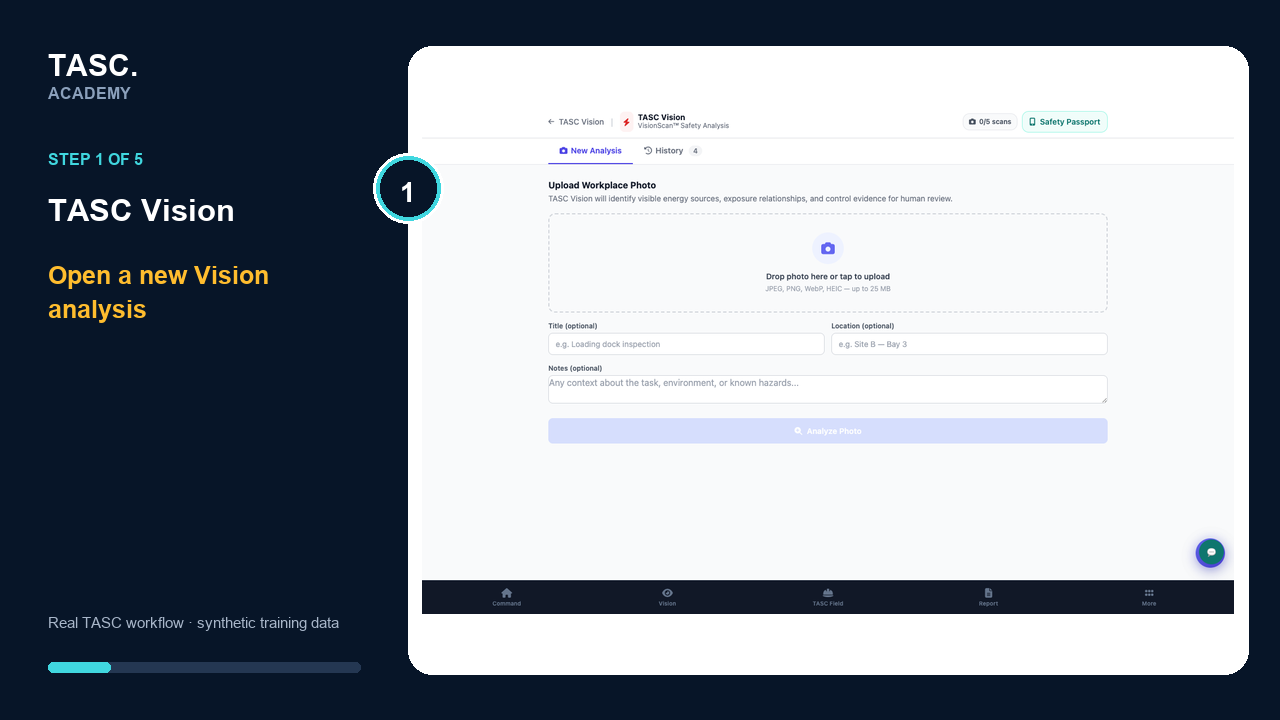 Step 1: Start a new analysis
Upload an authorized image
Choose a clear workplace image that is approved for review and does not expose unnecessary personal information.
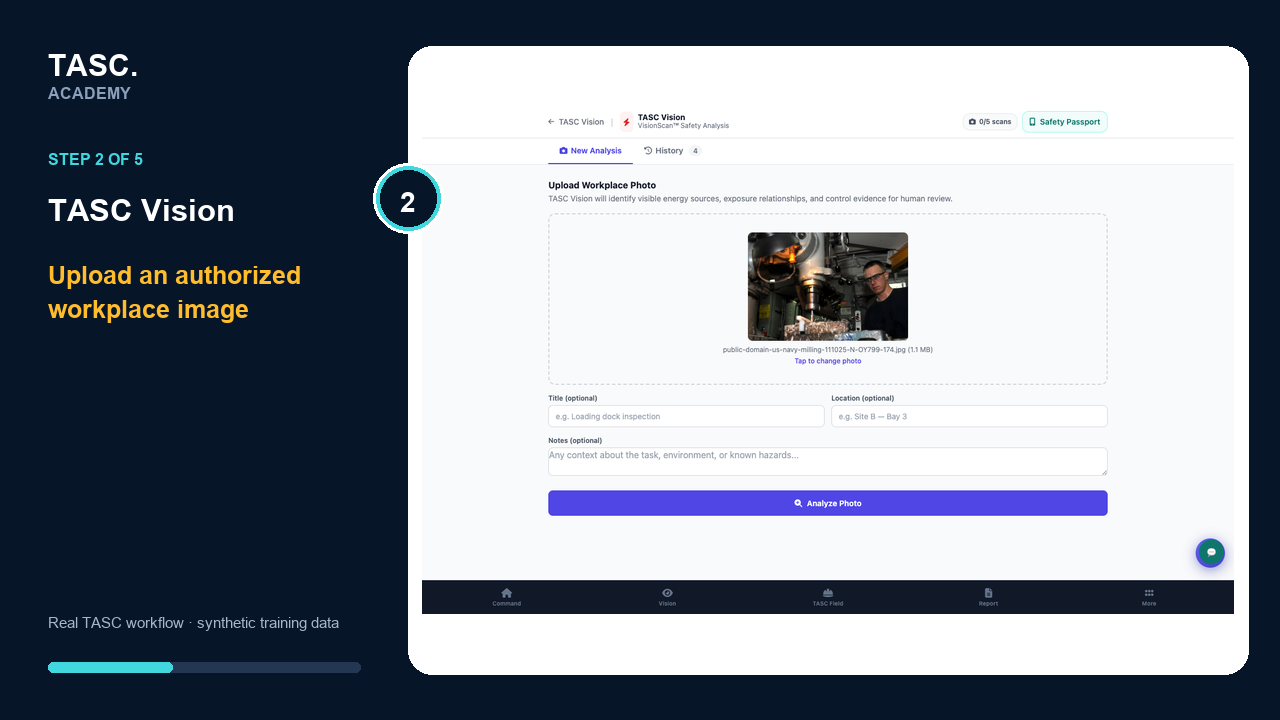 Step 2: Upload an authorized image
Complete the analysis context
Enter a useful title, location and notes before running the assessment.
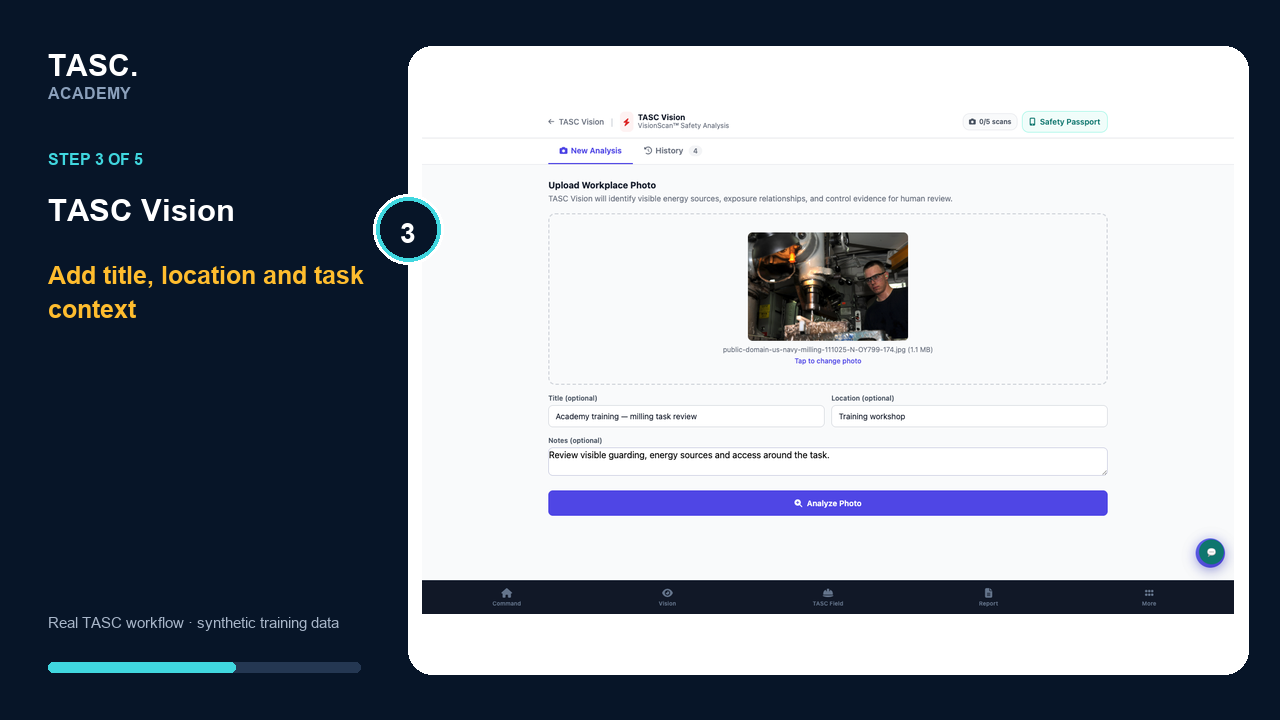 Step 3: Complete the analysis context
Review analysis history
Use History to monitor processing status and return to earlier assessments.
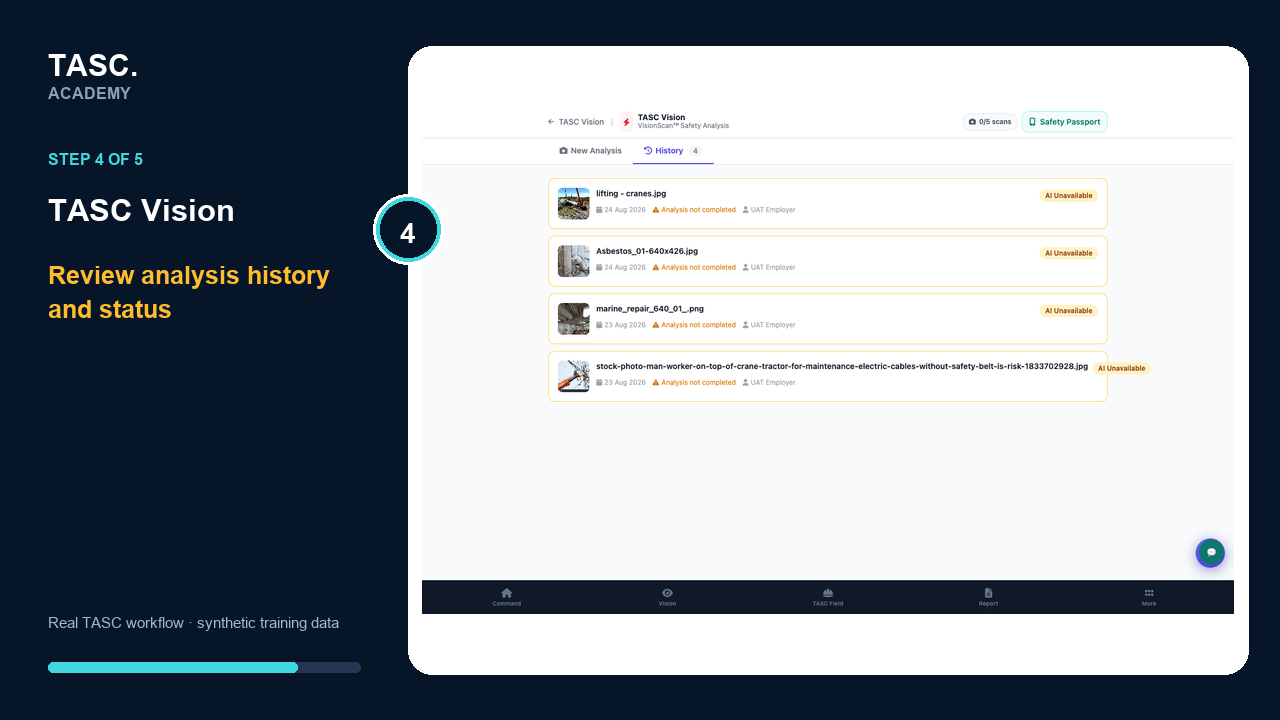 Step 4: Review analysis history
Open and verify the result
A qualified person reviews the existing result and confirms visible hazards, energies and controls before any follow-up is created.
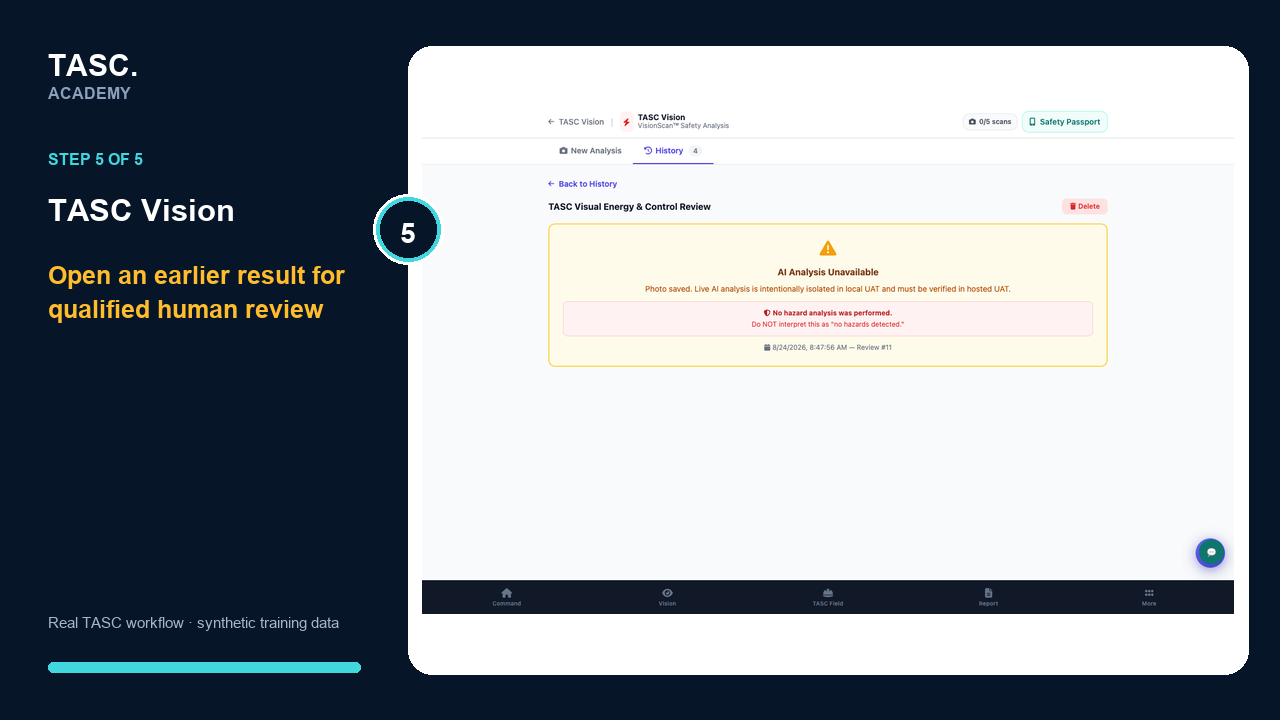 Step 5: Open and verify the result
Check that it worked
- The selected image and context are correct
- The assessment appears in History
- A qualified reviewer checks the output
- Any follow-up cites confirmed evidence rather than raw AI text
If something goes wrong
The image is unclear or incomplete.
Use a clearer authorized image or inspect the work directly; do not infer missing details.
Analysis is unavailable.
Keep the image status truthful and use normal human review rather than treating the absence as a safe result.
Before you begin and supporting details
Before you begin
- Access to the module and the correct site
- A synthetic test case before using live operational information
- A named person responsible for reviewing the result