TASC Signal: complete module walkthrough
Launch an anonymous workforce pulse, monitor participation and act on aggregate culture themes.
Watch first
Captioned walkthrough using the real TASC screen
Do the task
Follow these steps in order
Open Signal and set the scope
Choose the time period, site and department needed for the workforce culture view.
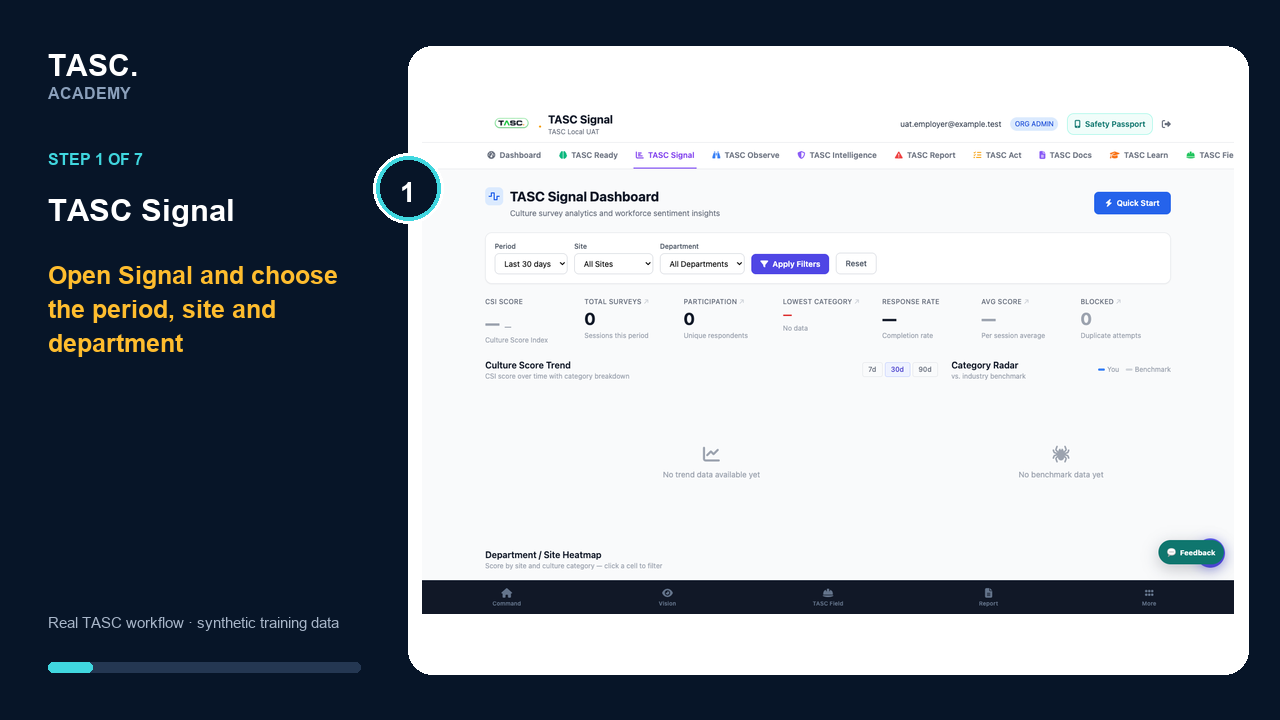 Step 1: Open Signal and set the scope
Generate the Signal QR
Create the code for the intended workforce and verify the survey notice and anonymity language.
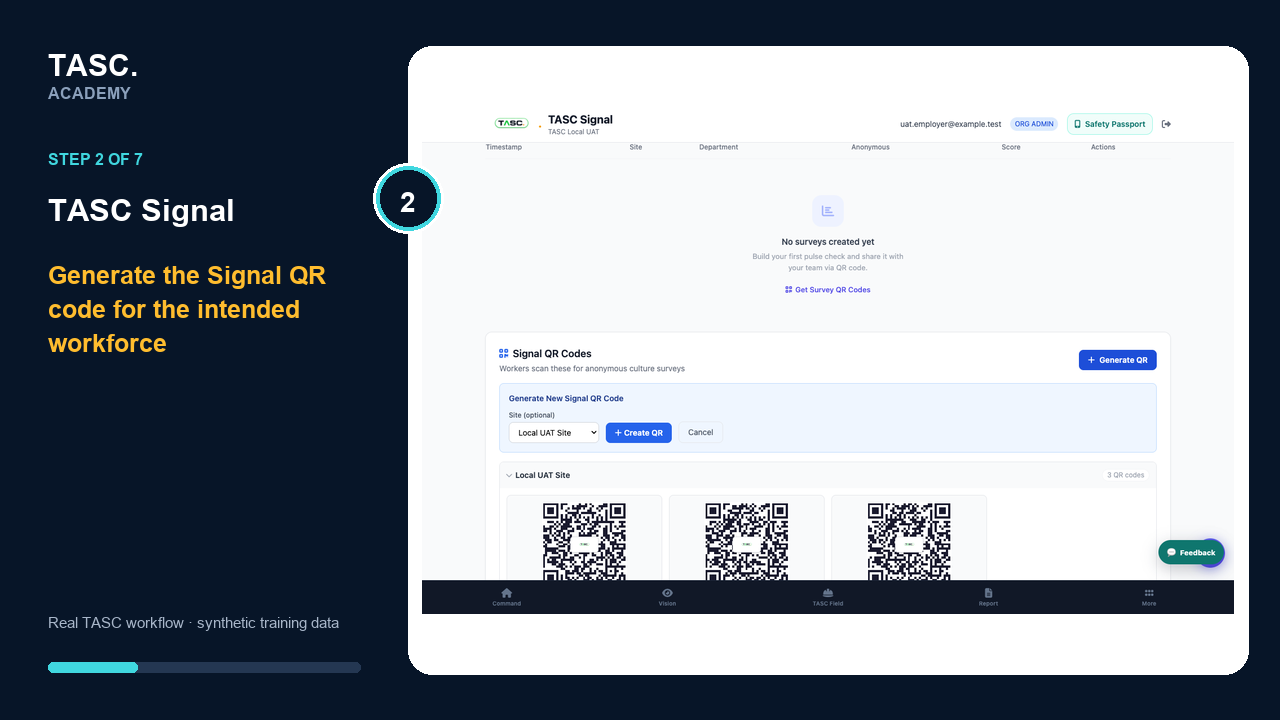 Step 2: Generate the Signal QR
Confirm the active QR record
Check that the generated code is active, correctly scoped and ready to test before distributing it.
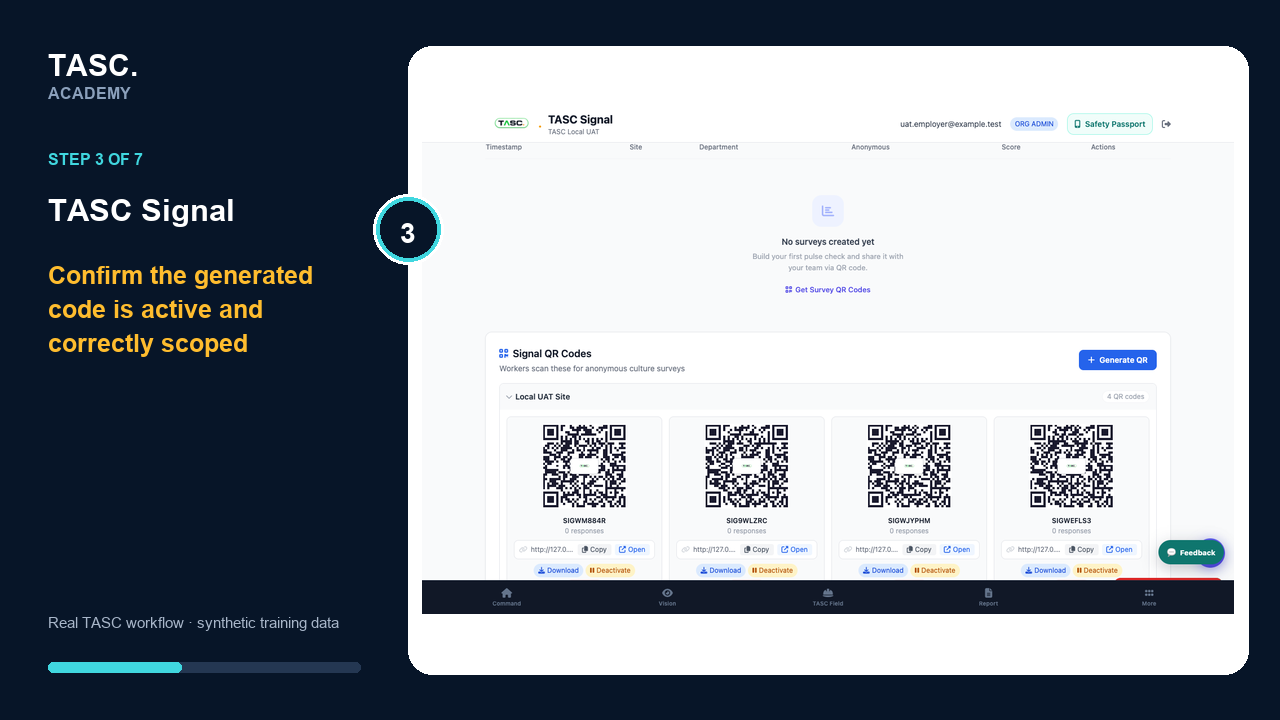 Step 3: Confirm the active QR record
Complete the anonymous questions
Open the real worker survey and answer each configured pulse question without adding identifying detail.
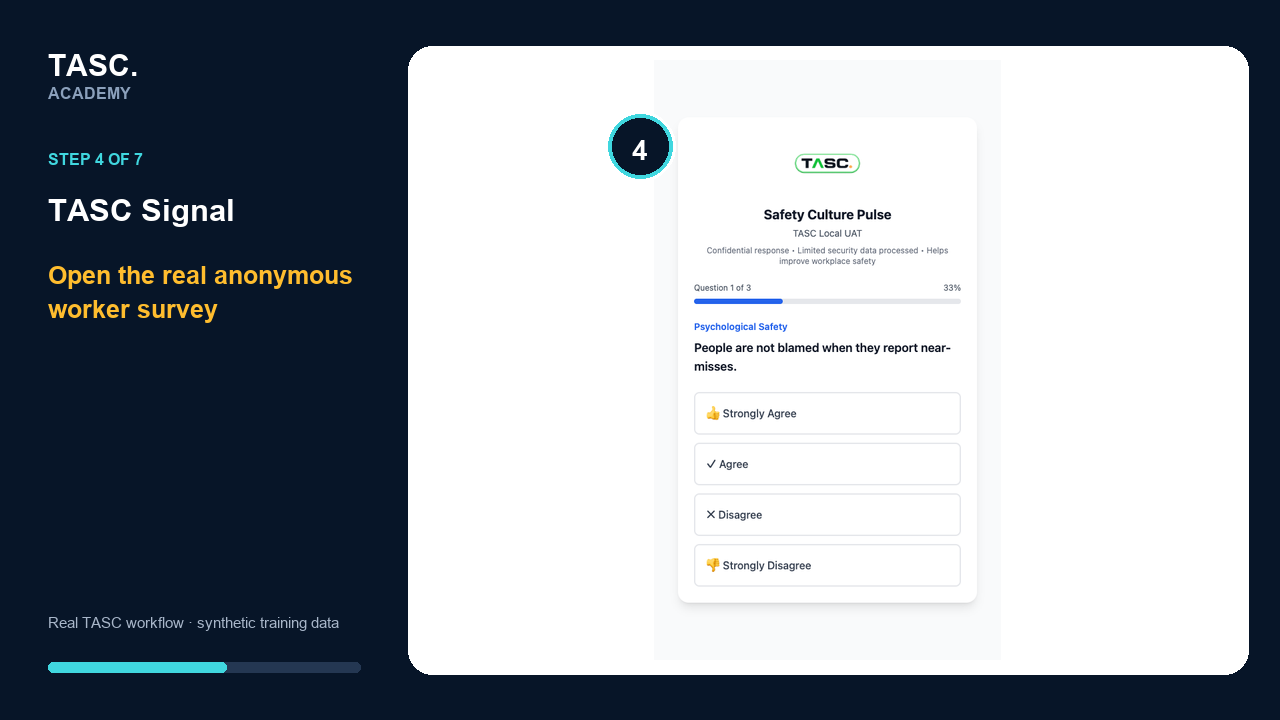 Step 4: Complete the anonymous questions
Add optional context and submit
Use the comment and evidence step only when it adds useful context, then submit and return to aggregate reporting.
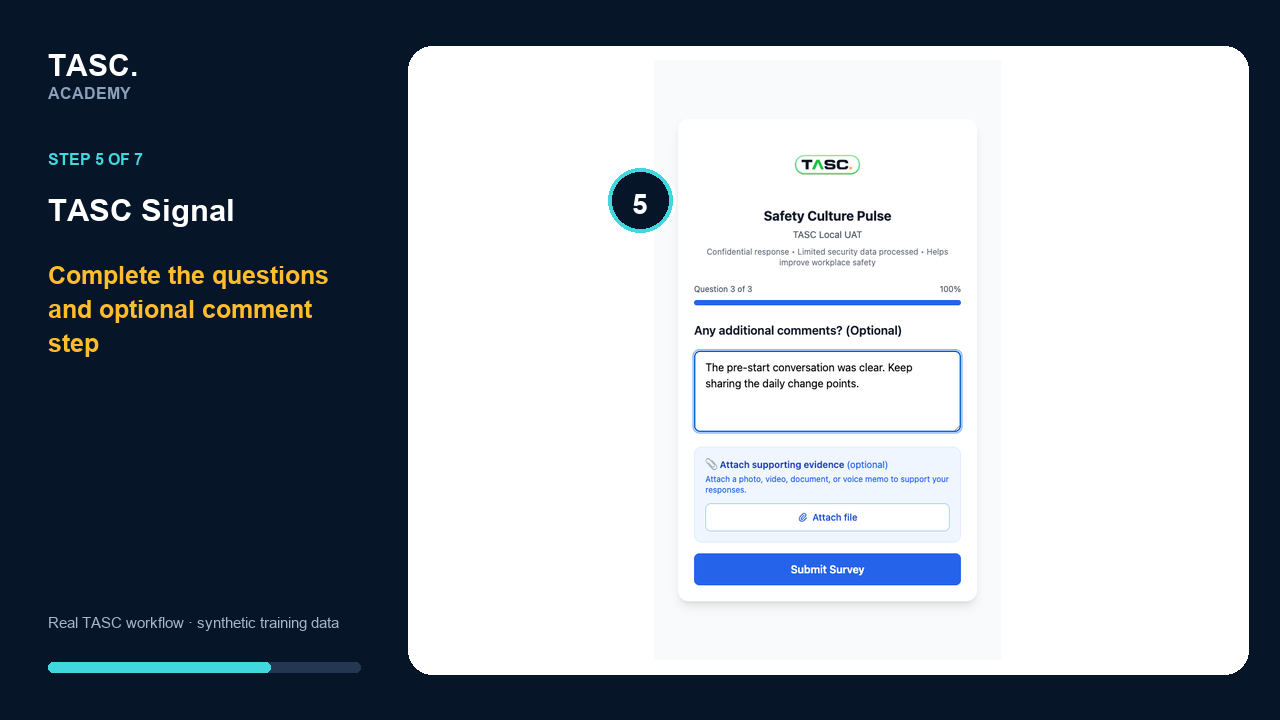 Step 5: Add optional context and submit
Confirm anonymous submission
Check that the participant receives confirmation without exposing an individual response in the employer view.
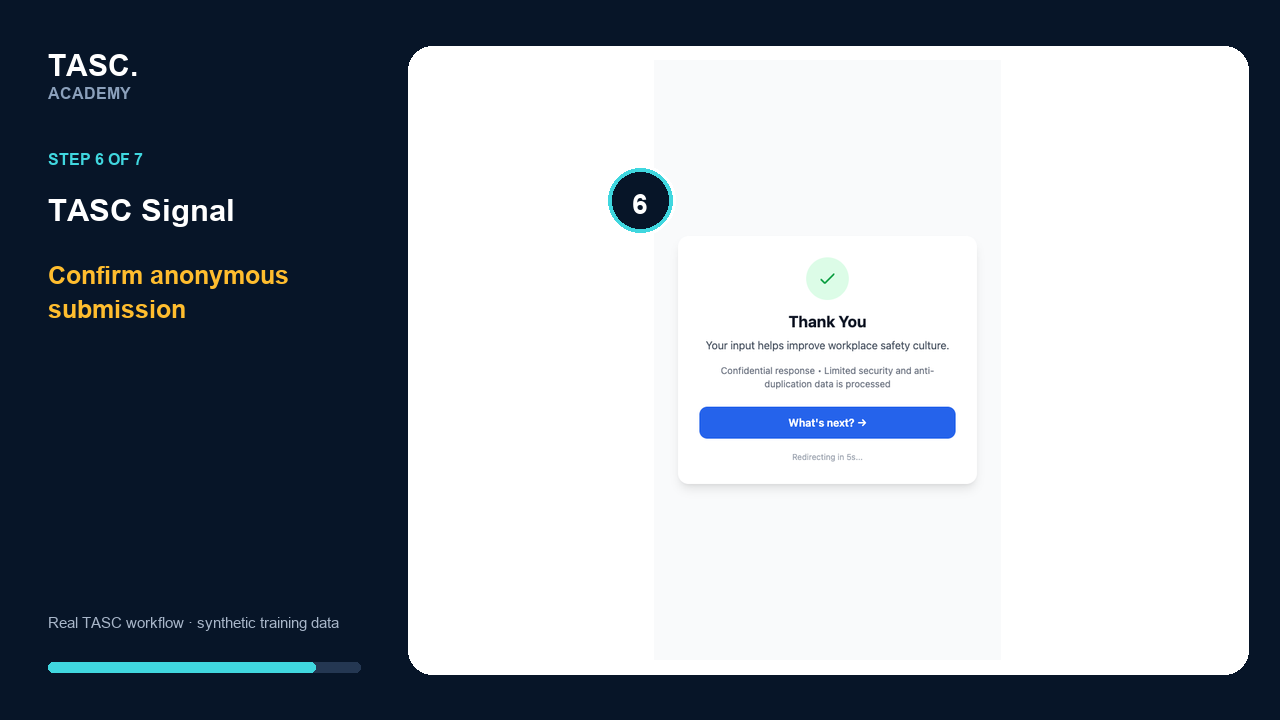 Step 6: Confirm anonymous submission
Review aggregate themes
Return to the Signal dashboard and interpret participation and culture themes only at the approved aggregate level.
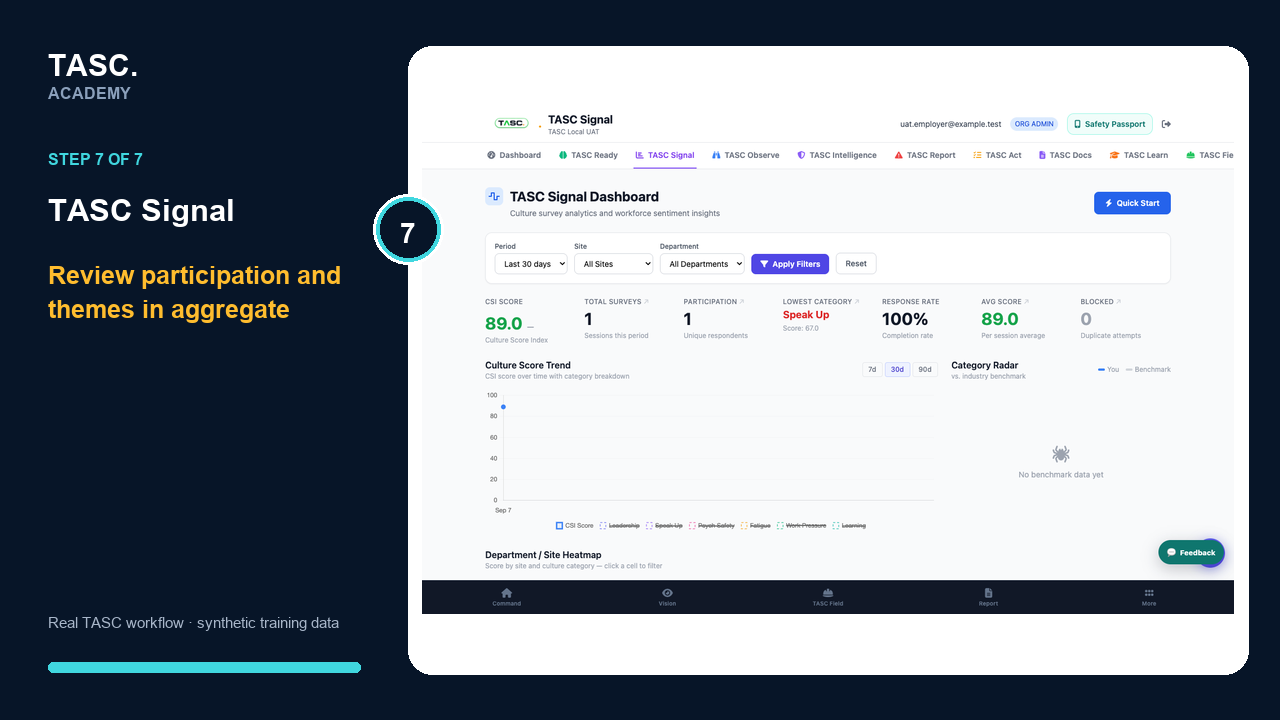 Step 7: Review aggregate themes
Check that it worked
- The Signal code opens the intended survey
- The participant notice explains anonymity
- Responses appear only in the aggregate view
- Follow-up addresses themes rather than individuals
If something goes wrong
Participation is too low to interpret.
Extend communication and review access before drawing conclusions.
A filter produces a very small group.
Broaden the scope and apply the approved privacy threshold.
Before you begin and supporting details
Before you begin
- Access to the module and the correct site
- A synthetic test case before using live operational information
- A named person responsible for reviewing the result