TASC Report: complete module walkthrough
Report an event or near miss, triage it, investigate the causes and verify the resulting actions before closure.
Watch first
Captioned walkthrough using the real TASC screen
Do the task
Follow these steps in order
Open Report and review the workload
Use status, severity, site and SCL filters to understand new, open and resolved reports before starting or assigning work.
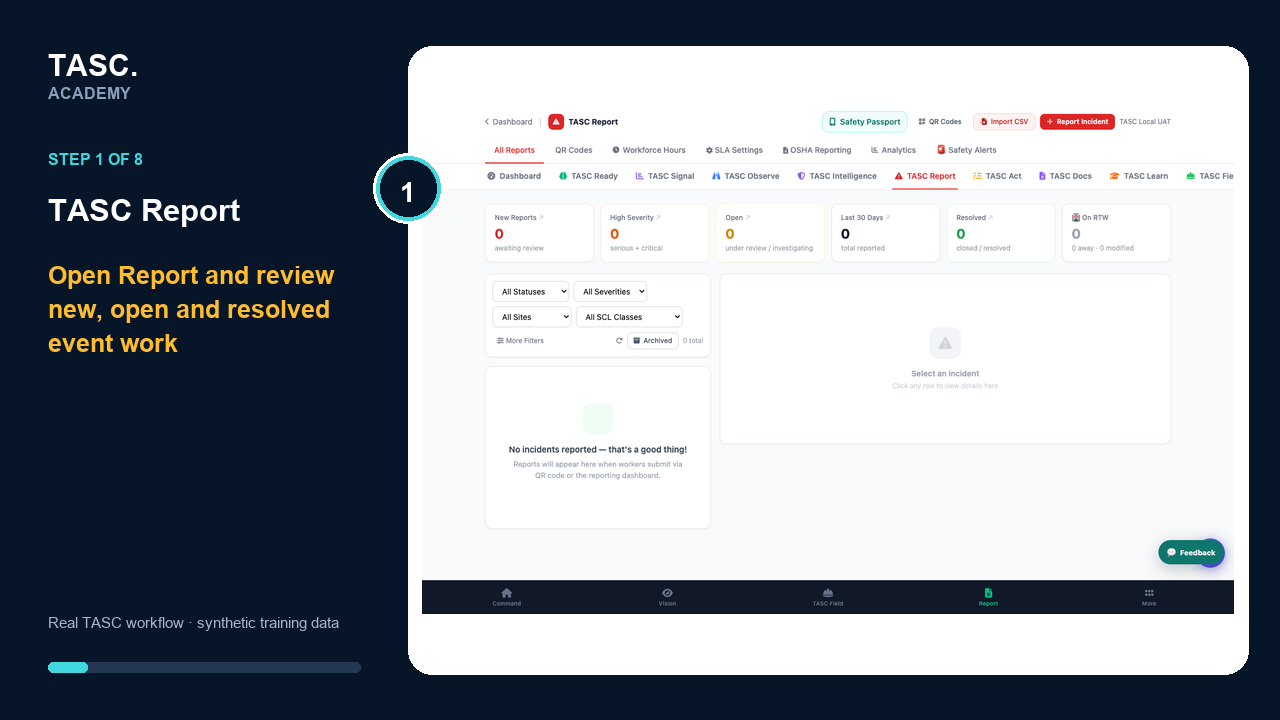 Step 1: Open Report and review the workload
Choose the correct reporting entry
Use Report Incident for an administrator-led report or publish a tested site QR for workers and non-users.
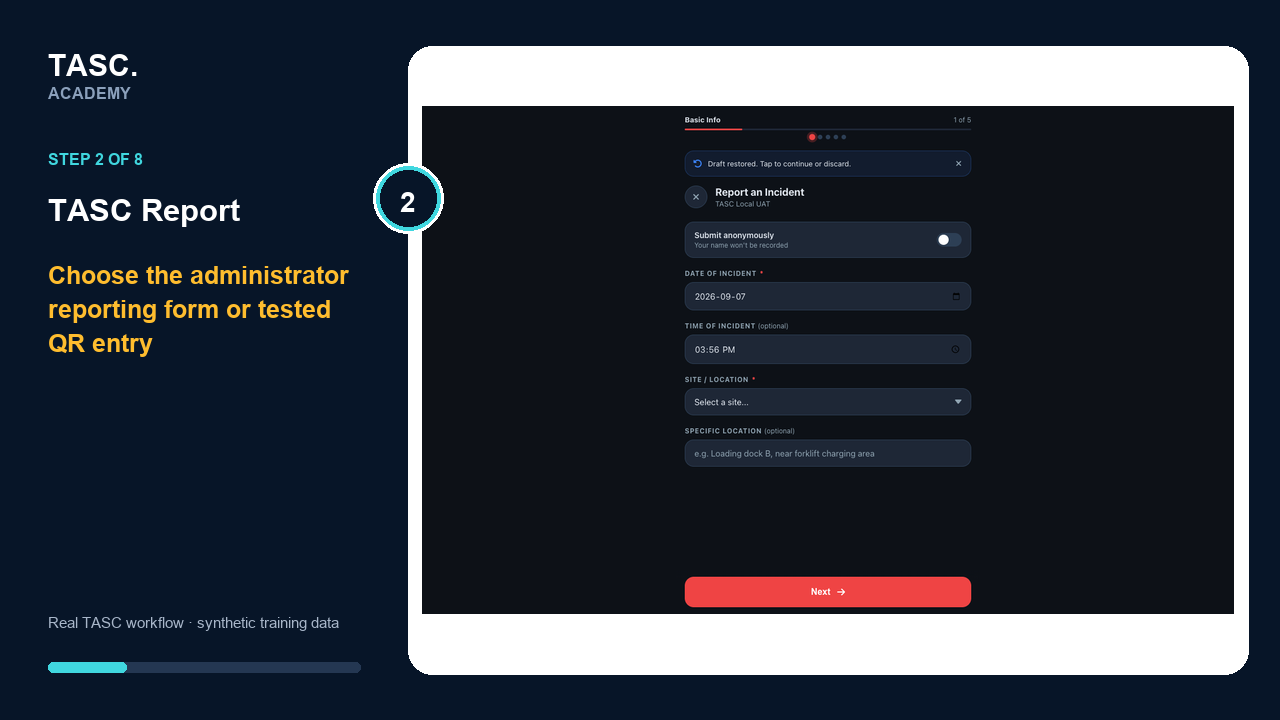 Step 2: Choose the correct reporting entry
Capture the event accurately
Confirm anonymity, date, time, site and location, then complete the guided event details without speculation or unnecessary personal information.
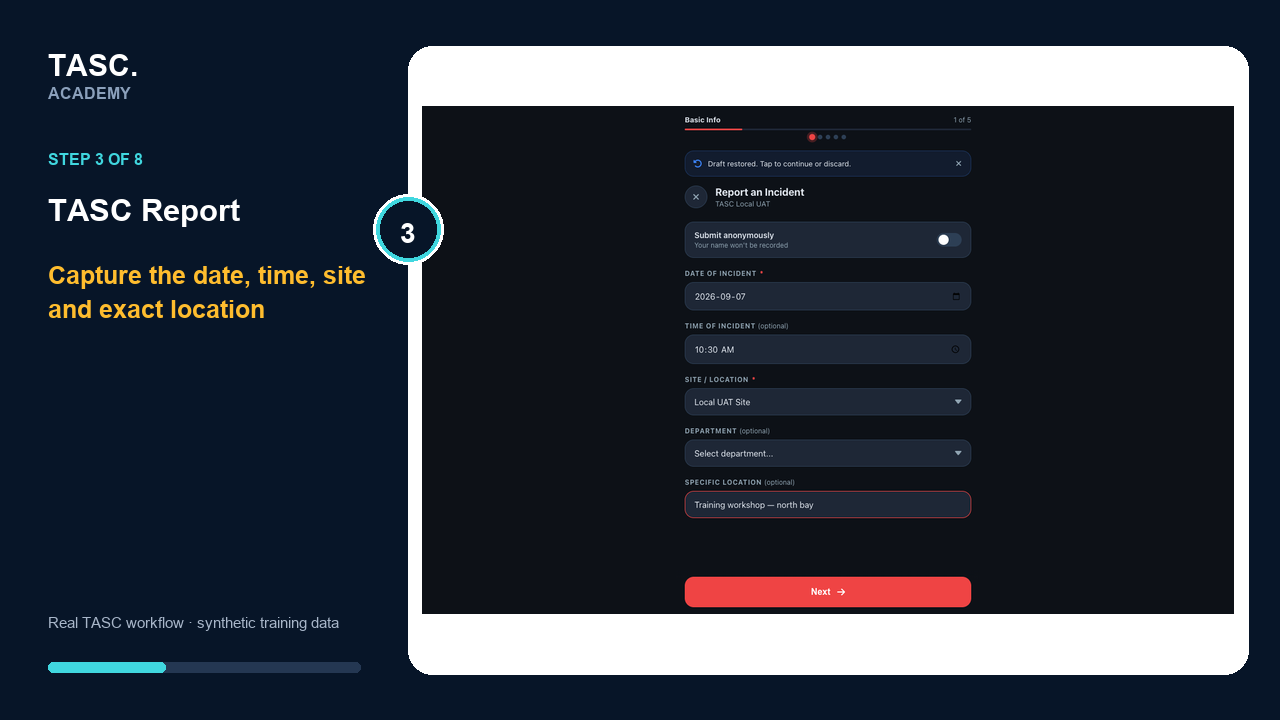 Step 3: Capture the event accurately
Triage and investigate
Review severity and SCL classification, assign an owner, preserve evidence and complete the supported investigation, witness and root-cause work.
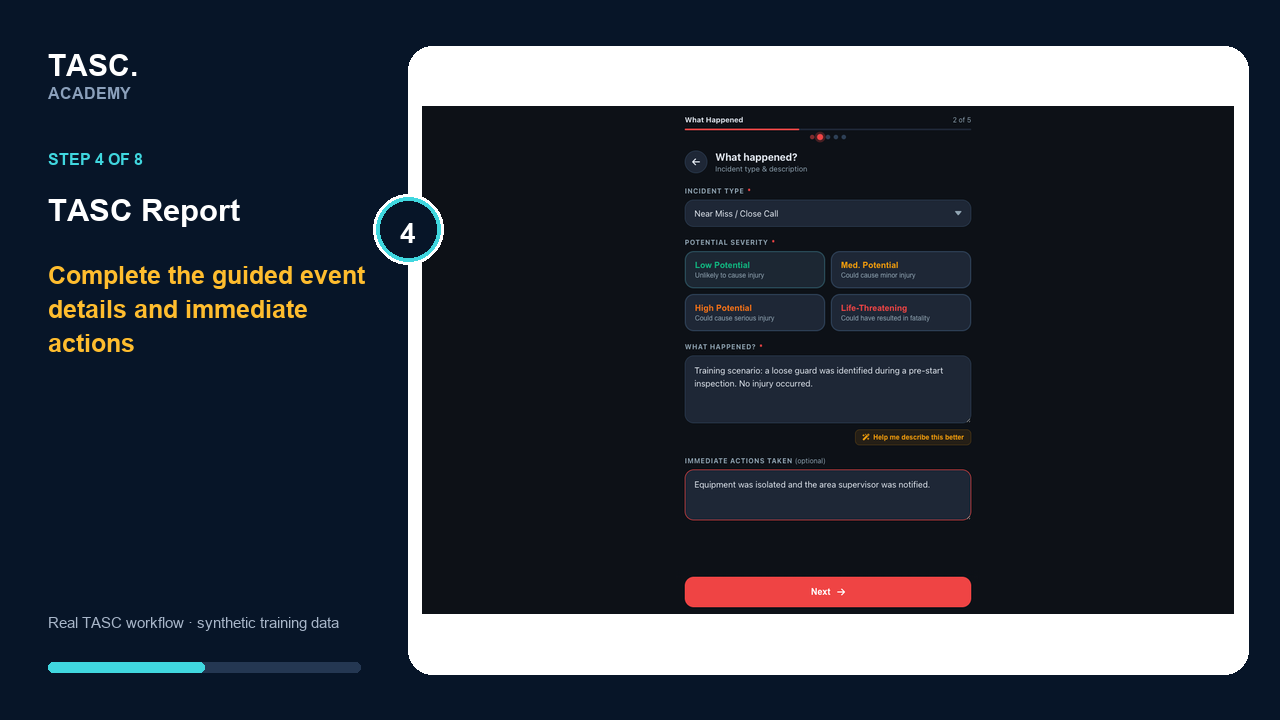 Step 4: Triage and investigate
Add evidence and review before submission
Confirm whether anyone was injured, attach authorized evidence where useful, then review the complete report before submitting it for qualified triage and investigation.
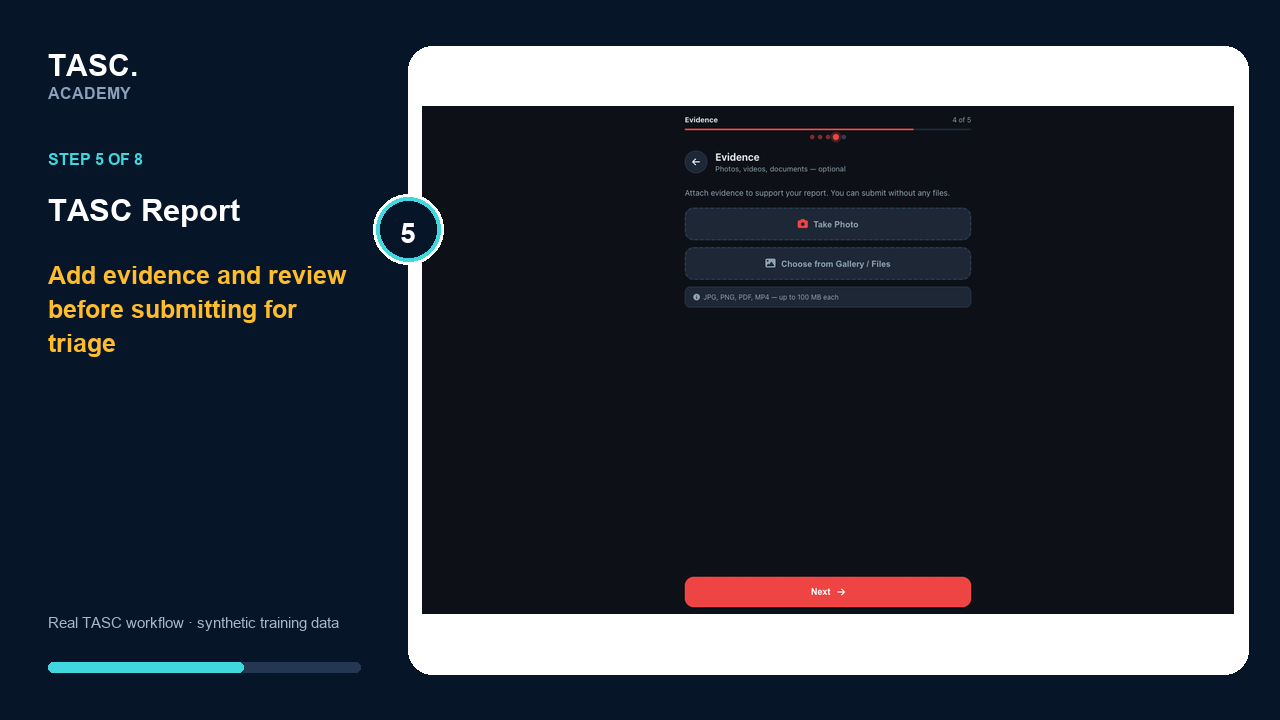 Step 5: Add evidence and review before submission
Review the complete event record
Check the incident type, severity, site, narrative and immediate actions before committing the report.
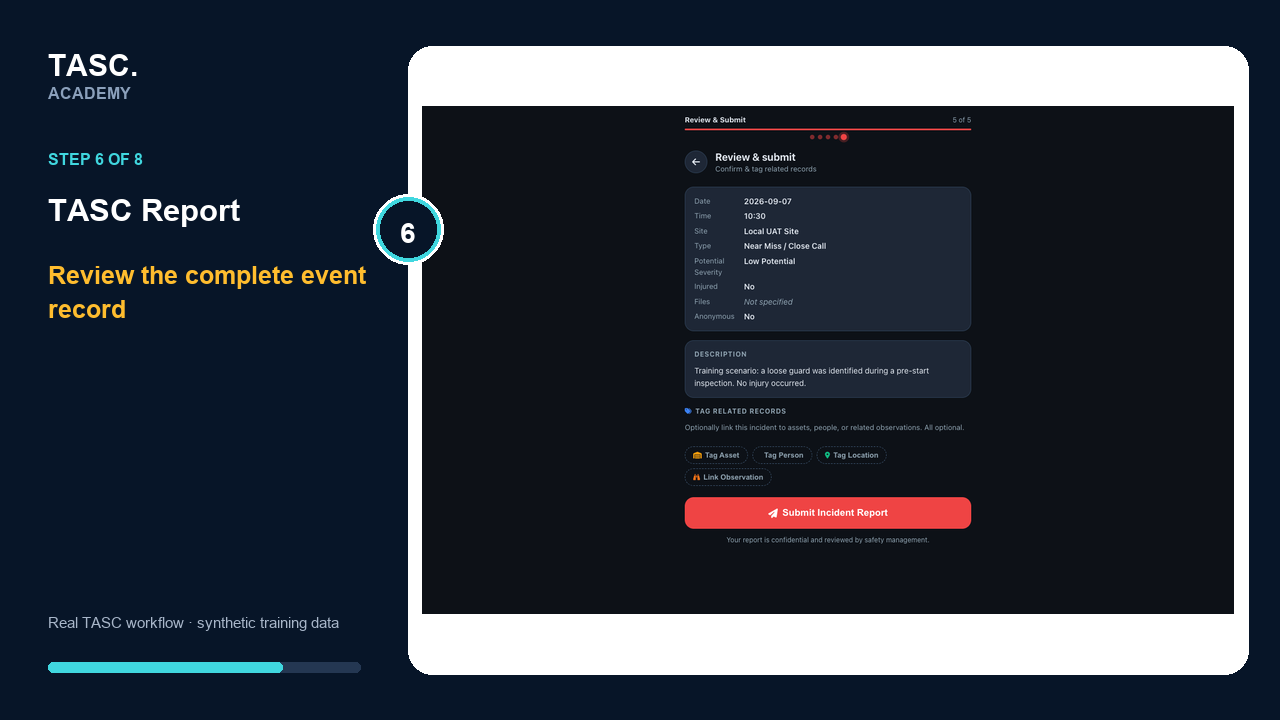 Step 6: Review the complete event record
Keep the report reference
Submit once and retain the reference number and the organization-specific next-step guidance.
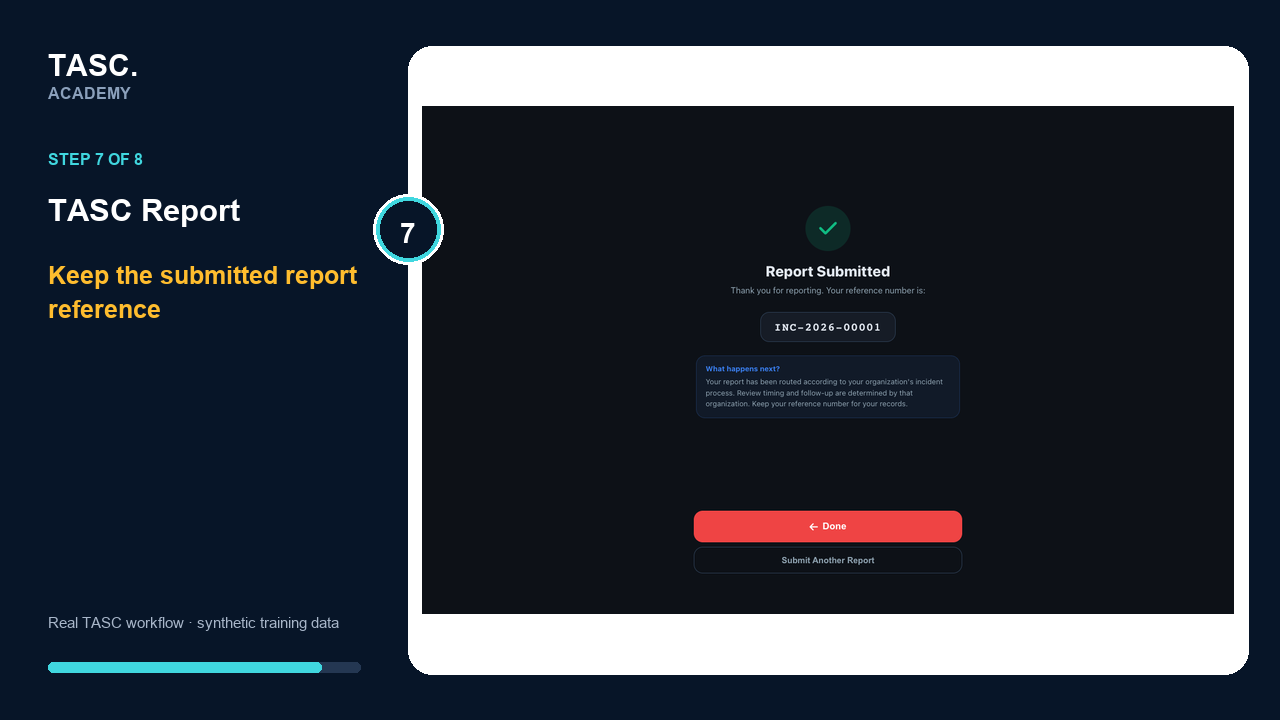 Step 7: Keep the report reference
Confirm employer intake
Return to the Report workload and verify the event reached the correct queue for triage, assignment and investigation.
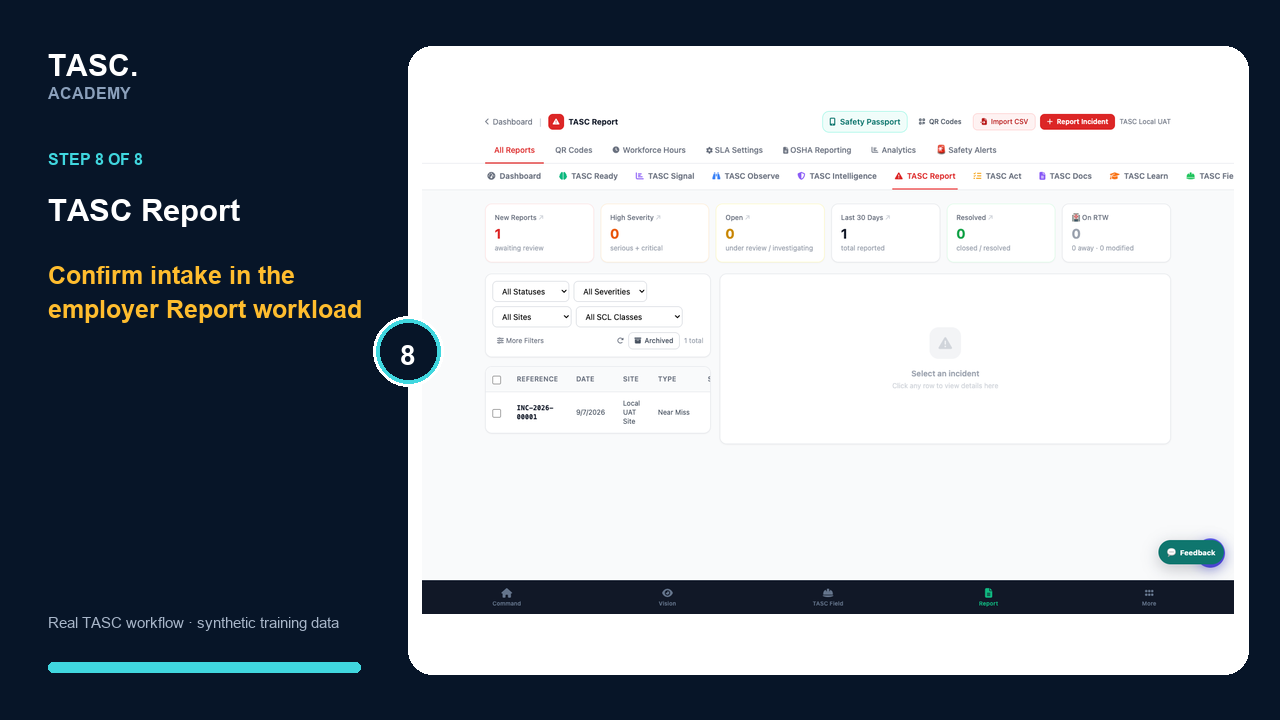 Step 8: Confirm employer intake
Check that it worked
- The report is linked to the correct organization and site
- The anonymity choice and participant notice are appropriate
- Severity and SCL classification have qualified review
- Investigation evidence and corrective actions remain traceable
- Closure includes verification and required reporting
If something goes wrong
A report is attached to the wrong site.
Stop the review, correct the scope through the approved administrative path and replace any affected QR code.
A restored draft contains stale information.
Review every field before continuing or discard the draft and begin a clean report.
The report cannot move to the next stage.
Complete the required evidence, assignment or classification shown for the current stage before advancing.
Before you begin and supporting details
Before you begin
- Access to the module and the correct site
- A synthetic test case before using live operational information
- A named person responsible for reviewing the result