TASC Ready: complete module walkthrough
Set up workforce readiness entry, complete check-ins and review readiness patterns safely.
Watch first
Captioned walkthrough using the real TASC screen
Do the task
Follow these steps in order
Open the Ready dashboard
Choose the reporting period, site and risk level that match the workforce you need to review.
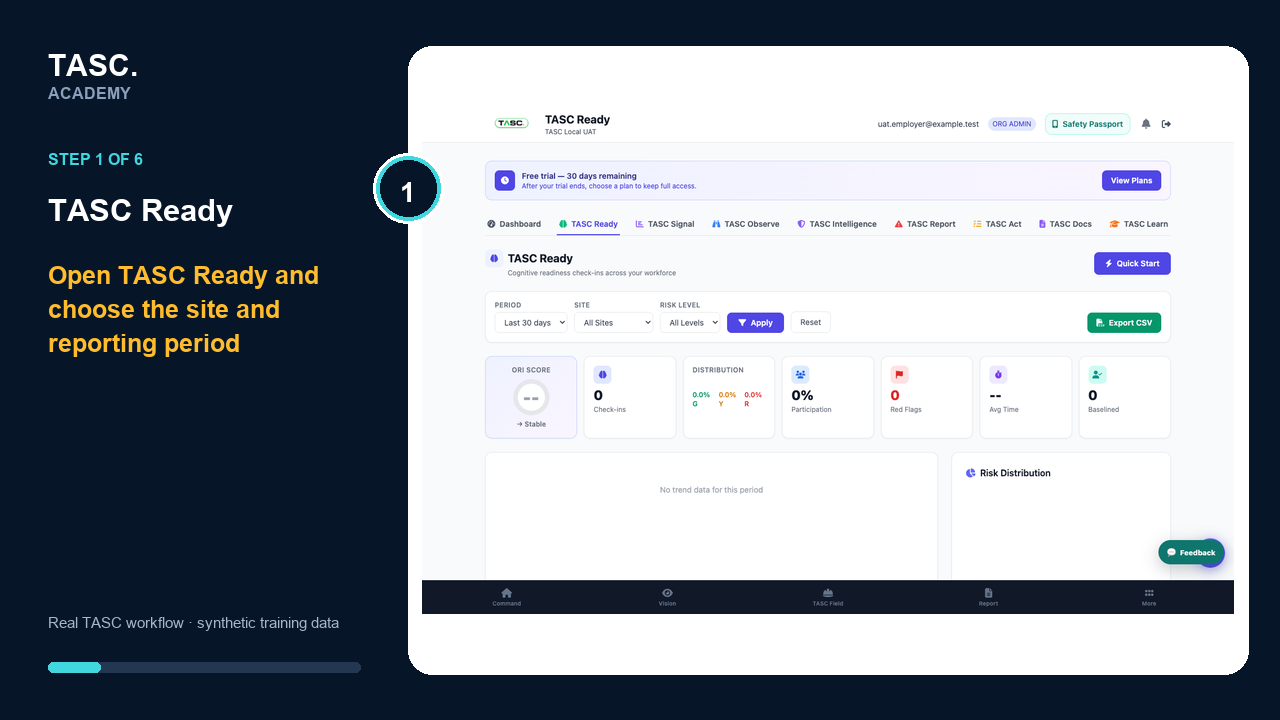 Step 1: Open the Ready dashboard
Create the correct Ready QR
Generate a site-scoped code, label its physical location and test the opening screen before posting it.
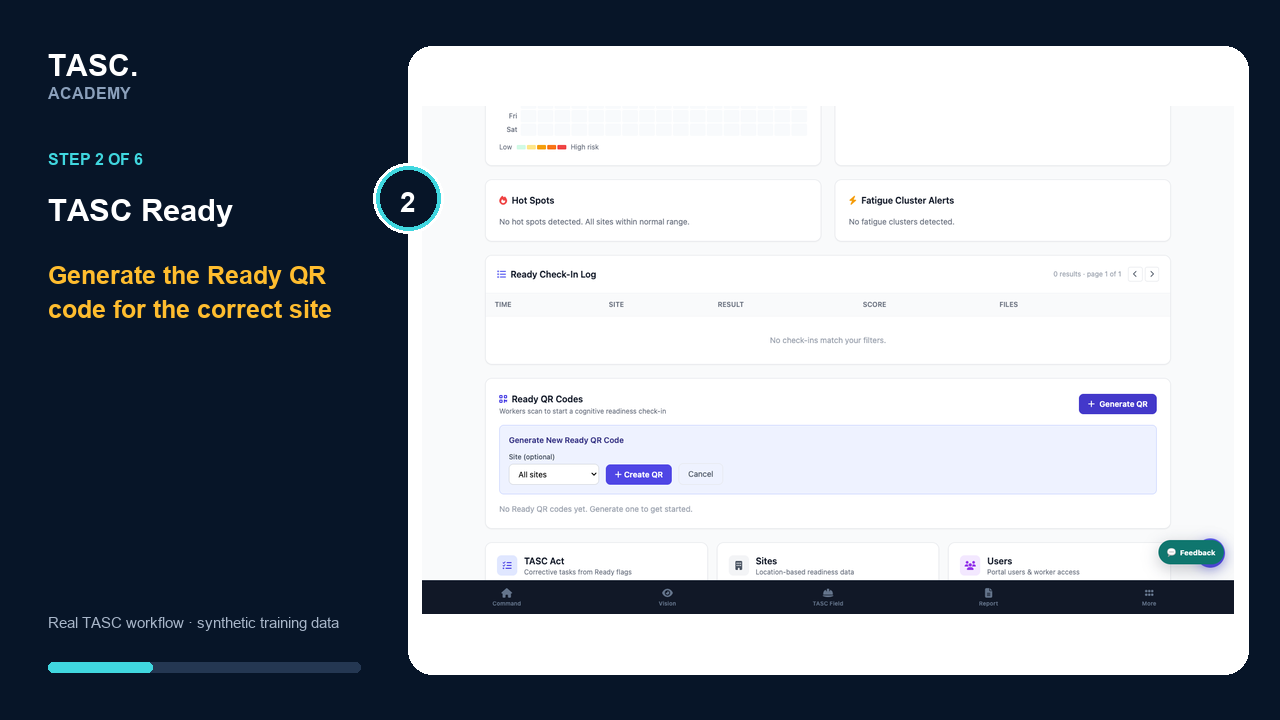 Step 2: Create the correct Ready QR
Open the worker check-in
Workers scan the tested code or open Ready and confirm they are in the intended organization and site context.
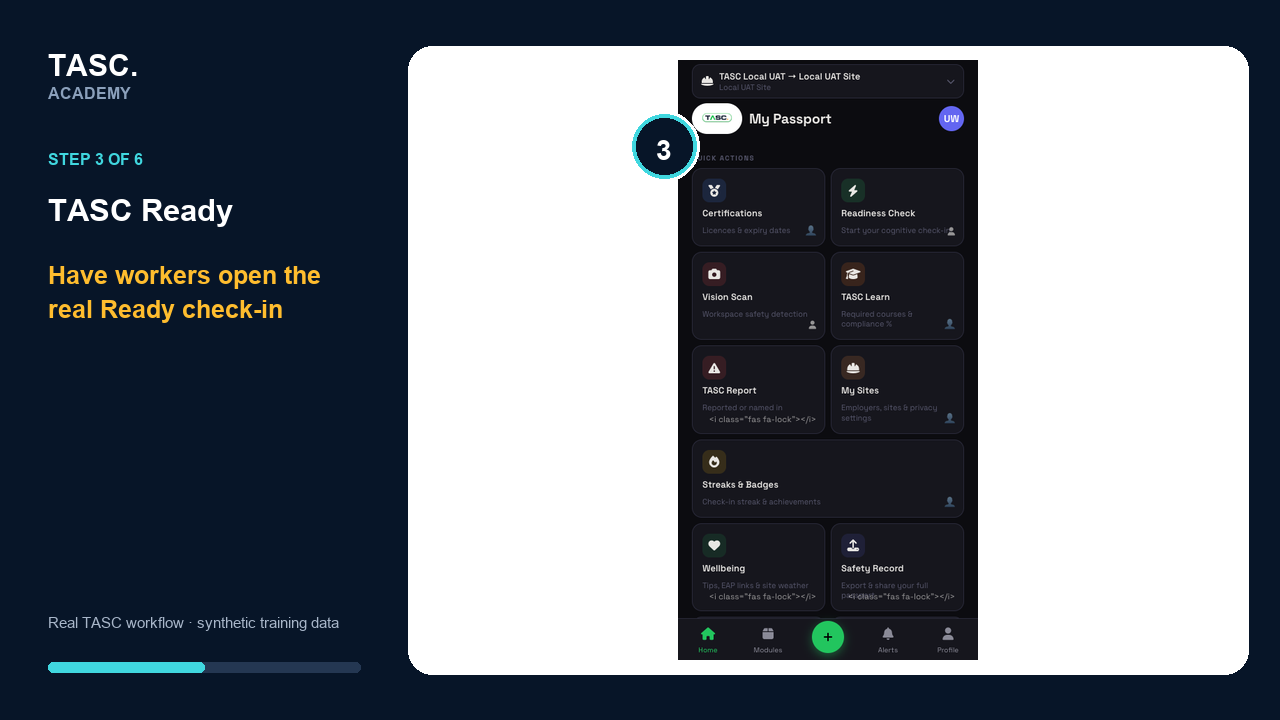 Step 3: Open the worker check-in
Complete device calibration
Follow the live rhythm prompt so the device can establish a valid baseline before the check begins.
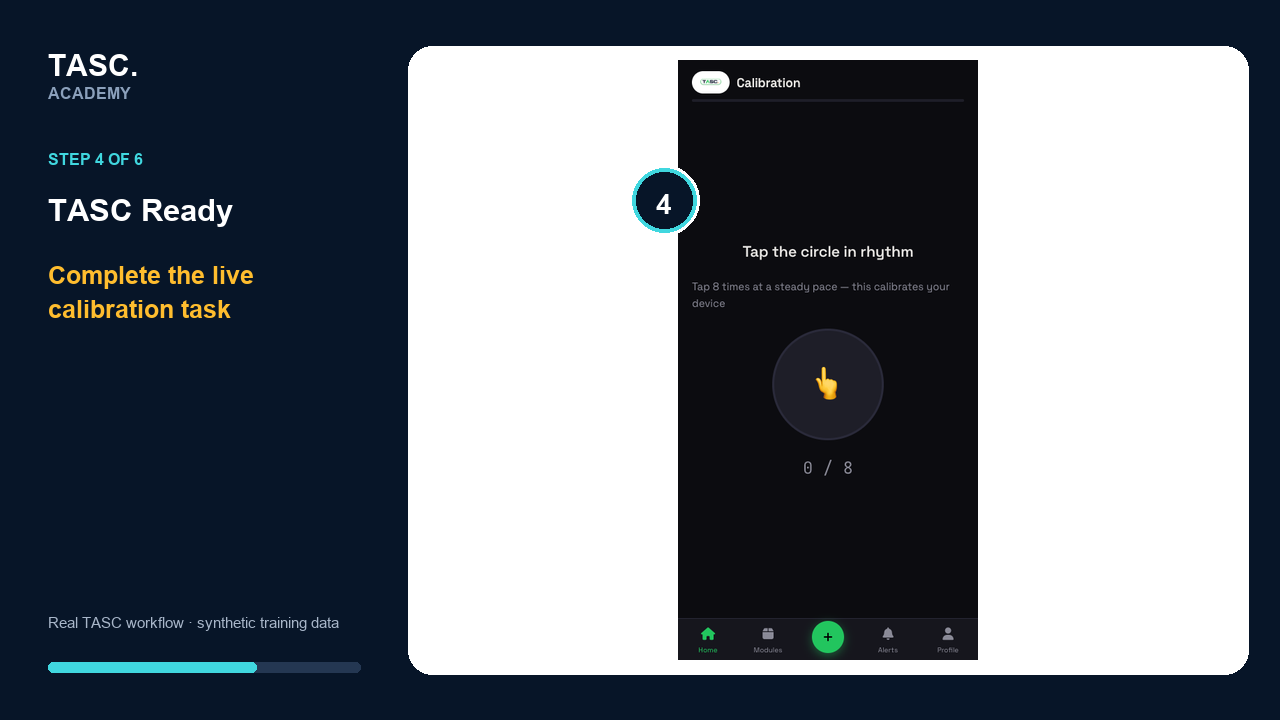 Step 4: Complete device calibration
Complete the cognitive task sequence
Continue through Reaction Pulse, Go / No-Go and Pattern Match using the calibrated device.
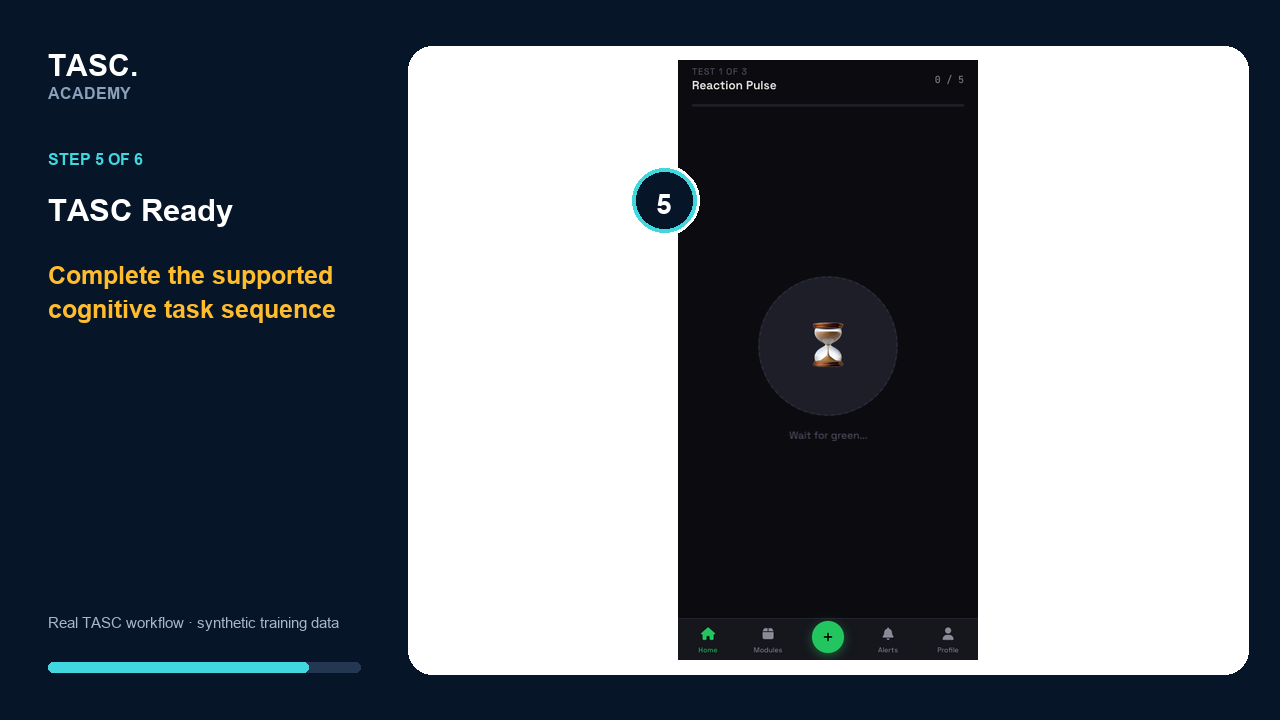 Step 5: Complete the cognitive task sequence
Use the readiness result safely
Review the result, personal-baseline status and guidance without treating one check as a medical conclusion.
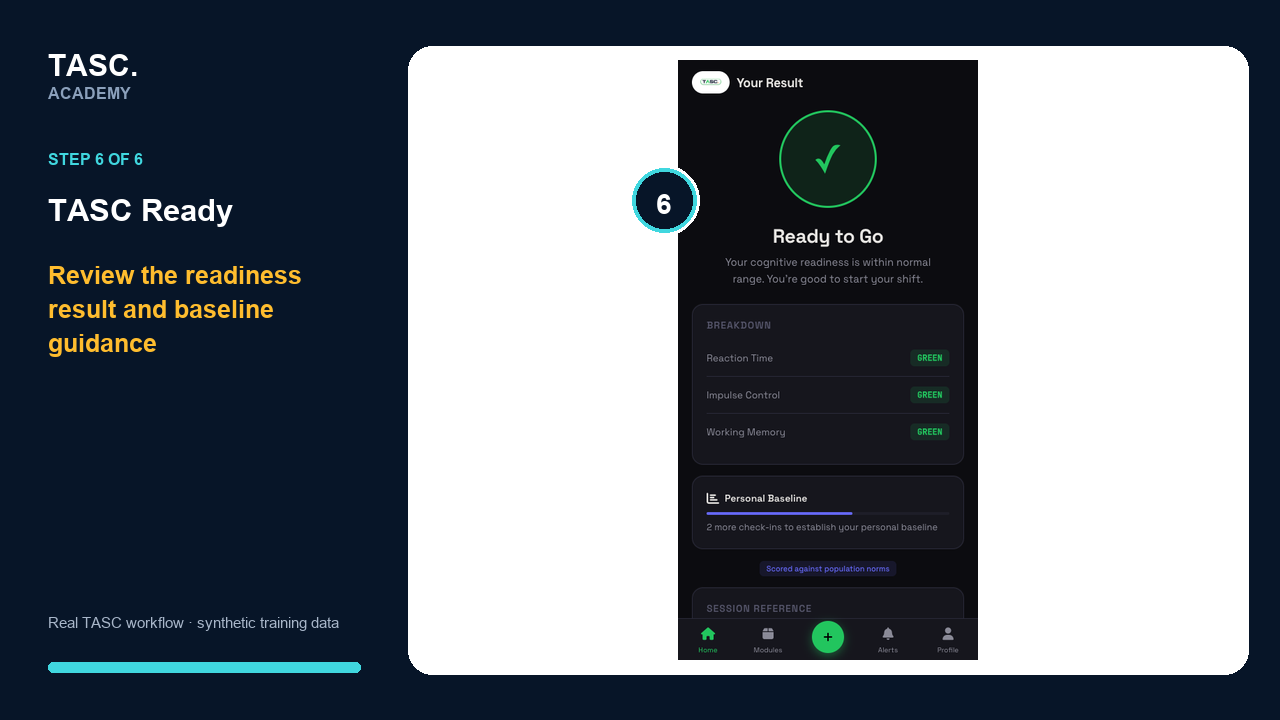 Step 6: Use the readiness result safely
Check that it worked
- The QR opens the intended site context
- A test check-in appears in the Ready log
- Dashboard filters change the displayed population
- Follow-up remains limited to authorized roles
If something goes wrong
No check-ins appear.
Confirm the QR site, reporting period and participant entry path.
A red flag has no owner.
Create or assign the supported follow-up action before closing the review.
Before you begin and supporting details
Before you begin
- Access to the module and the correct site
- A synthetic test case before using live operational information
- A named person responsible for reviewing the result