TASC Learn: complete module walkthrough
Define training requirements, maintain records and manage competency and expiry risk.
Watch first
Captioned walkthrough using the real TASC screen
Do the task
Follow these steps in order
Review the compliance dashboard
Check overall compliance, non-compliance, upcoming expiry and the site-level workforce view.
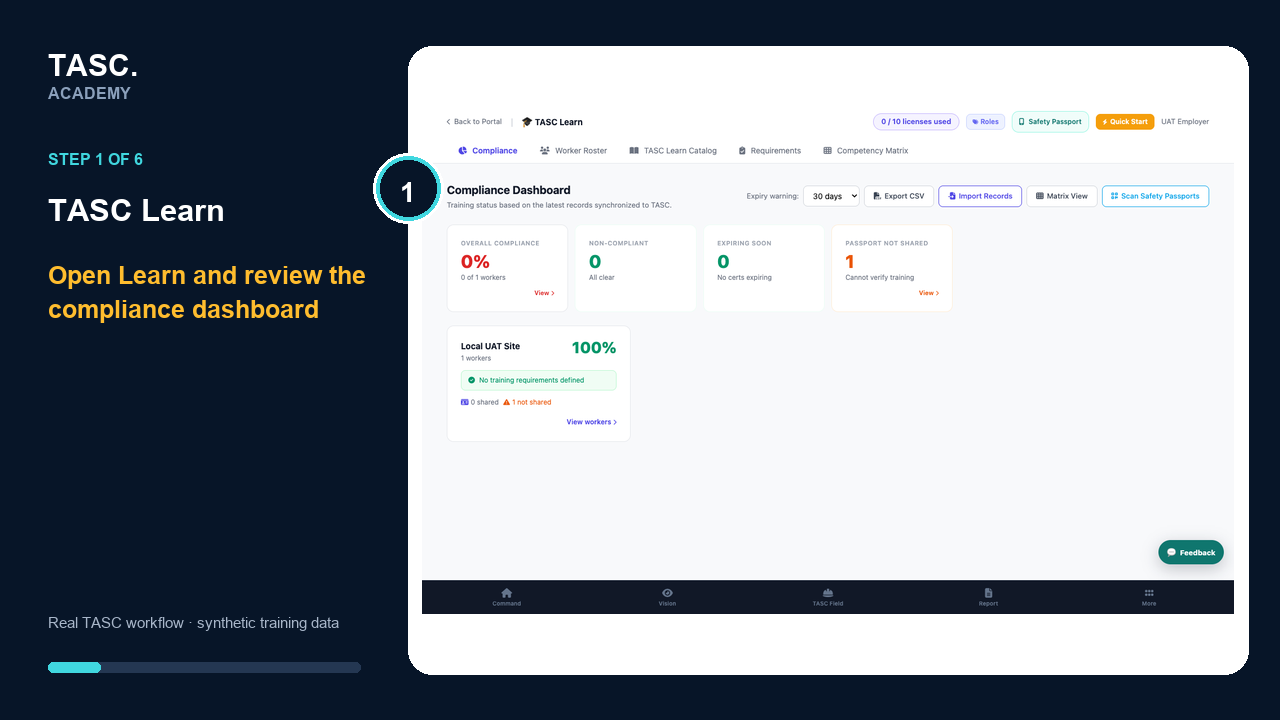 Step 1: Review the compliance dashboard
Define requirement profiles
Create the training requirements that apply by site and role before evaluating worker compliance.
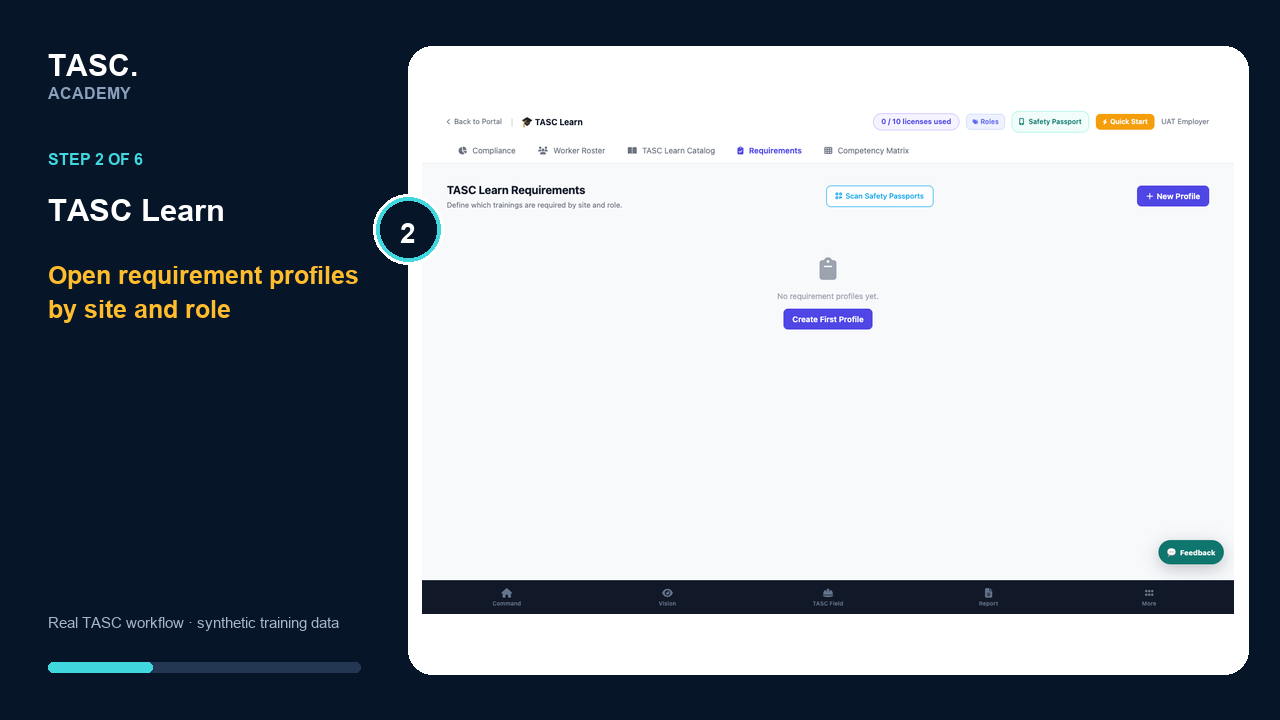 Step 2: Define requirement profiles
Create a requirement profile
Open the real profile form and give the site or role requirement set a clear, reusable name.
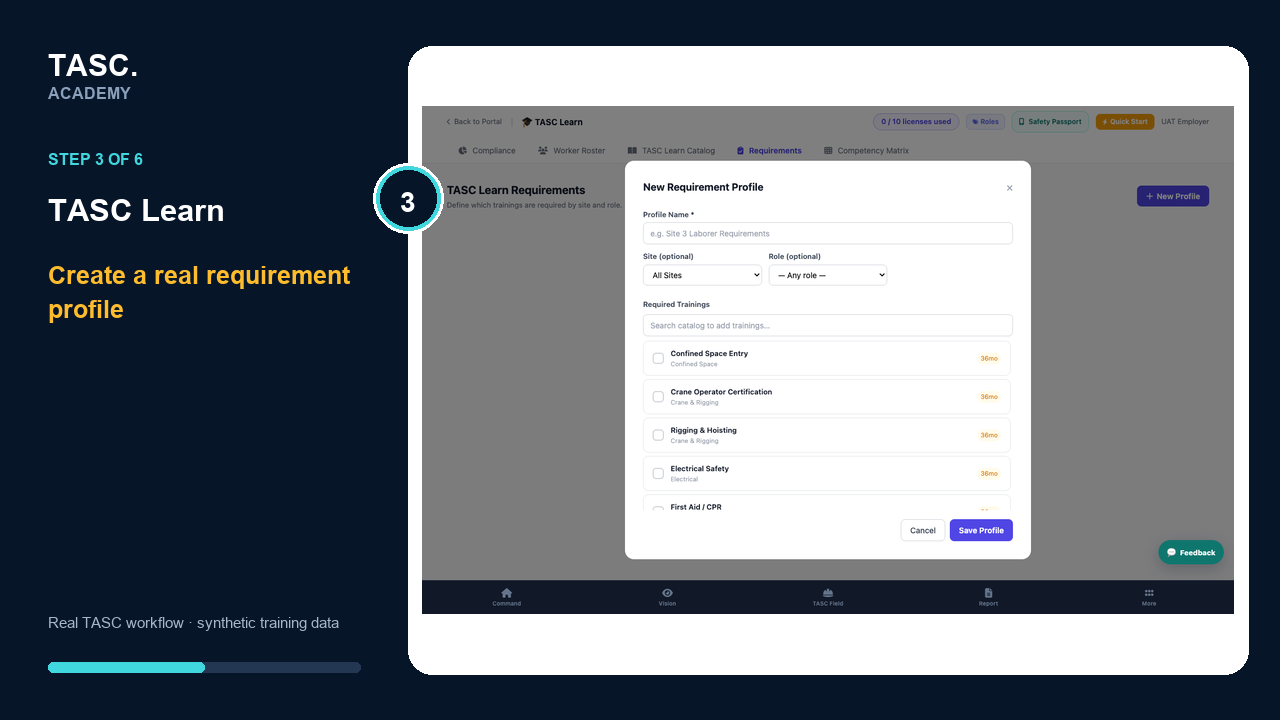 Step 3: Create a requirement profile
Set scope and catalog requirements
Choose the site, role and training items that determine compliance for the intended workforce.
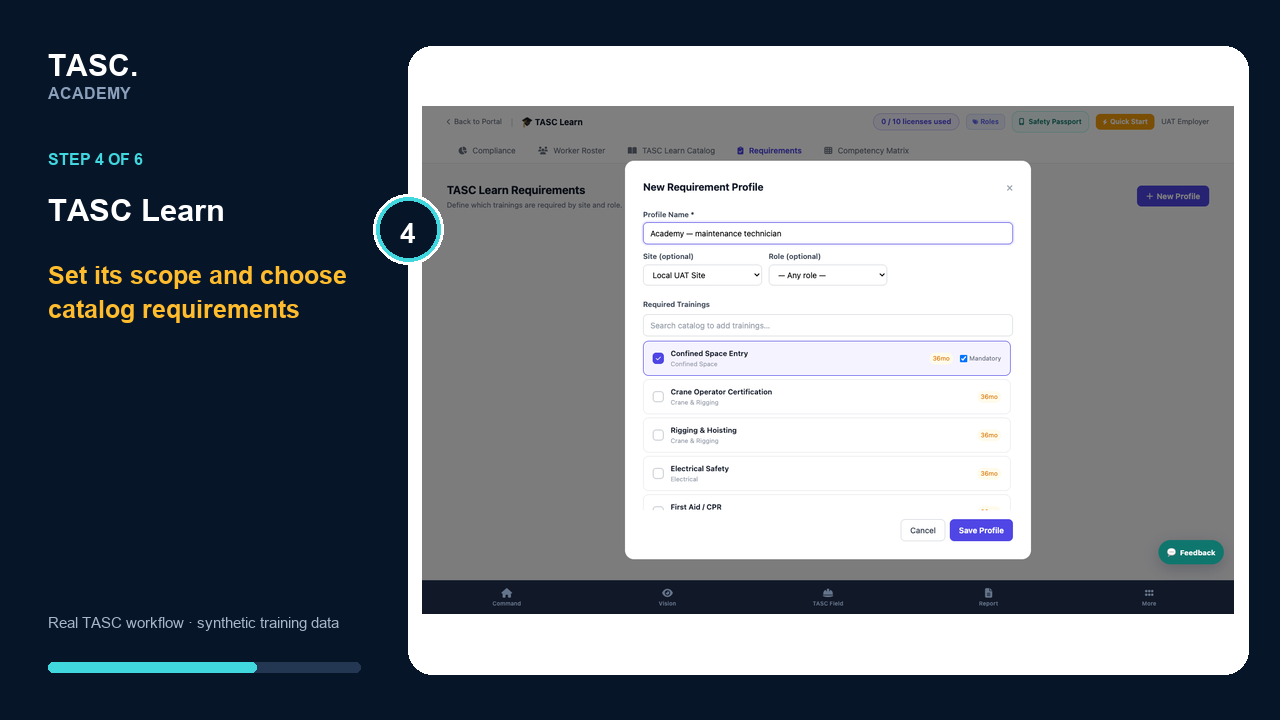 Step 4: Set scope and catalog requirements
Confirm the saved requirement profile
Verify the profile lists the intended site, role and number of required or mandatory training items.
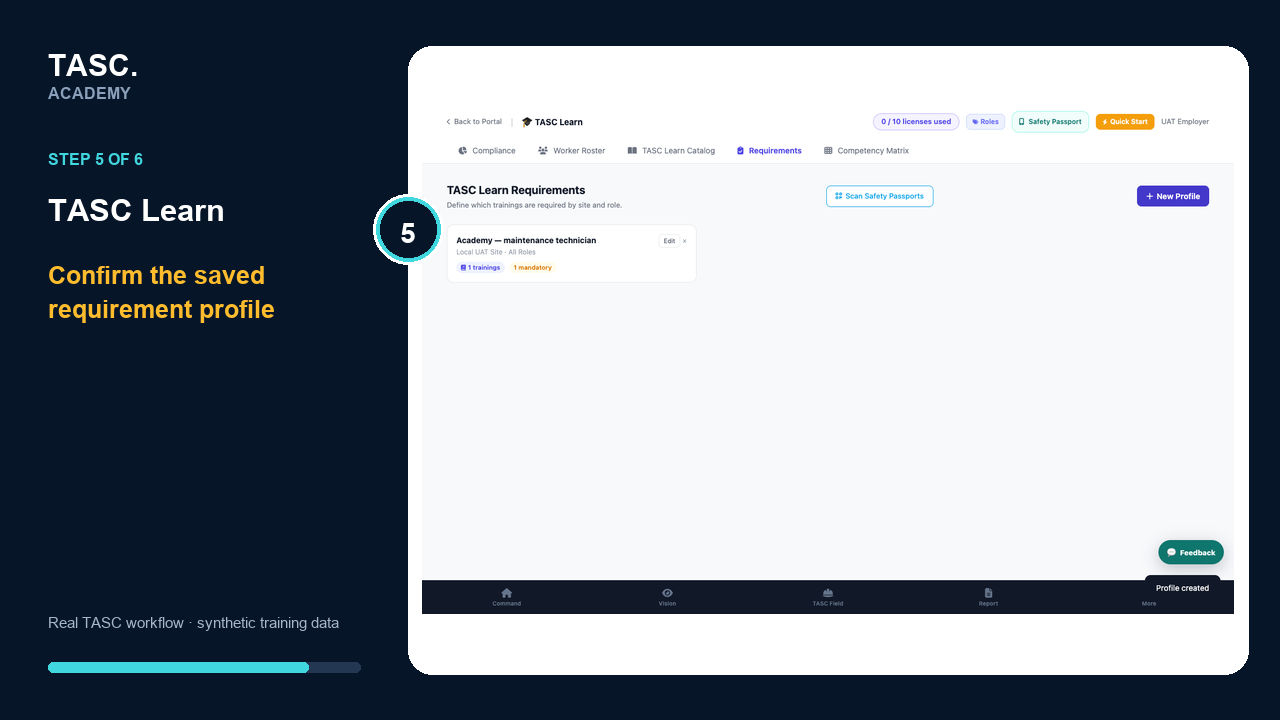 Step 5: Confirm the saved requirement profile
Use the competency matrix
Review coverage across workers and requirements to identify missing evidence, single points of failure and upcoming needs.
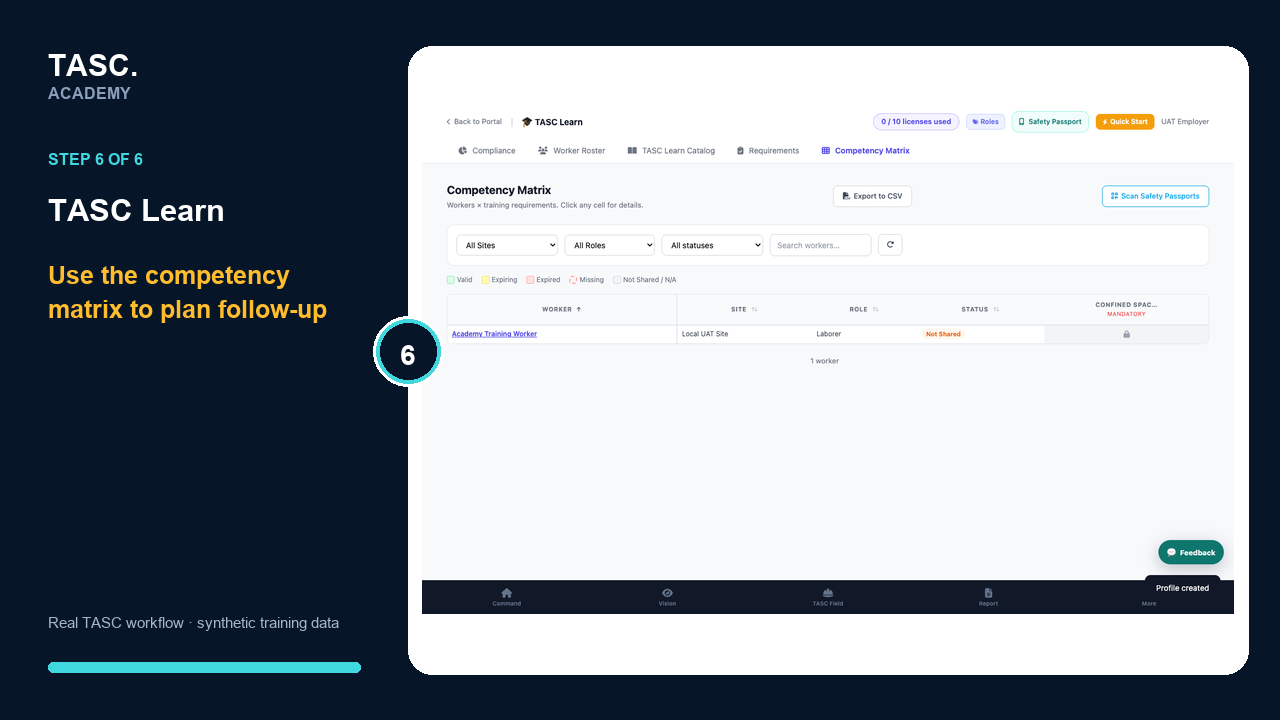 Step 6: Use the competency matrix
Check that it worked
- Requirement profiles match the site and role model
- Worker records have accurate evidence and dates
- Expiry filters identify the expected records
- The competency matrix reflects current requirements
If something goes wrong
Everyone shows as compliant with no requirements.
Create and assign requirement profiles before using the compliance percentage.
A certificate is present but not counted.
Check the mapped course, worker identity, evidence status and expiry date.
Before you begin and supporting details
Before you begin
- Access to the module and the correct site
- A synthetic test case before using live operational information
- A named person responsible for reviewing the result