TASC Field: complete module walkthrough
Complete a pre-task field risk assessment and review high-energy work.
Watch first
Captioned walkthrough using the real TASC screen
Do the task
Follow these steps in order
Open Field and review recent work
Check the current site filters, statuses, high-energy count and recent submissions.
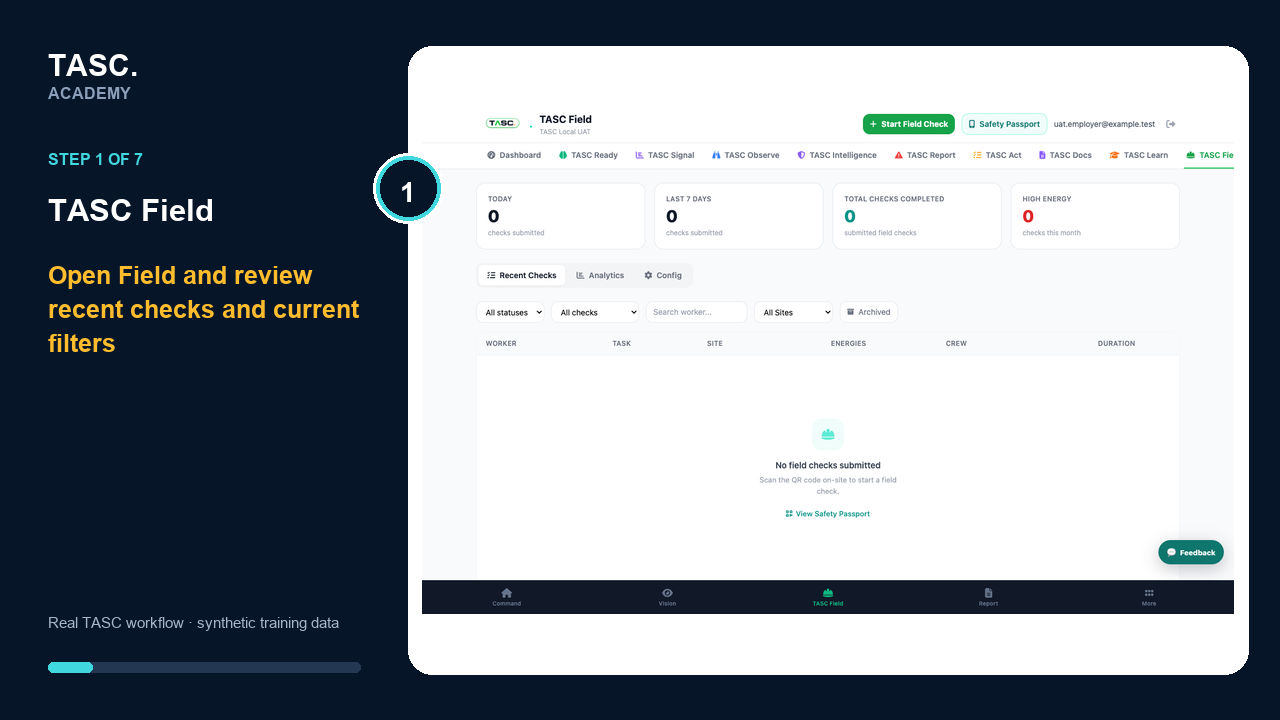 Step 1: Open Field and review recent work
Start the Field Risk Assessment
Confirm the organization, date and location, then select the correct site before continuing.
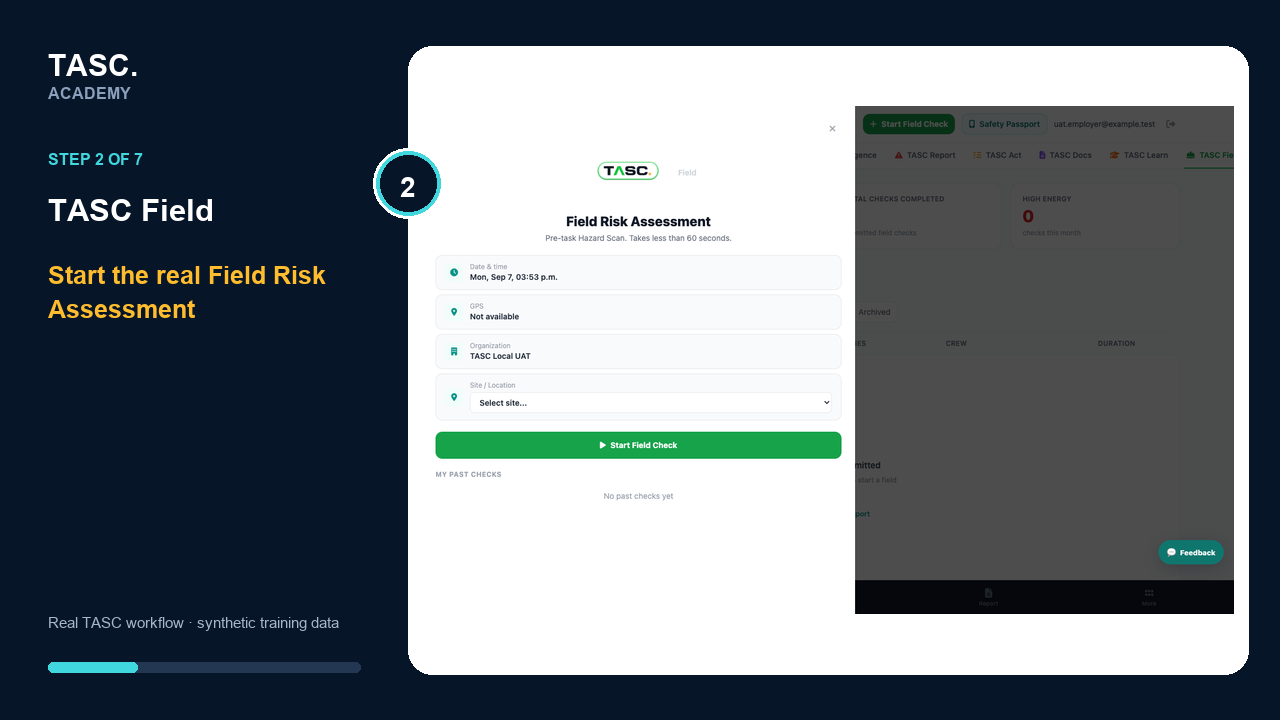 Step 2: Start the Field Risk Assessment
Confirm the person and task
Select the correct site, identify who is completing the check and choose the work being performed.
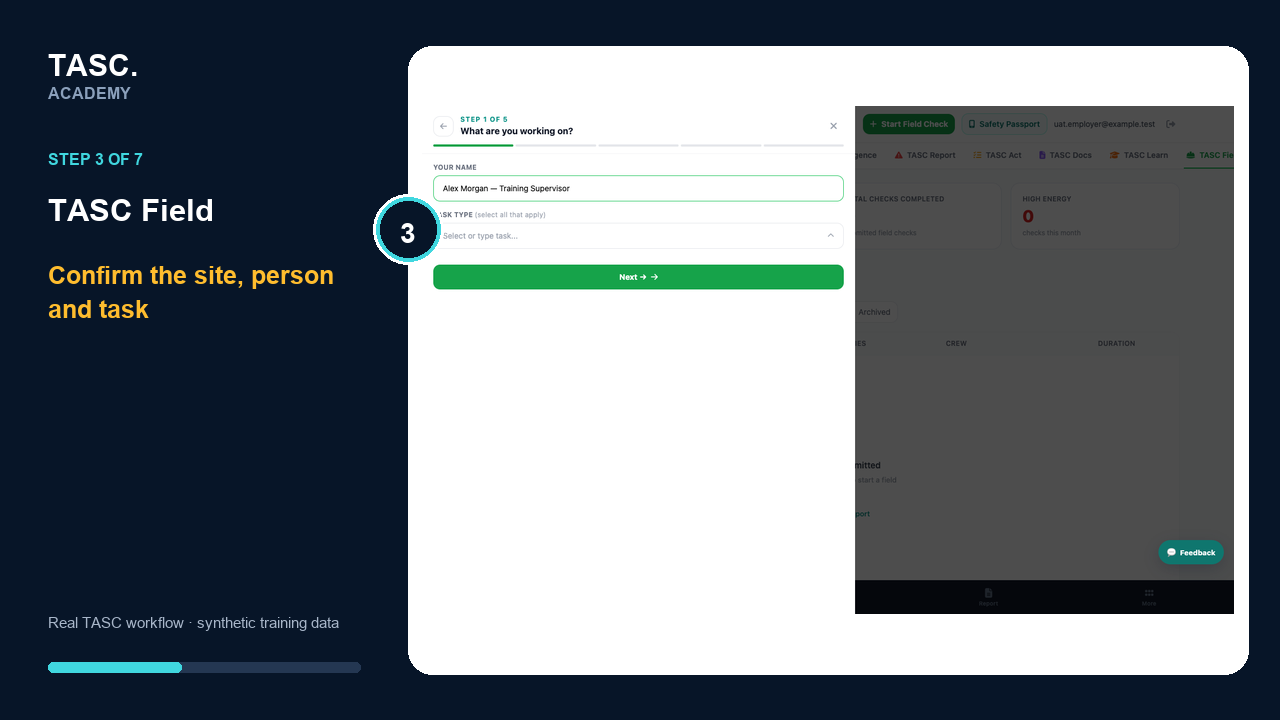 Step 3: Confirm the person and task
Identify energy sources
Use the real energy-selection screen and distinguish selected energy from high-energy exposure.
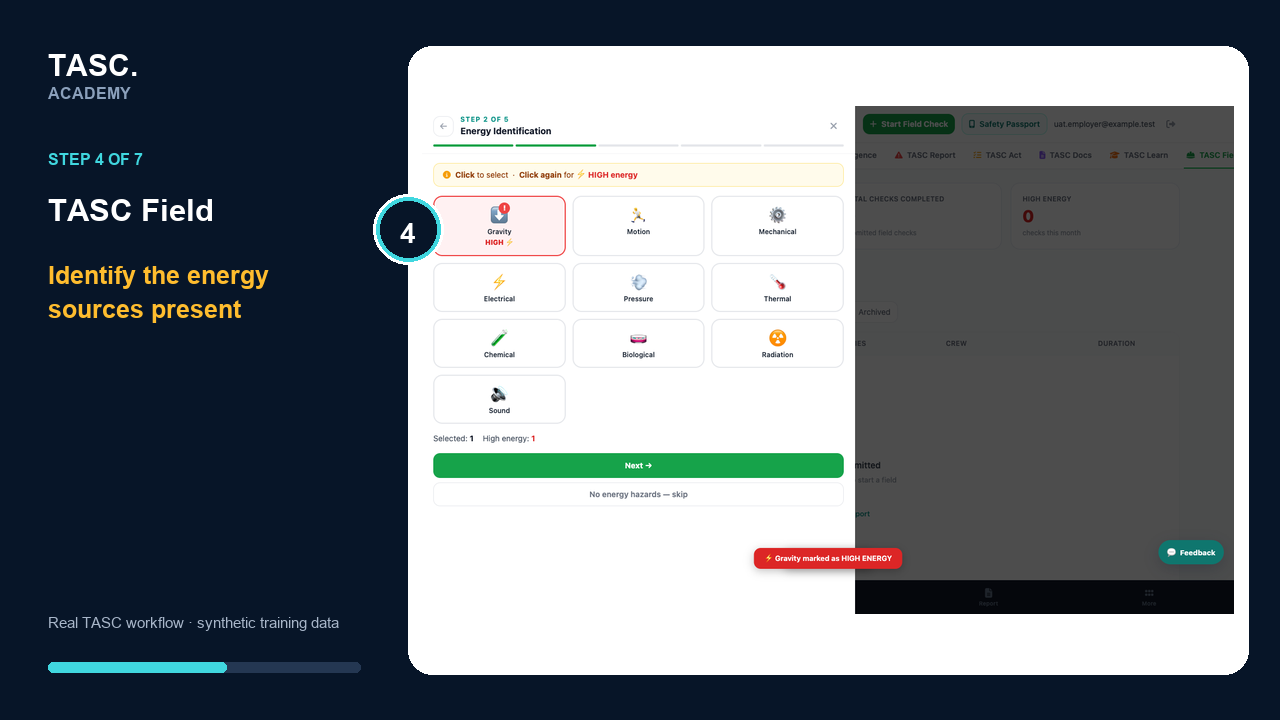 Step 4: Identify energy sources
Confirm controls and crew
Continue through controls, crew alignment and review before submitting the field check.
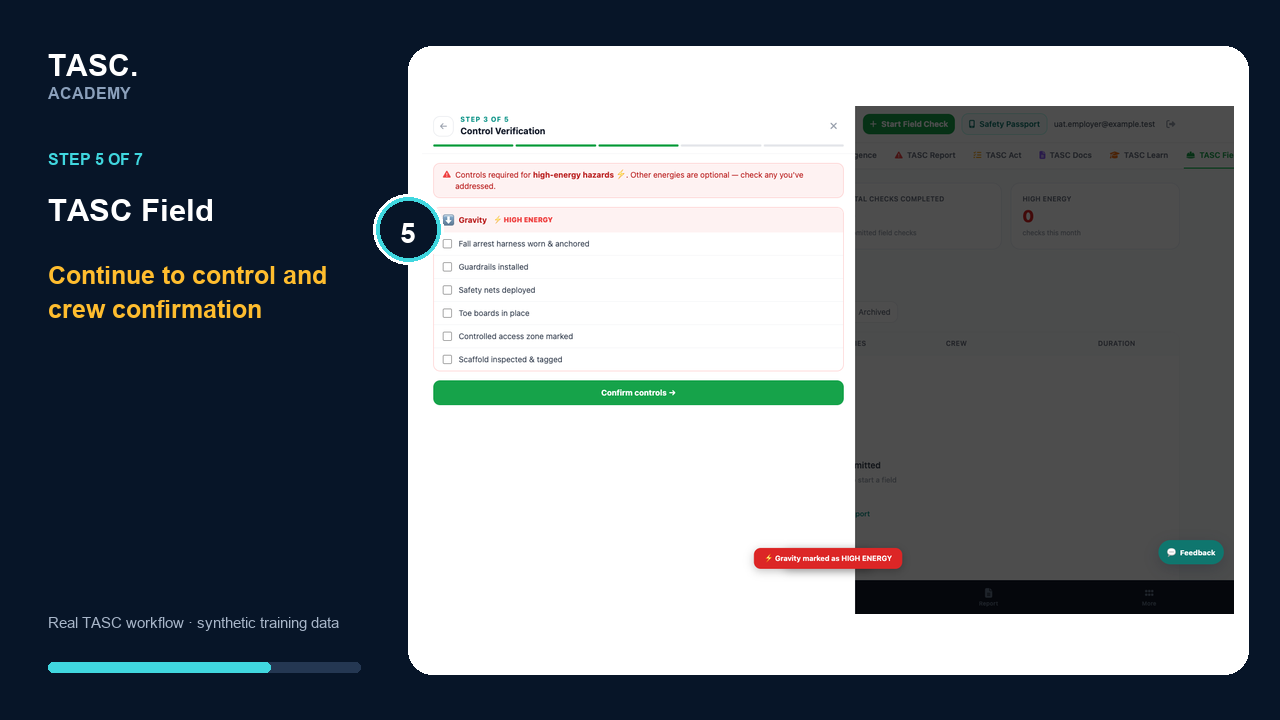 Step 5: Confirm controls and crew
Review the complete field check
Confirm the task, high-energy designation and verified controls before submitting.
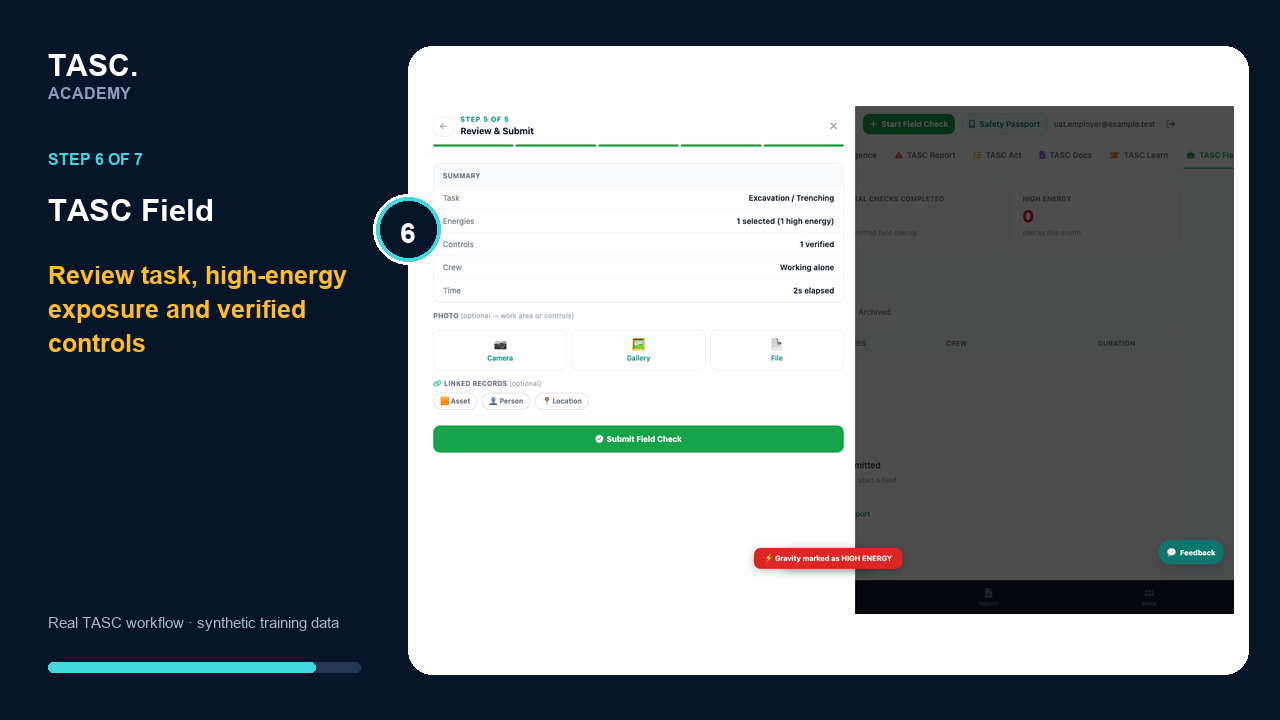 Step 6: Review the complete field check
Confirm the saved result
Submit once and confirm TASC records the field check and its energy summary.
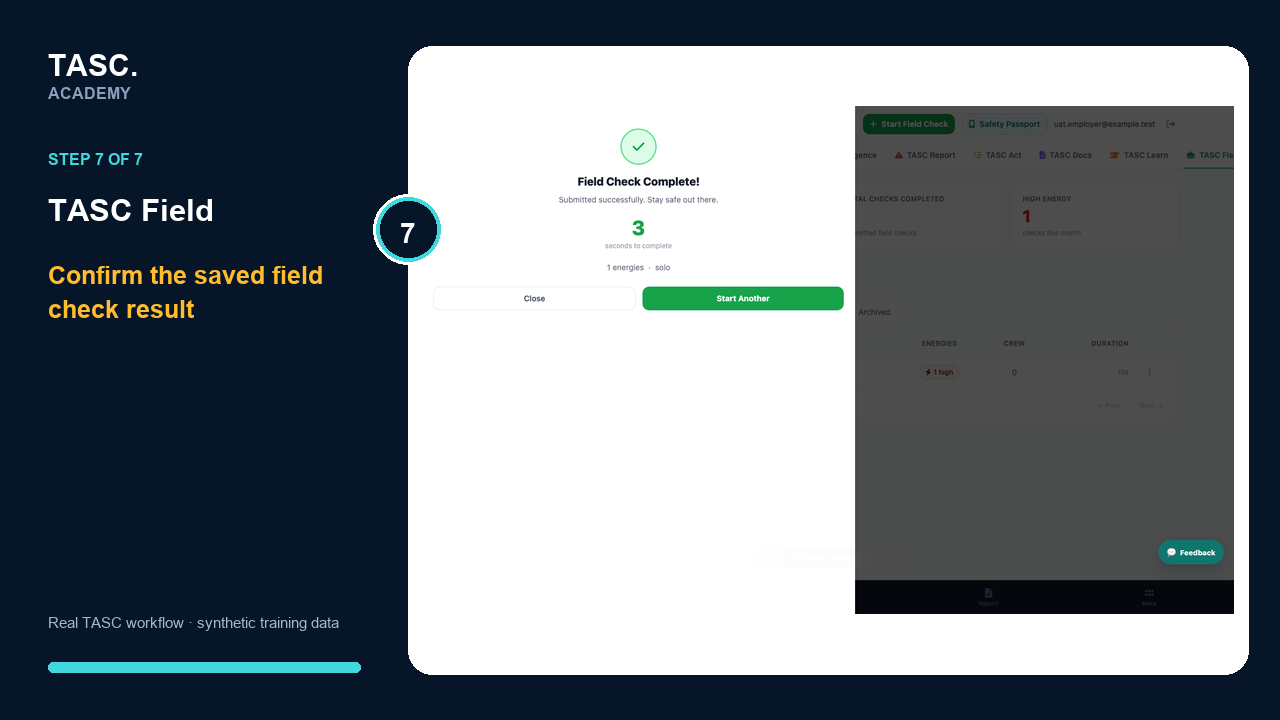 Step 7: Confirm the saved result
Check that it worked
- The check is linked to the correct site and task
- Energy sources and controls are recorded
- The submission appears in Recent Checks
- High-energy work is visible to the intended reviewer
If something goes wrong
The intended site is missing.
Confirm the user assignment and active site configuration before continuing.
A submitted check remains unreviewed.
Confirm the status and the reviewer access or notification path.
Before you begin and supporting details
Before you begin
- Access to the module and the correct site
- A synthetic test case before using live operational information
- A named person responsible for reviewing the result