TASC Docs: complete module walkthrough
Upload, classify, publish and maintain controlled safety information.
Watch first
Captioned walkthrough using the real TASC screen
Do the task
Follow these steps in order
Find the correct library location
Search first, then choose the category that matches the policy, procedure, training or site document.
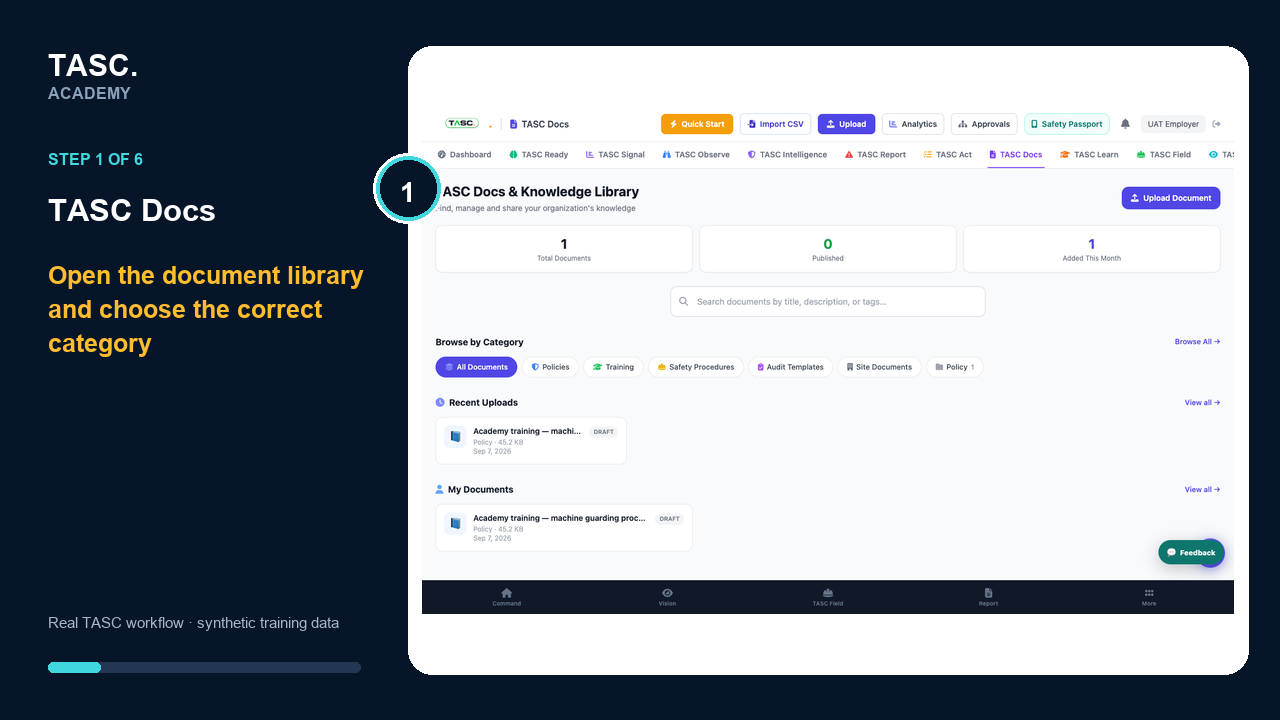 Step 1: Find the correct library location
Upload the file or approved link
Choose the controlled source and confirm the file type and size are suitable for the intended audience.
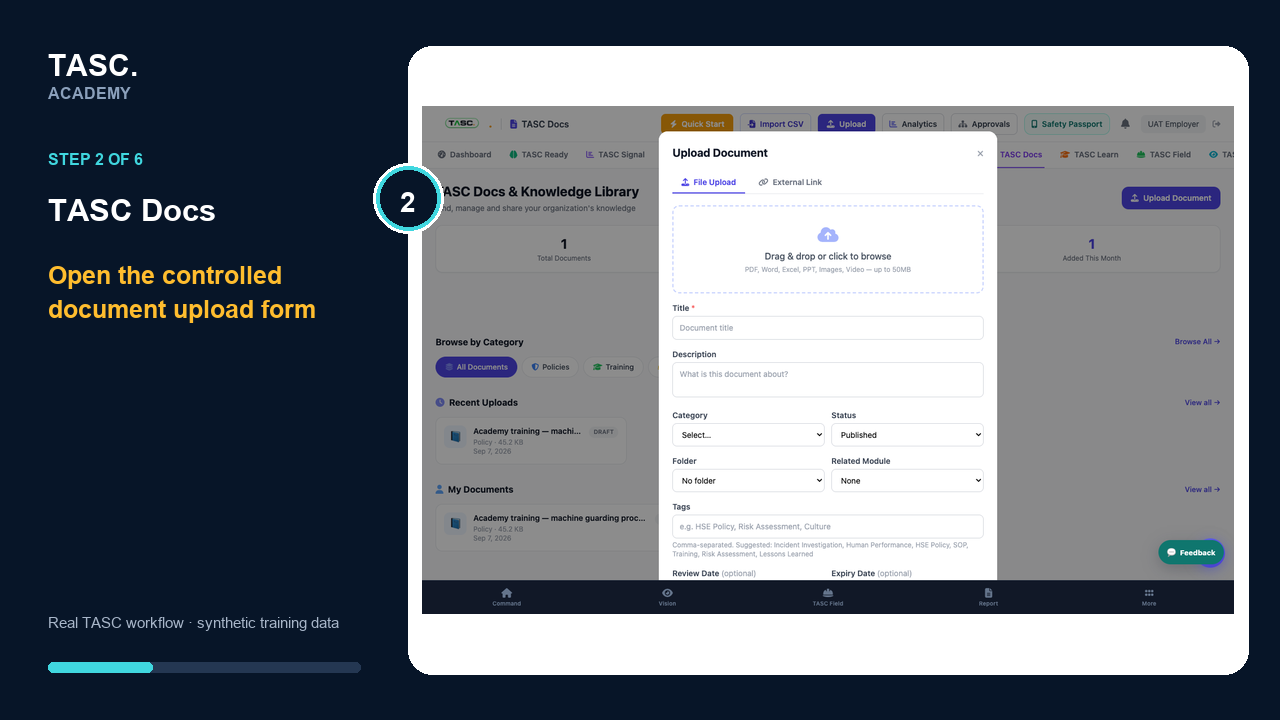 Step 2: Upload the file or approved link
Add useful metadata and access
Set the title, description, category, tags, site context and visibility needed to find and govern the document.
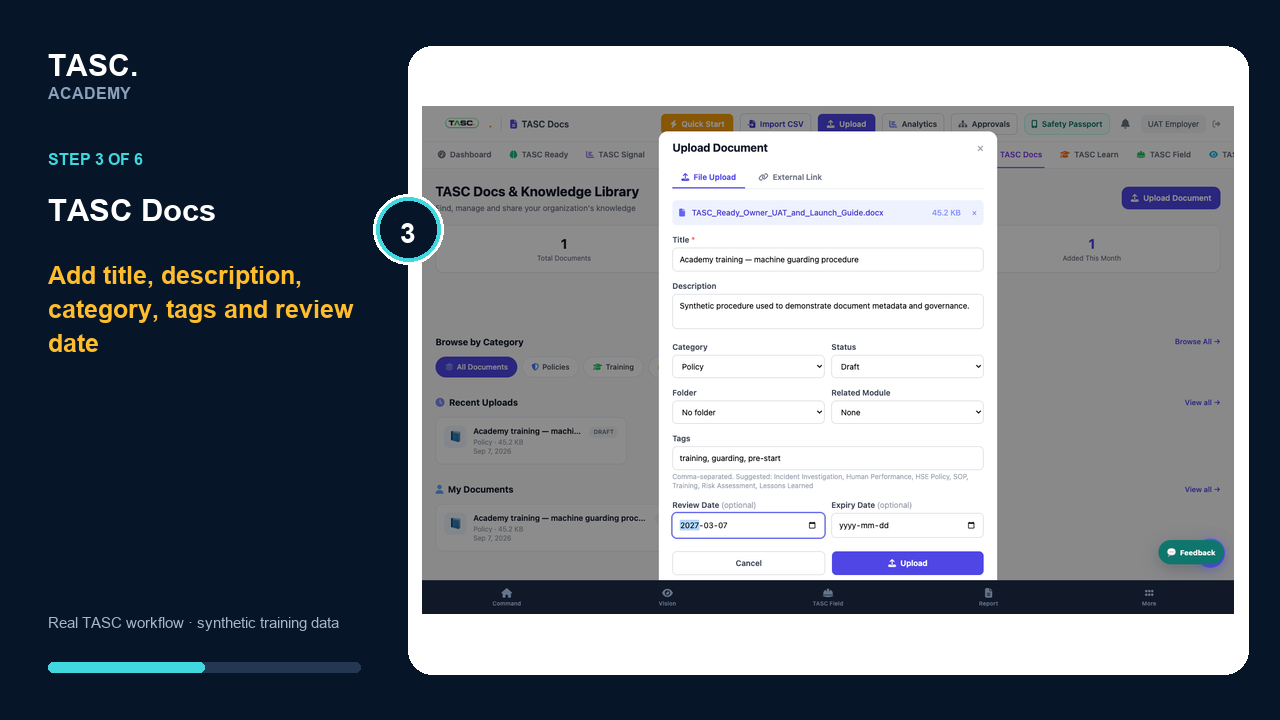 Step 3: Add useful metadata and access
Confirm the uploaded record
Return to the library and verify the title, category, status and review date on the saved document record.
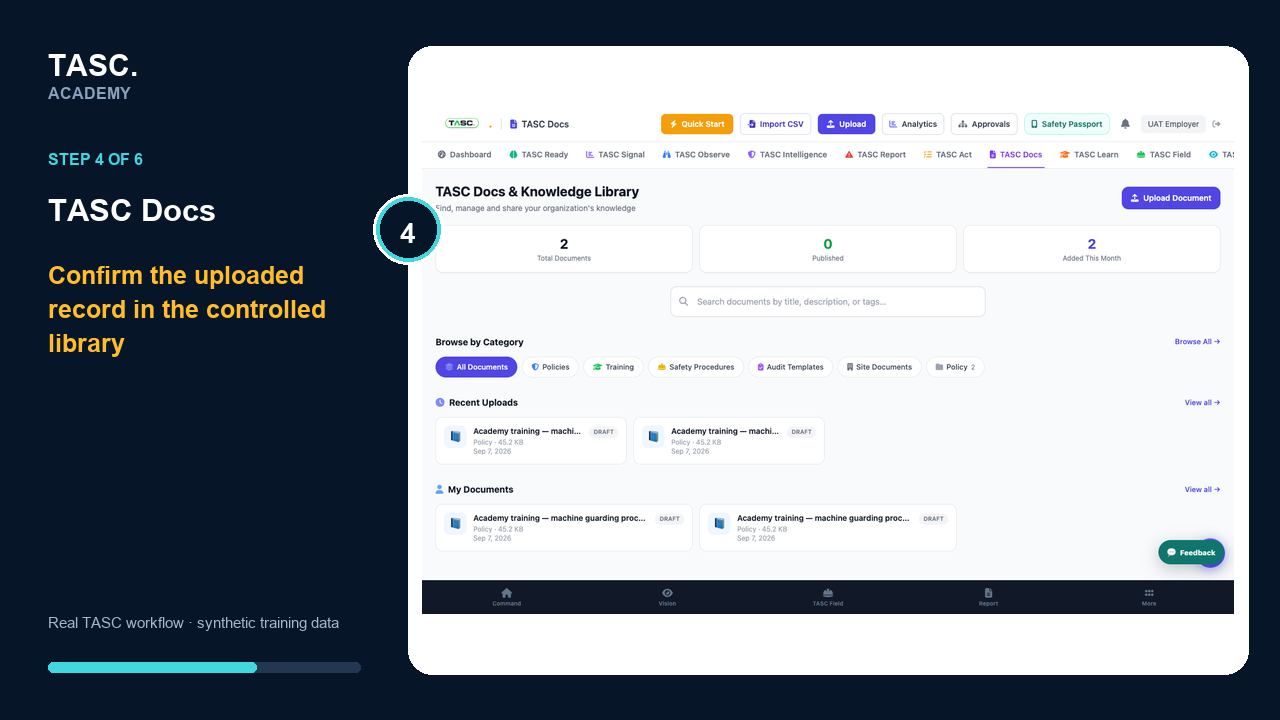 Step 4: Confirm the uploaded record
Approve and distribute
Complete the supported approval or publishing path, then verify the current version is visible to the intended roles.
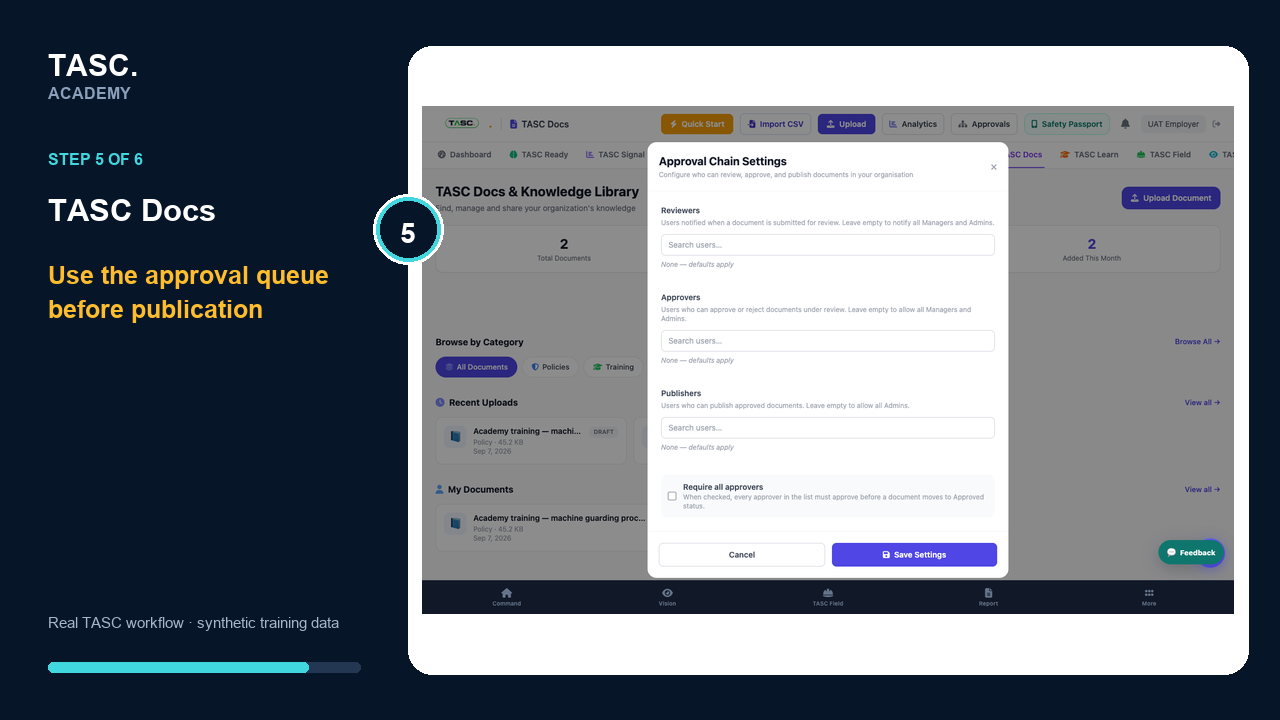 Step 5: Approve and distribute
Maintain the lifecycle
Use search, approvals and analytics to replace superseded material and monitor use or acknowledgement where supported.
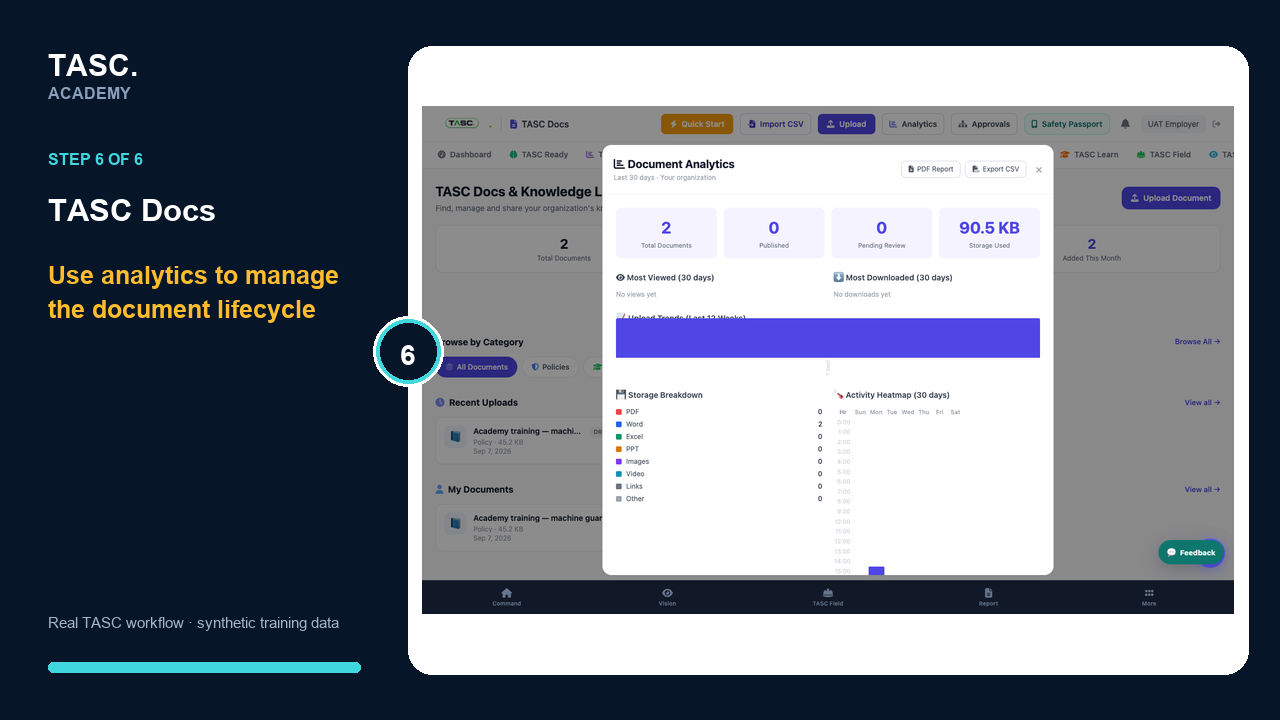 Step 6: Maintain the lifecycle
Check that it worked
- Search returns the document by title and category
- Only the intended audience can open it
- The current version is clearly identifiable
- Superseded content is no longer presented as current
If something goes wrong
Workers can find two current-looking versions.
Confirm the approved version and archive or supersede the old record.
A document cannot be found.
Review its title, category, tags, site scope and publication status.
Before you begin and supporting details
Before you begin
- Access to the module and the correct site
- A synthetic test case before using live operational information
- A named person responsible for reviewing the result