TASC Assure: complete module walkthrough
Design and complete control assurance, then manage evidence, findings and schedules.
Watch first
Captioned walkthrough using the real TASC screen
Do the task
Follow these steps in order
Review the assurance hub
Check programs, recent records, active schedules and overdue work before starting another activity.
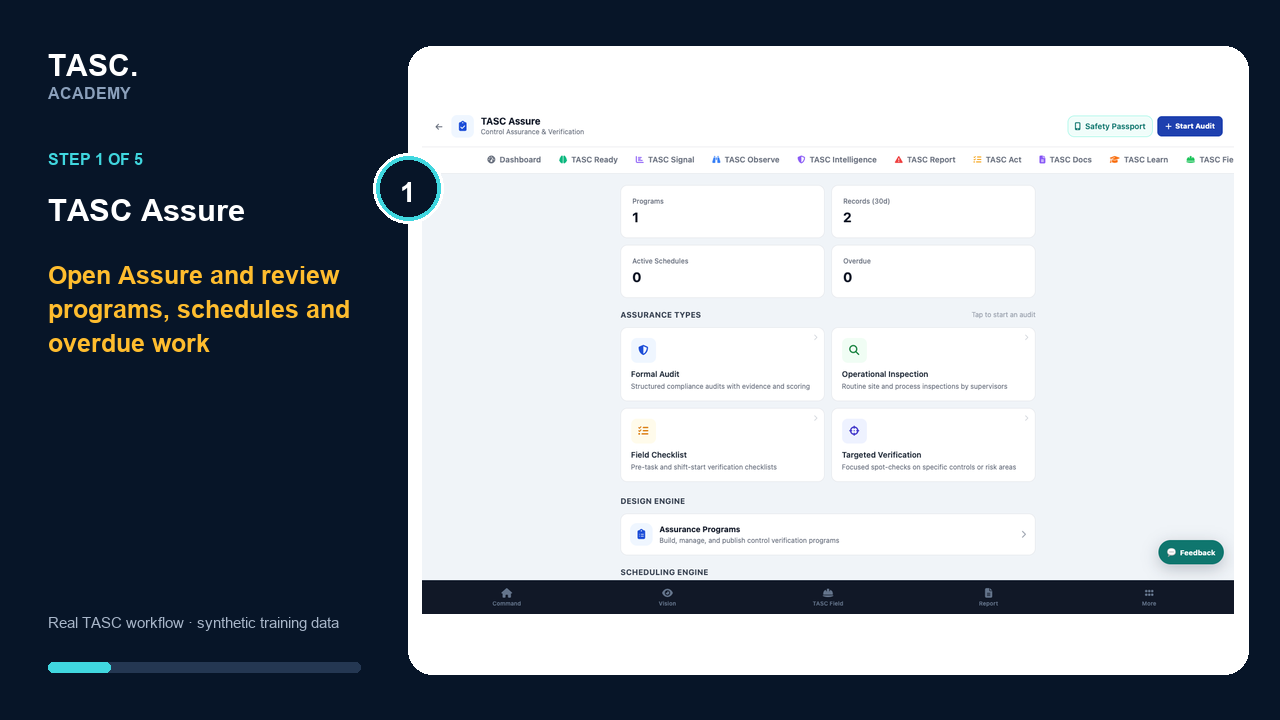 Step 1: Review the assurance hub
Build and publish the control program
Create the program, sections and real control verification points, including response type, criticality, guidance and evidence expectations.
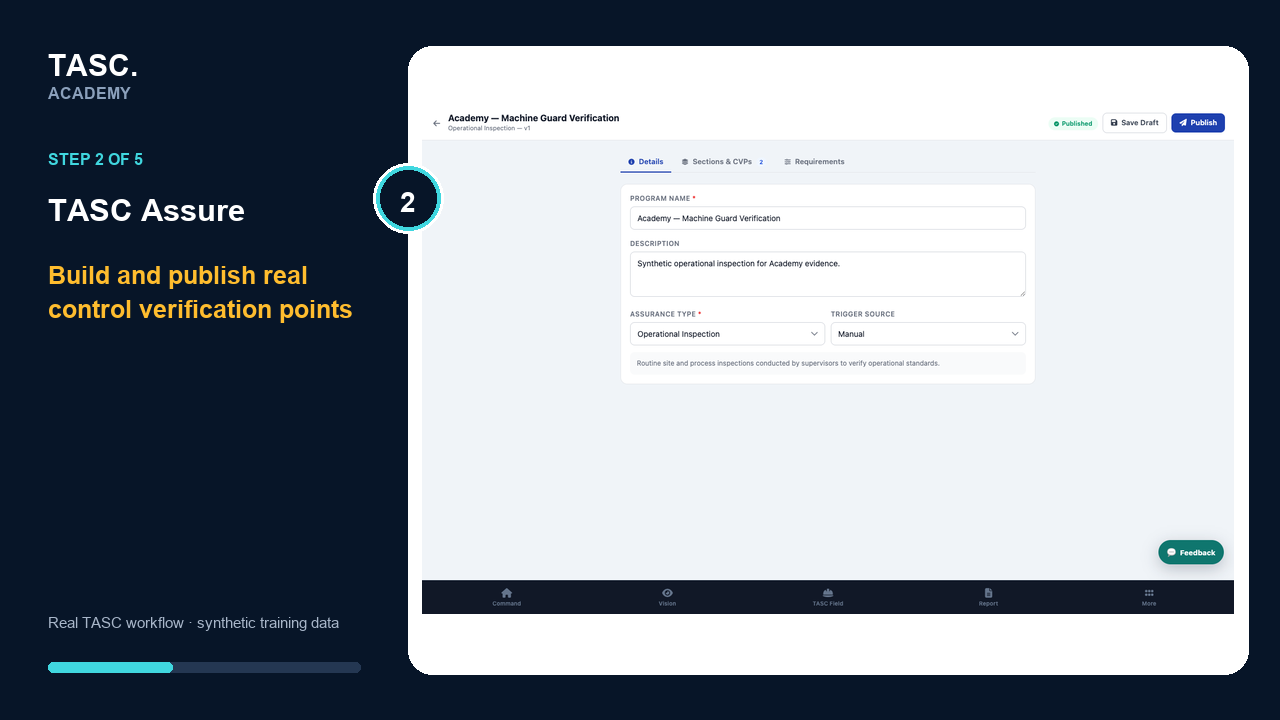 Step 2: Build and publish the control program
Start the scoped assurance record
Use the published program, correct site, responsible person and work context to begin the live control execution.
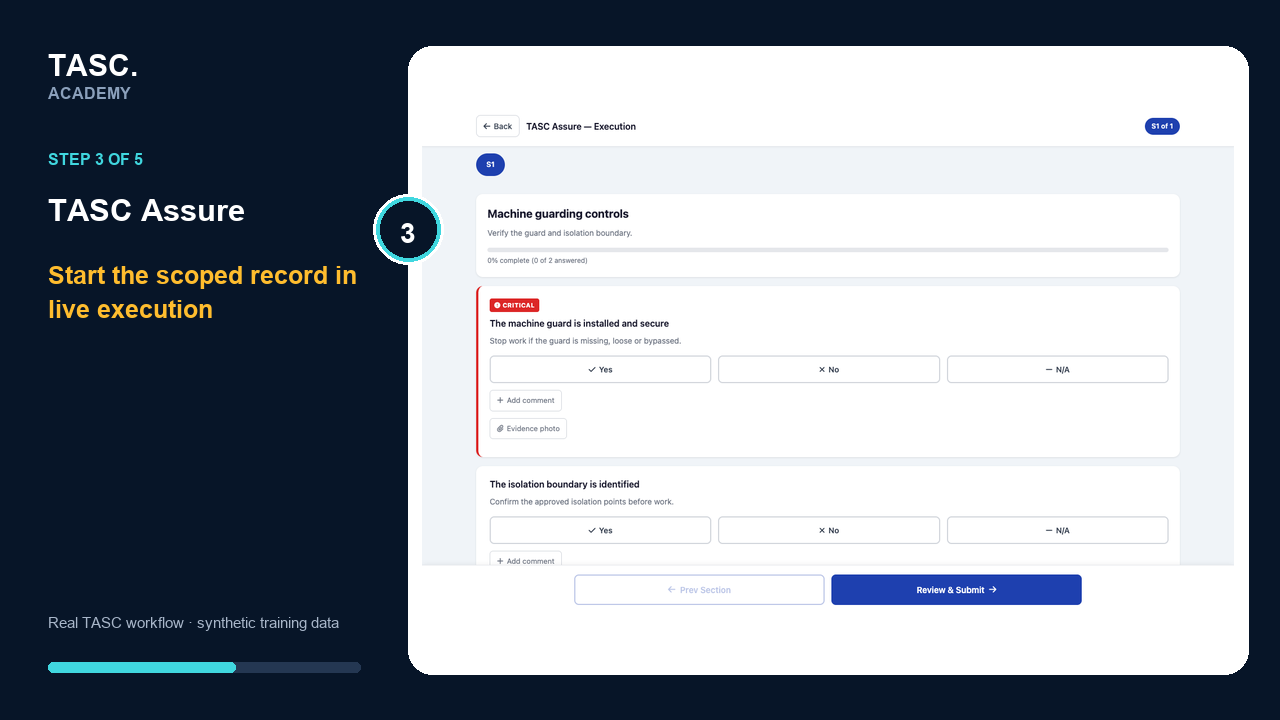 Step 3: Start the scoped assurance record
Complete controls with evidence
Record conforming and failed responses, add useful comments or evidence and preserve the finding context.
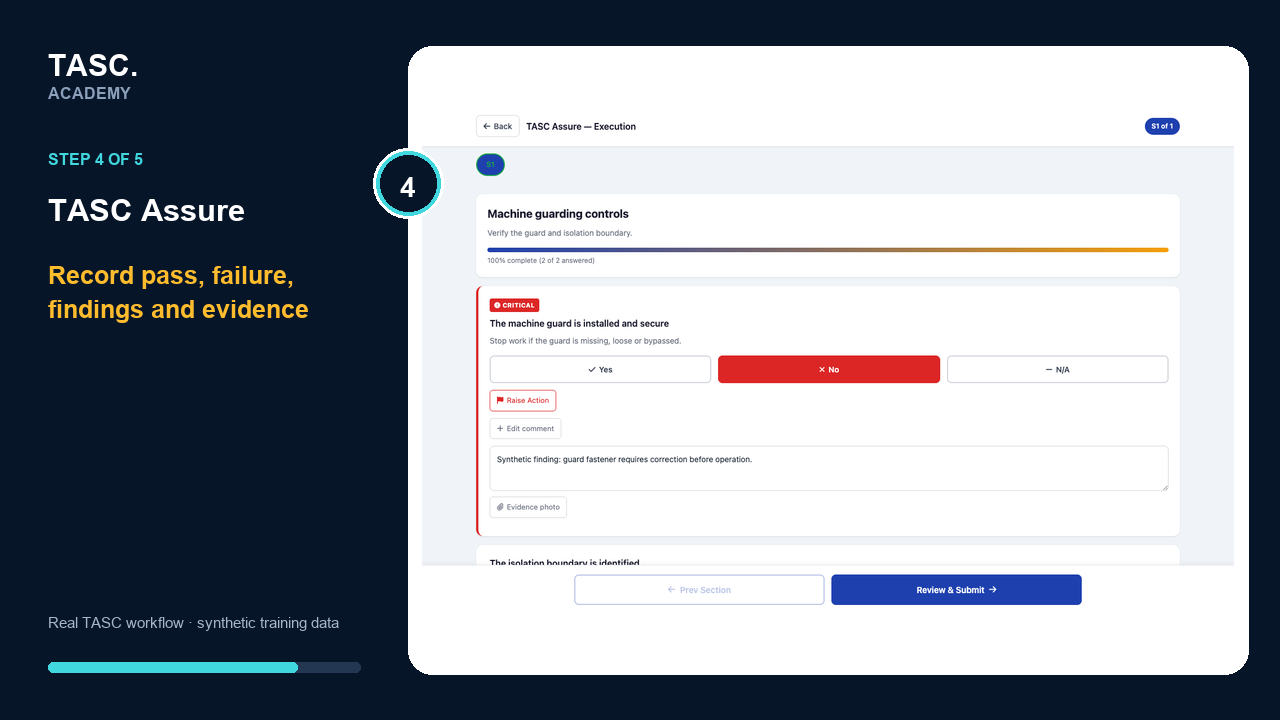 Step 4: Complete controls with evidence
Review the completed result and follow-up
Confirm the score, failed controls, evidence and accountable corrective action before treating the assurance as closed.
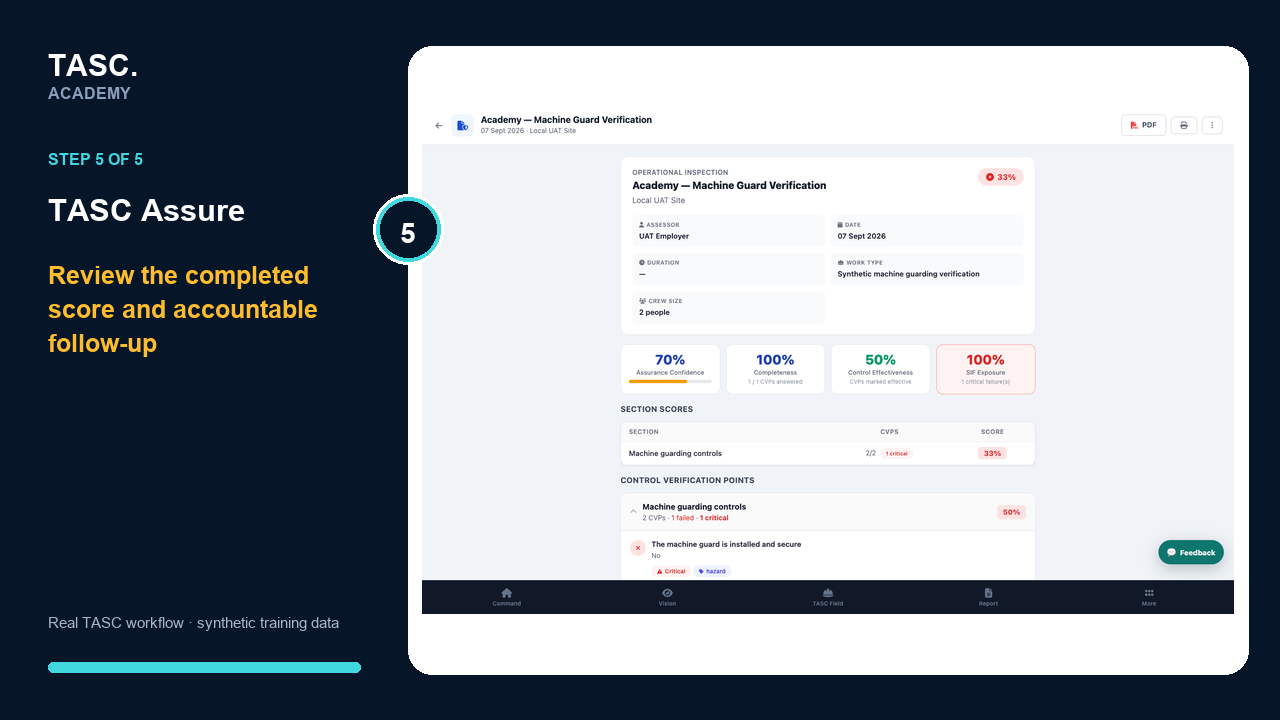 Step 5: Review the completed result and follow-up
Check that it worked
- The assurance type matches the activity
- The correct program and site are used
- Control results include reviewable evidence
- Failed or overdue items have accountable follow-up
If something goes wrong
No program is available at the next step.
Build and publish the appropriate assurance program before starting the activity.
A failed control has no action.
Create or assign the required follow-up and preserve the evidence link.
Before you begin and supporting details
Before you begin
- Access to the module and the correct site
- A synthetic test case before using live operational information
- A named person responsible for reviewing the result