TASC Act: complete module walkthrough
Create, assign, monitor, verify and close corrective or operational actions.
Watch first
Captioned walkthrough using the real TASC screen
Do the task
Follow these steps in order
Review the action workload
Use open, overdue, closed and source filters to understand the current work before creating a duplicate.
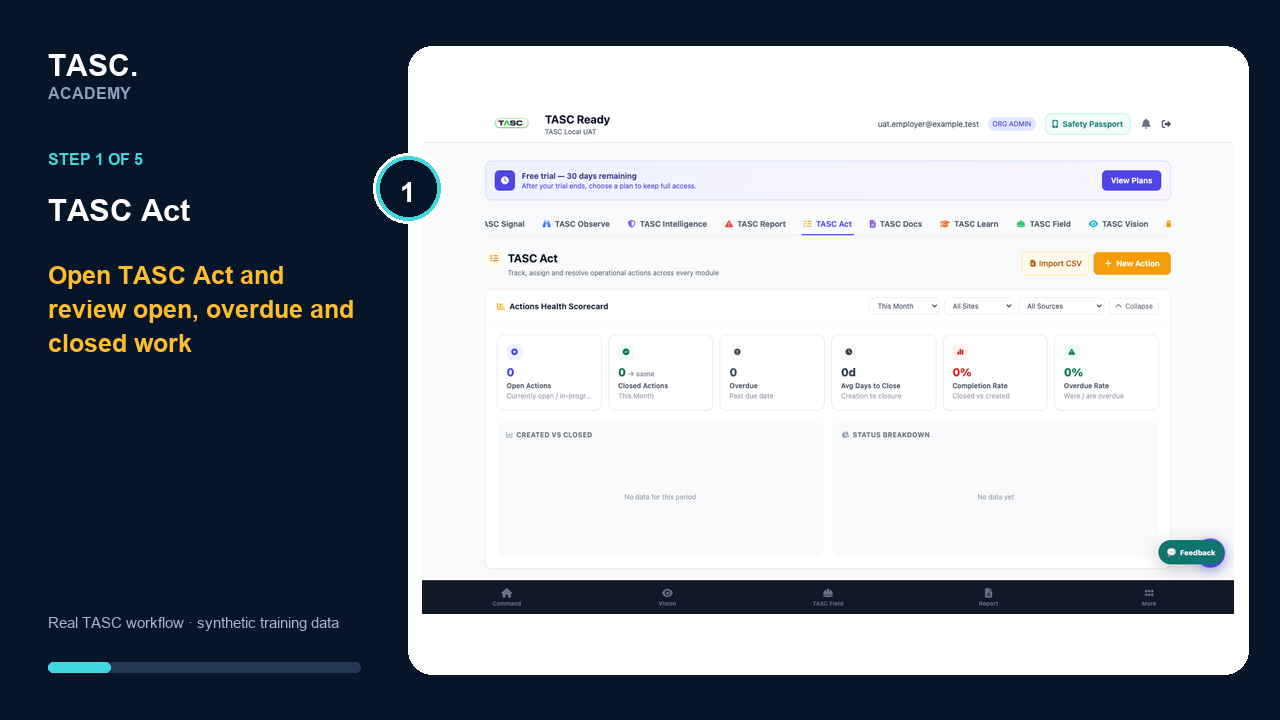 Step 1: Review the action workload
Create a clear action
State what must happen, why it is required and the evidence that will demonstrate completion.
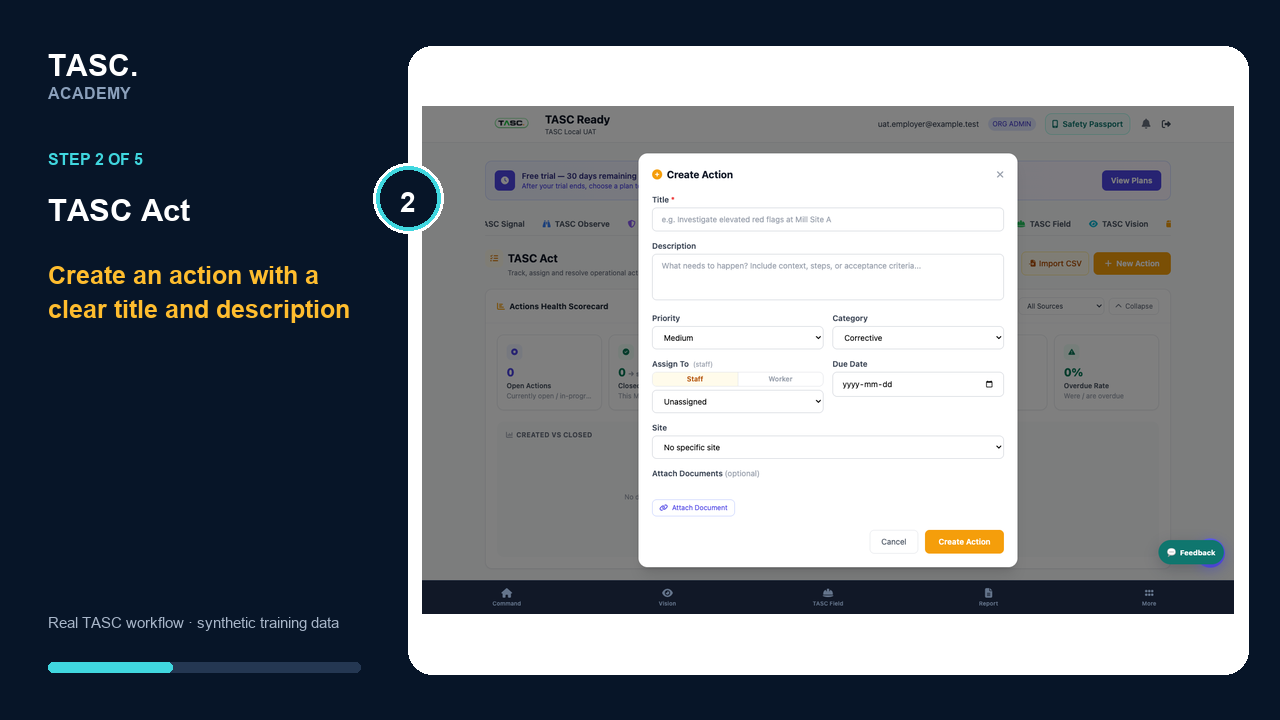 Step 2: Create a clear action
Assign priority and ownership
Choose the priority, category, staff or worker owner, due date, site and supporting documents.
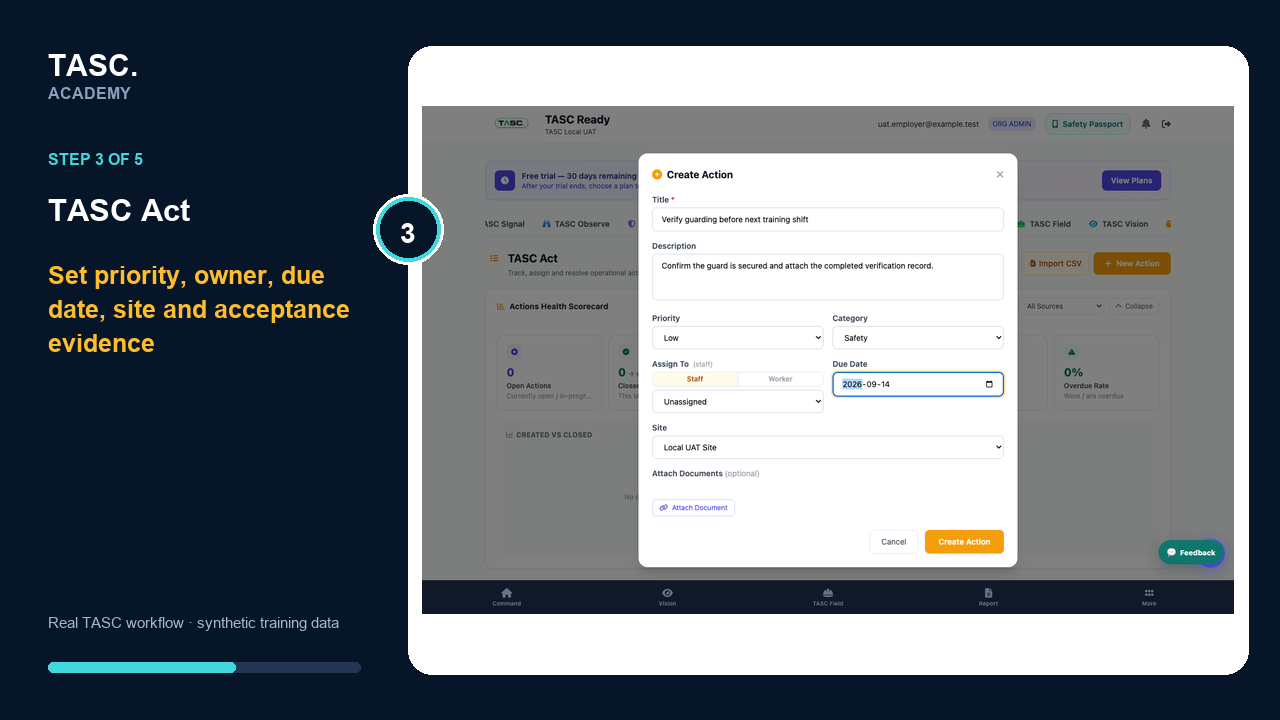 Step 3: Assign priority and ownership
Review the saved action
Open the action detail and confirm its status, owner, due date, site, source and acceptance evidence.
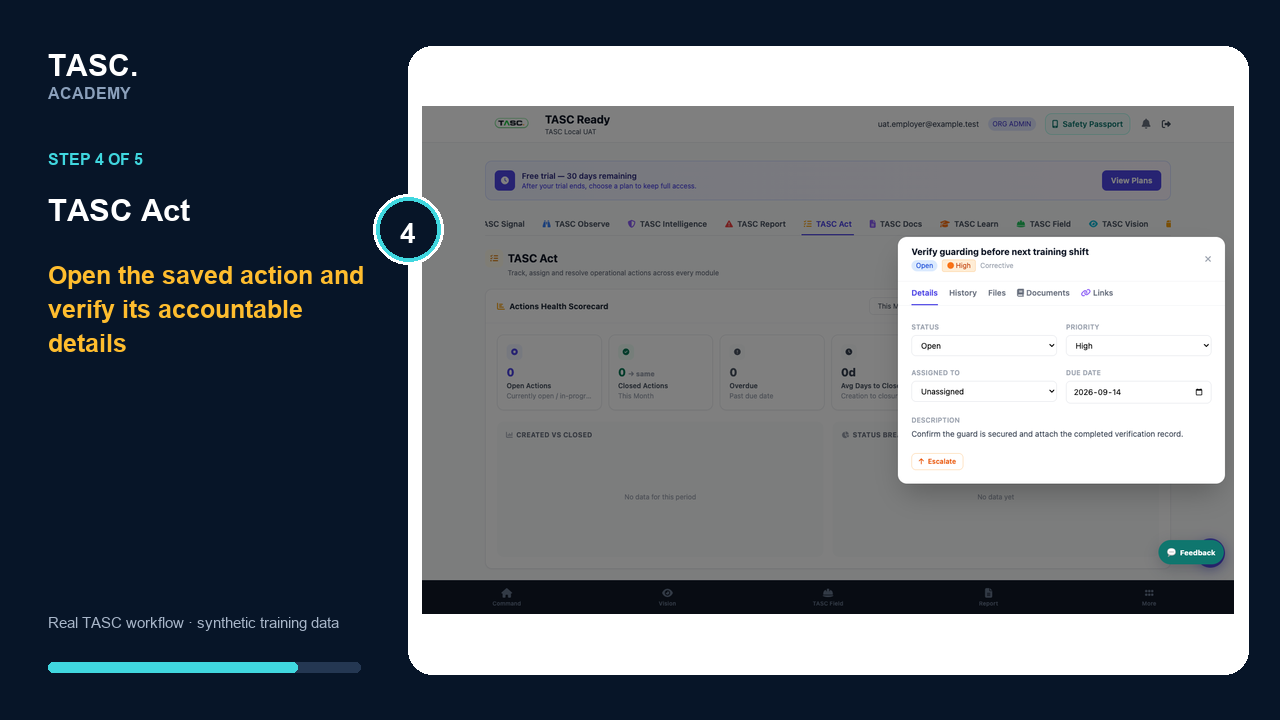 Step 4: Review the saved action
Use history and verify before closure
Review the action history and completion evidence, then confirm the underlying issue is controlled before accepting closure.
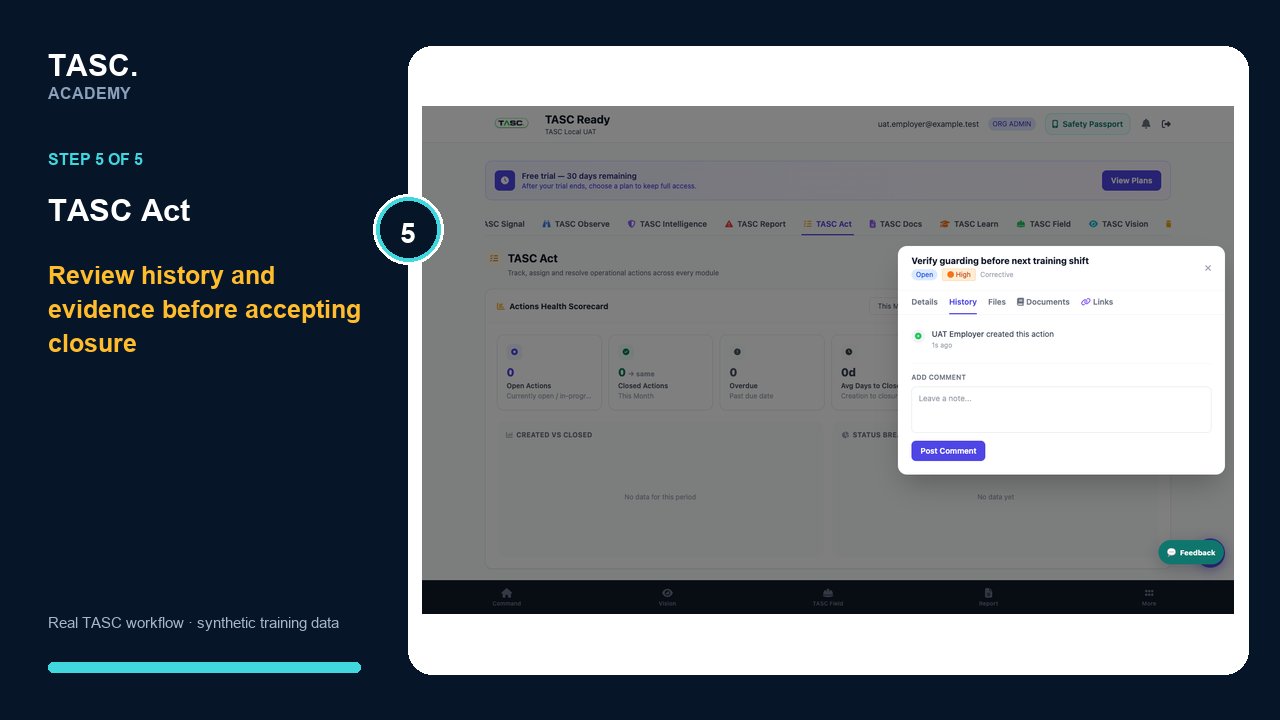 Step 5: Use history and verify before closure
Check that it worked
- The action has one accountable owner
- Priority and due date match the risk
- Supporting evidence is accessible
- Closure includes verification rather than status change alone
If something goes wrong
The action duplicates existing work.
Search by source, site and title before creating a replacement.
Completion evidence is insufficient.
Return the action for clarification and state the missing acceptance evidence.
Before you begin and supporting details
Before you begin
- Access to the module and the correct site
- A synthetic test case before using live operational information
- A named person responsible for reviewing the result