All lessons
SMS NotificationsVideo + step screenshots
SMS Notifications: complete walkthrough
Configure SMS delivery, recipients and templates for supported operational notifications.
10 minutes5 stepsCore
Watch first
Captioned walkthrough using the real TASC screen
Do the task
Follow these steps in order
0 of 50%
Confirm SMS availability
Review the organization’s SMS add-on, sender configuration and current delivery status before relying on the channel.
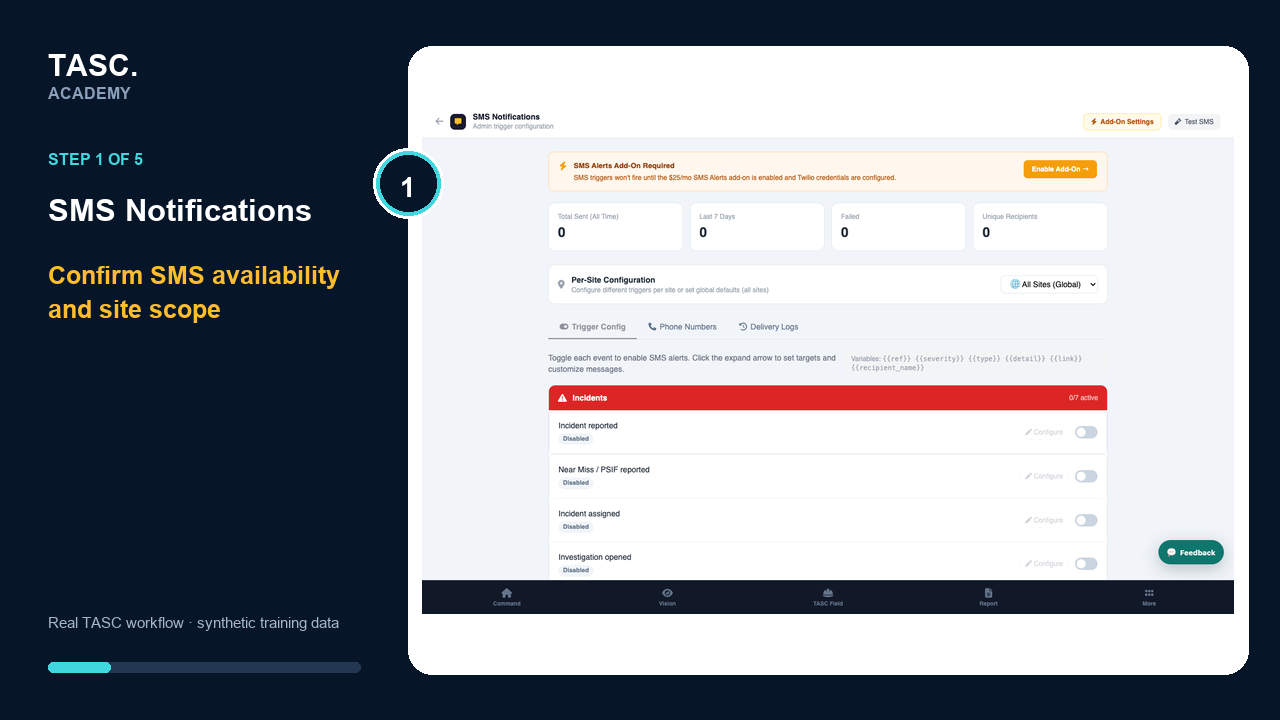 Step 1: Confirm SMS availability
Choose a notification event
Select the supported alert, incident or operational event that should trigger an SMS.
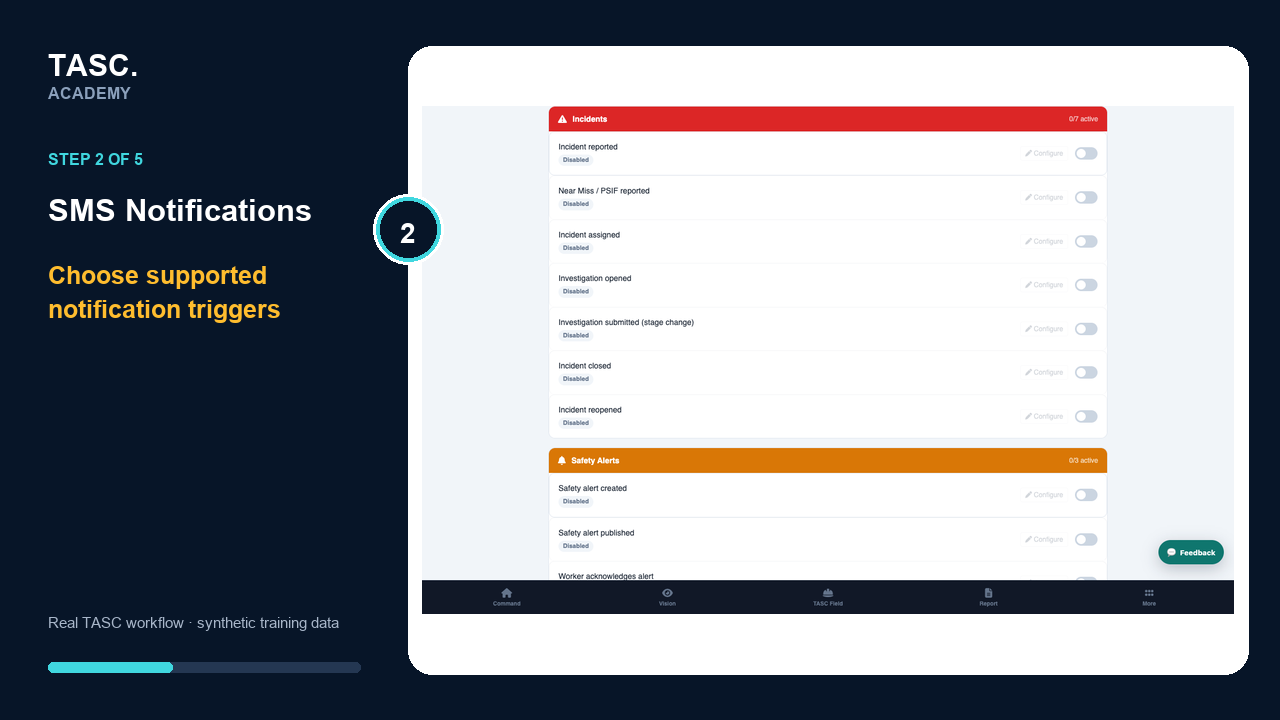 Step 2: Choose a notification event
Set recipients and scope
Target the minimum necessary audience using role, site or direct-recipient rules.
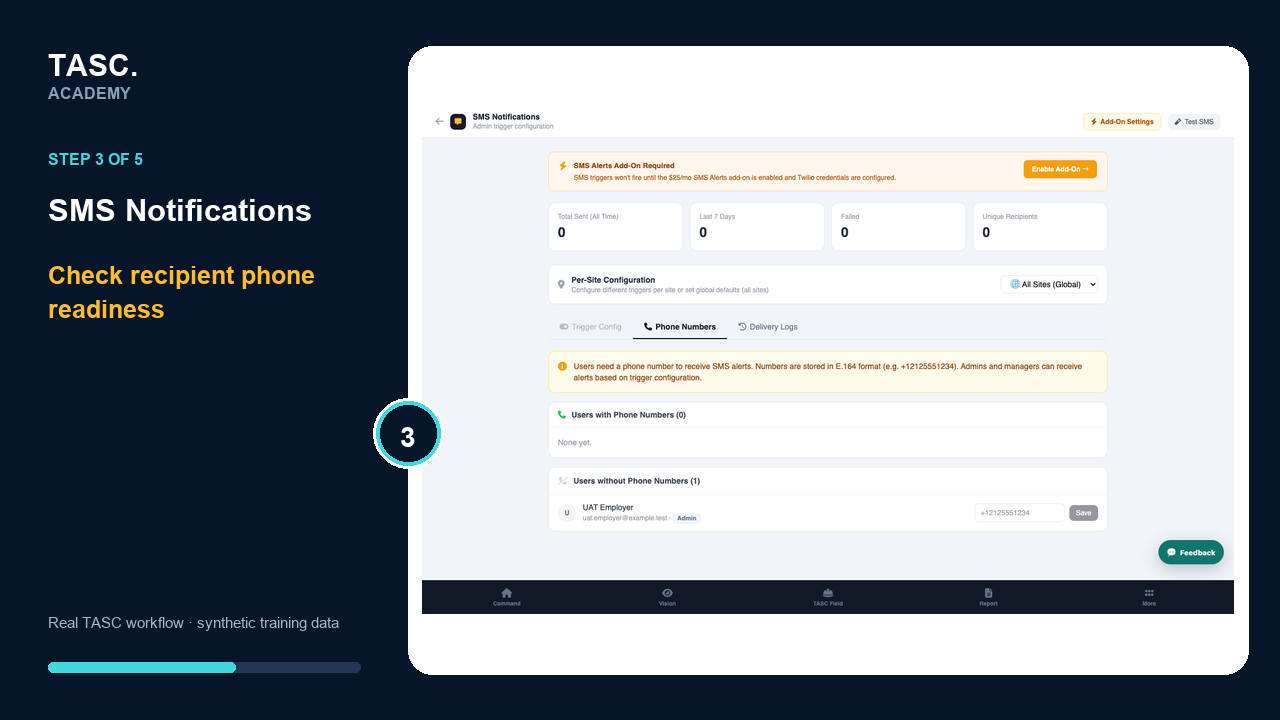 Step 3: Set recipients and scope
Review the message template
Keep the message concise, actionable and free of unnecessary sensitive information.
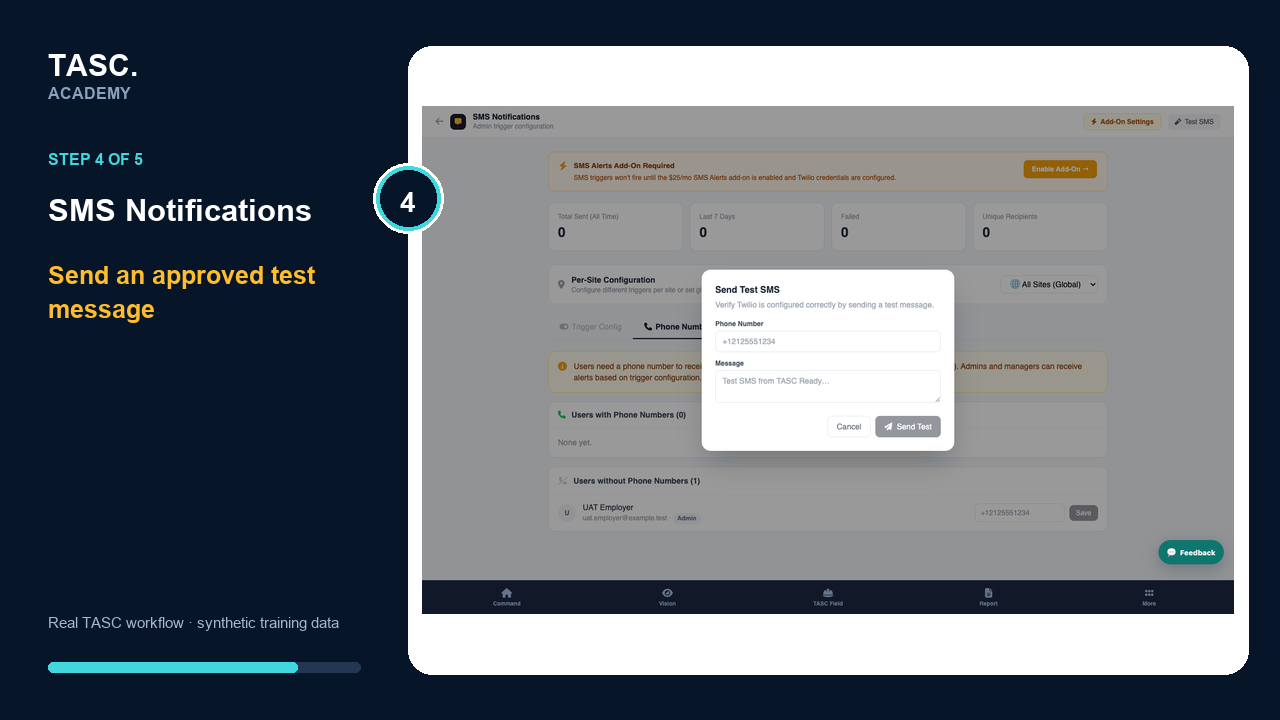 Step 4: Review the message template
Test and monitor delivery
Send an approved test, confirm delivery evidence and maintain a fallback route for time-critical communication.
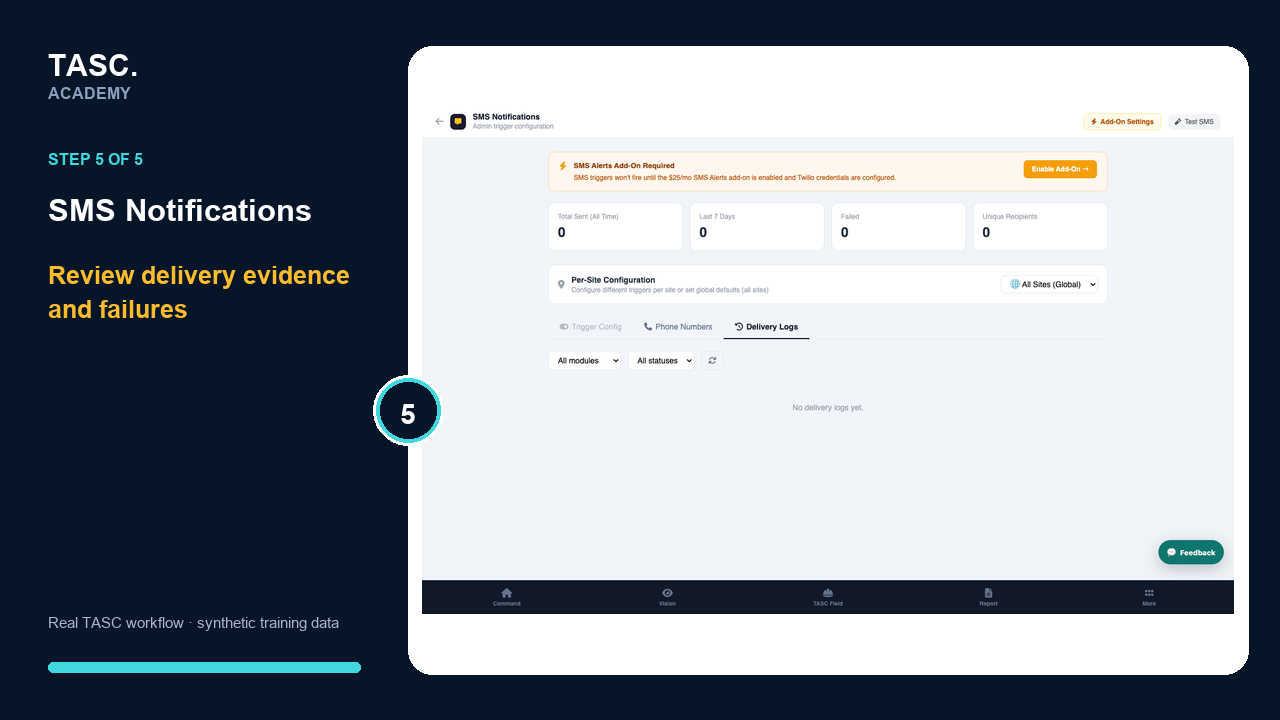 Step 5: Test and monitor delivery
Check that it worked
- SMS service is enabled
- Trigger and scope are explicit
- The message contains no unnecessary sensitive data
- A delivery test and fallback route exist
If something goes wrong
A message is not delivered.
Check add-on status, number format, consent or contact state and delivery logs; use the approved fallback for urgent matters.
Before you begin and supporting details
Before you begin
- Organization-administrator or authorized supervisor access
- The correct organization and site context
- A synthetic test case before changing live operational information
Find it in TASC
Employer PortalSMS Notifications