All lessons
Safety AlertsVideo + step screenshots
Safety Alerts: complete walkthrough
Create, target, publish and monitor safety alerts without sending unnecessary or unverified information.
10 minutes5 stepsCore
Watch first
Captioned walkthrough using the real TASC screen
Do the task
Follow these steps in order
0 of 50%
Review active and previous alerts
Check for an existing message and confirm the current audience before drafting another alert.
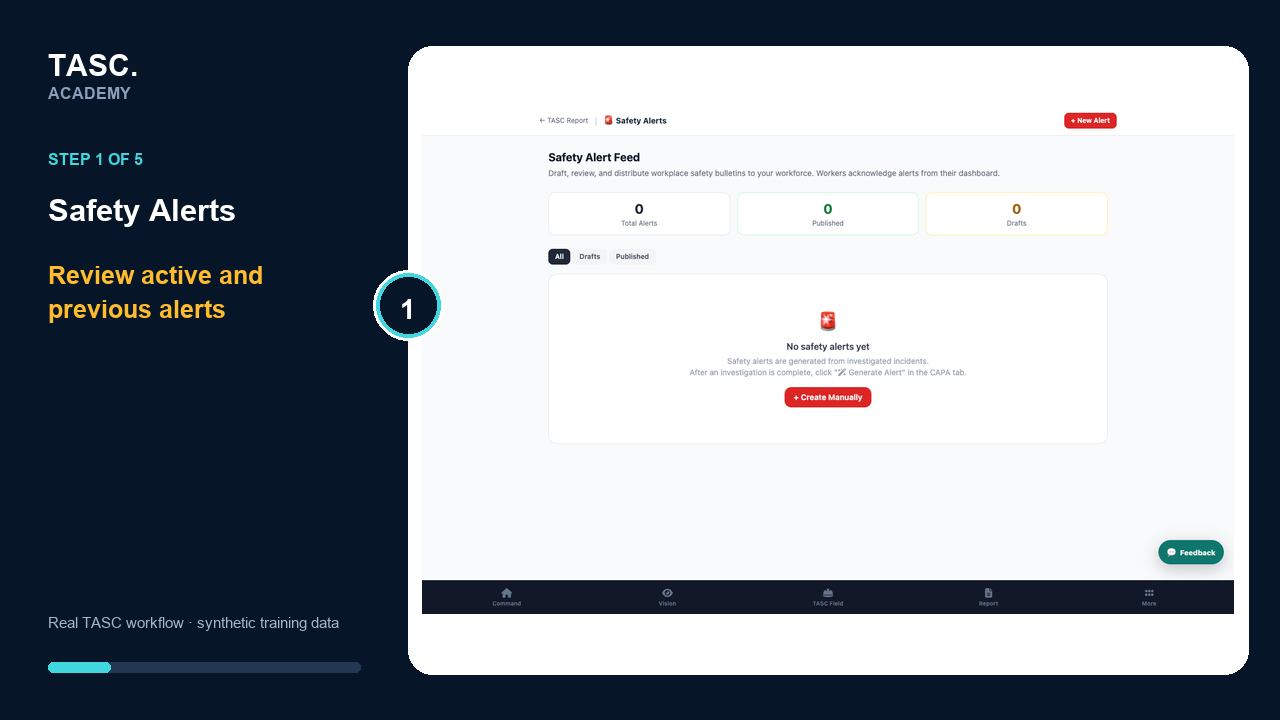 Step 1: Review active and previous alerts
Create a clear alert
State the hazard, required action, effective timing and owner using plain language.
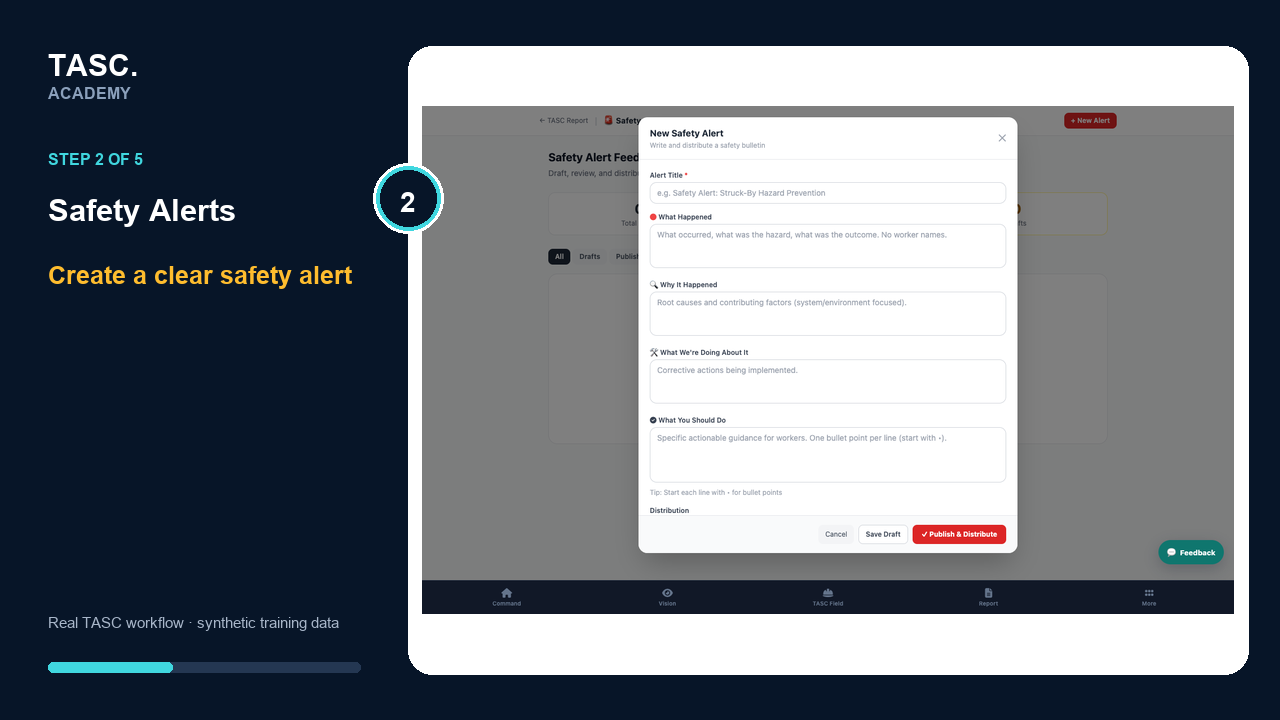 Step 2: Create a clear alert
Choose the audience and channel
Select only the sites, roles or people who need the message and the approved delivery route.
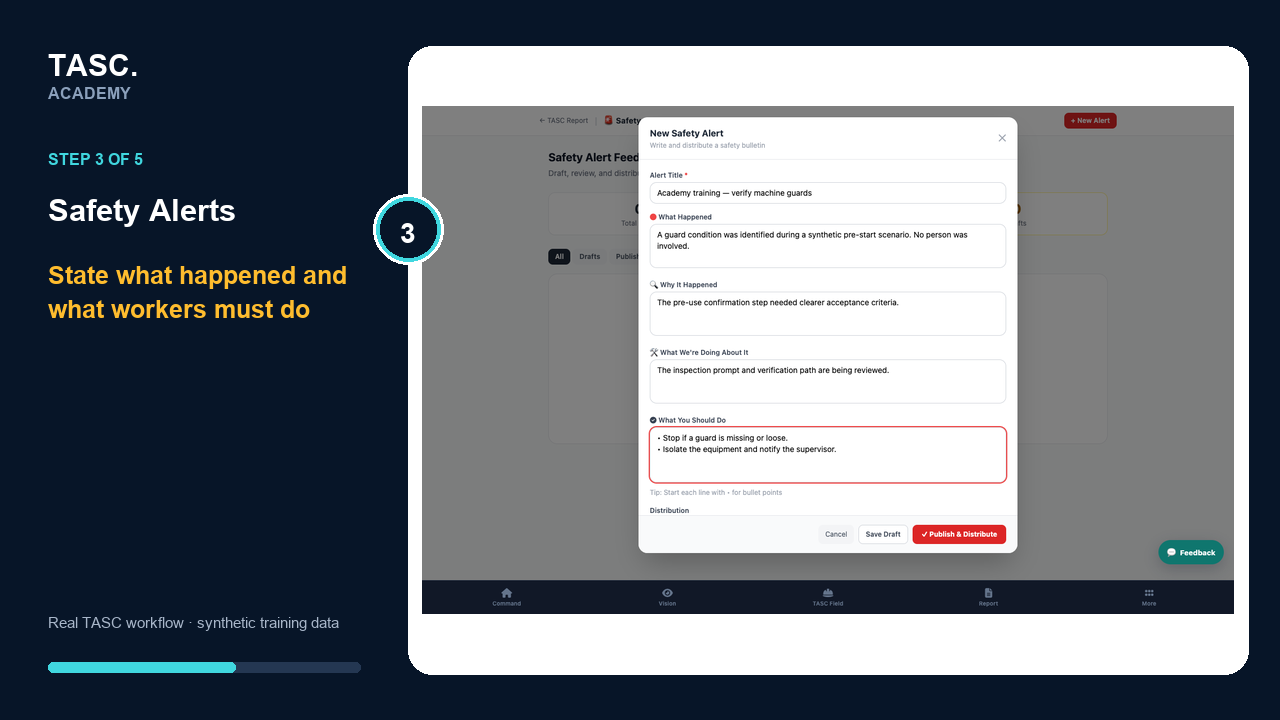 Step 3: Choose the audience and channel
Preview and publish
Verify content, links, privacy and escalation details before sending.
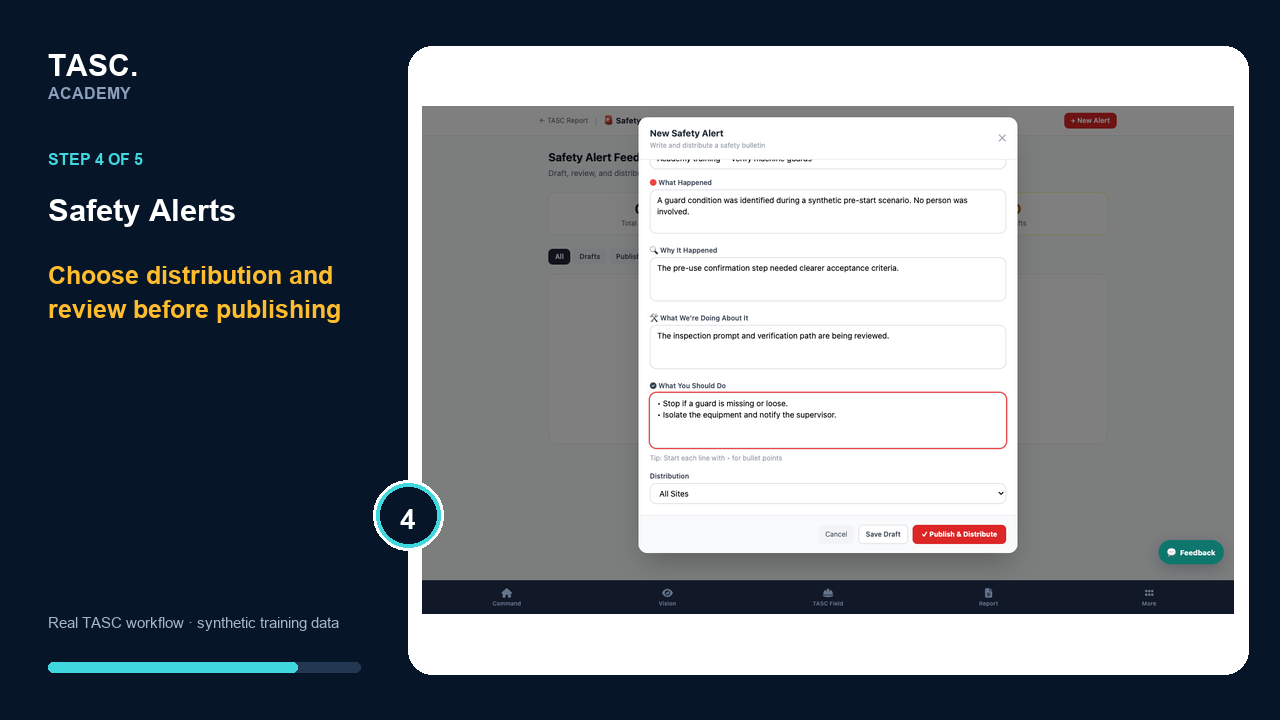 Step 4: Preview and publish
Monitor delivery and close
Review supported delivery or acknowledgement evidence, update the alert if conditions change and retire it when no longer current.
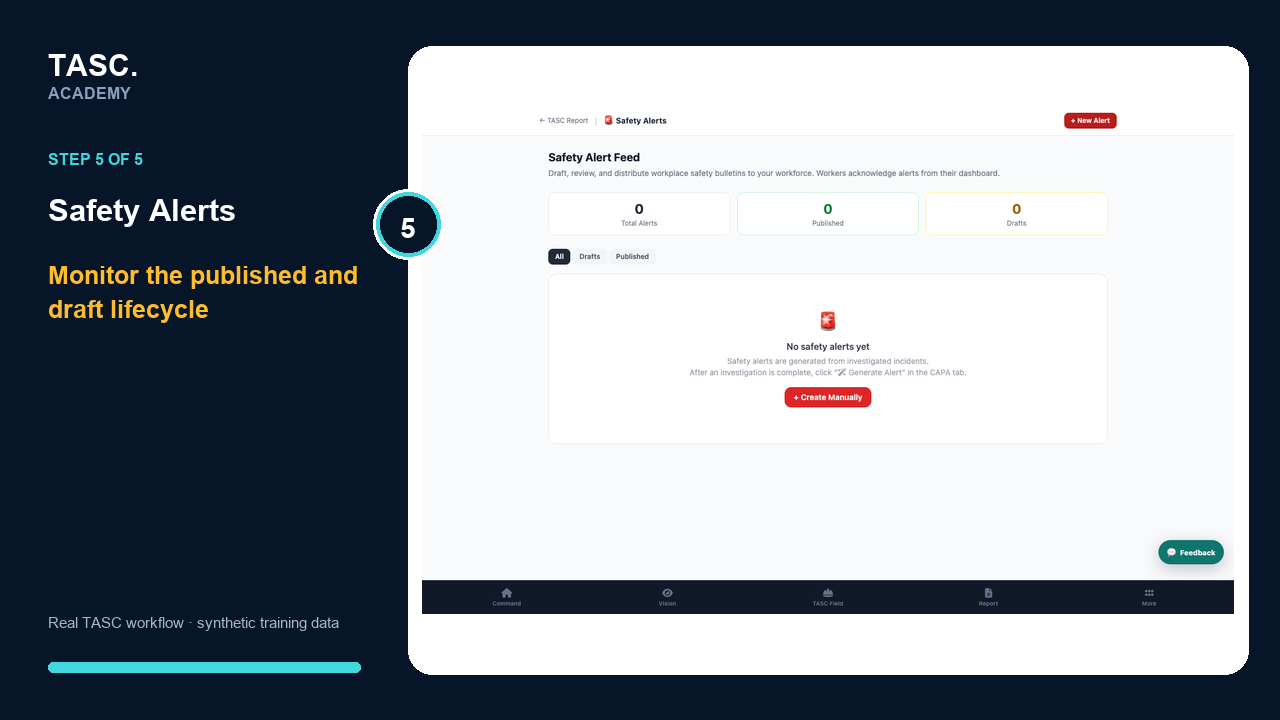 Step 5: Monitor delivery and close
Check that it worked
- The hazard and required action are explicit
- Only the intended audience is selected
- A preview is reviewed
- Closure or supersession is recorded
If something goes wrong
The wrong audience receives an alert.
Stop further distribution, correct the scope and issue a clear correction through the approved channel.
Before you begin and supporting details
Before you begin
- Organization-administrator or authorized supervisor access
- The correct organization and site context
- A synthetic test case before changing live operational information
Find it in TASC
Employer PortalSafety Alerts