All lessons
Roles & PermissionsVideo + step screenshots
Roles & Permissions: complete walkthrough
Create reusable permission profiles, test least-privilege access and manage justified person-level exceptions.
10 minutes5 stepsCore
Watch first
Captioned walkthrough using the real TASC screen
Do the task
Follow these steps in order
0 of 50%
Review built-in and custom roles
Understand the current role profiles before creating another access pattern.
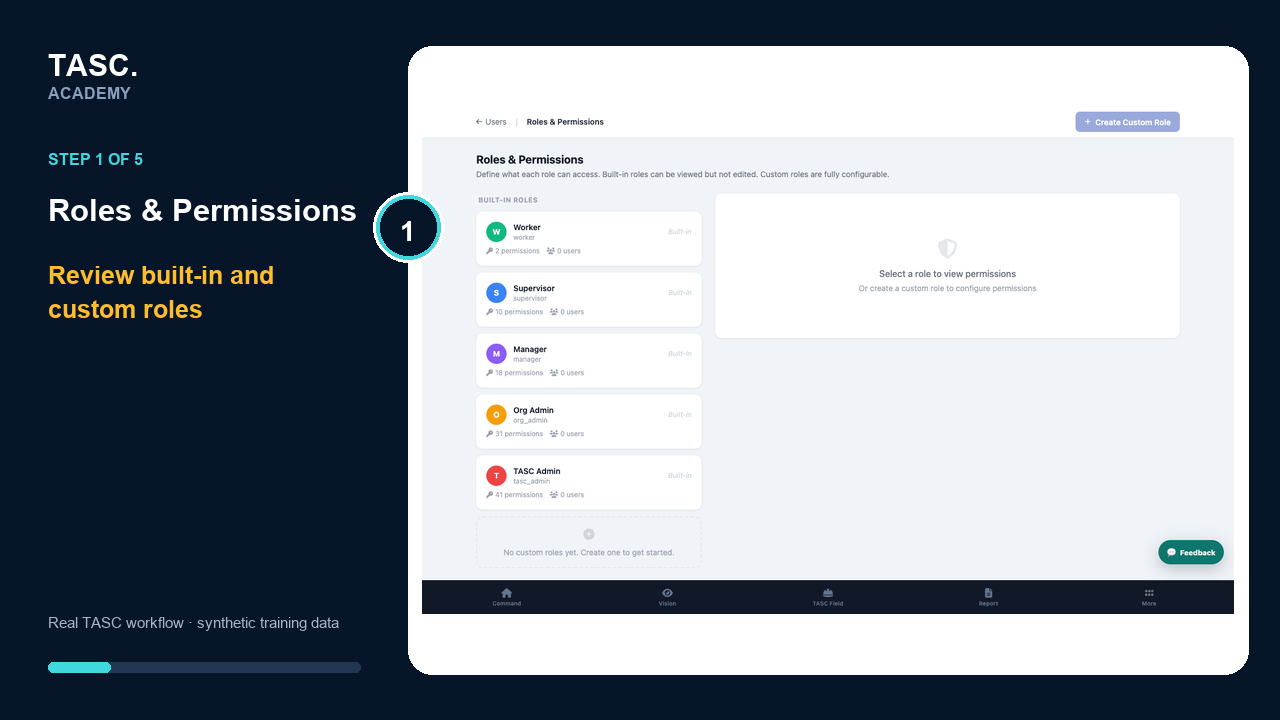 Step 1: Review built-in and custom roles
Create a named custom role
Use a purpose-based name and description that make the role understandable during later review.
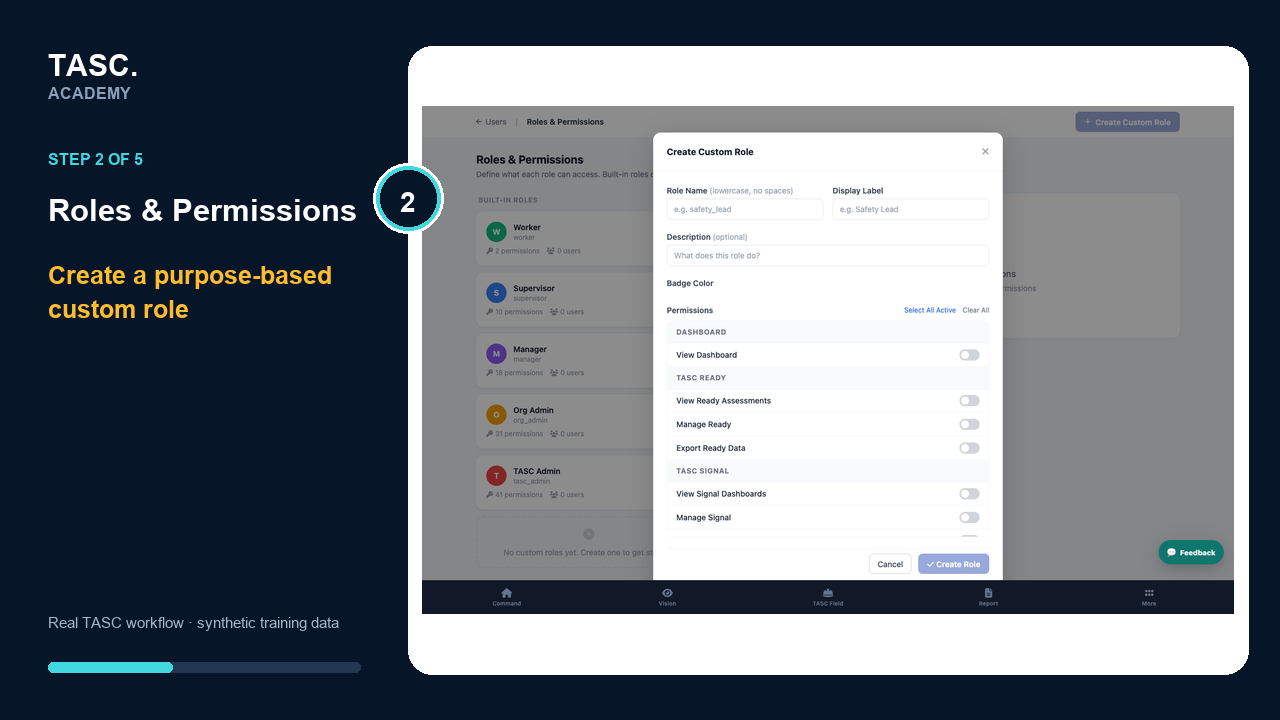 Step 2: Create a named custom role
Configure module access
Enable only the TASC modules required for the role’s actual responsibilities.
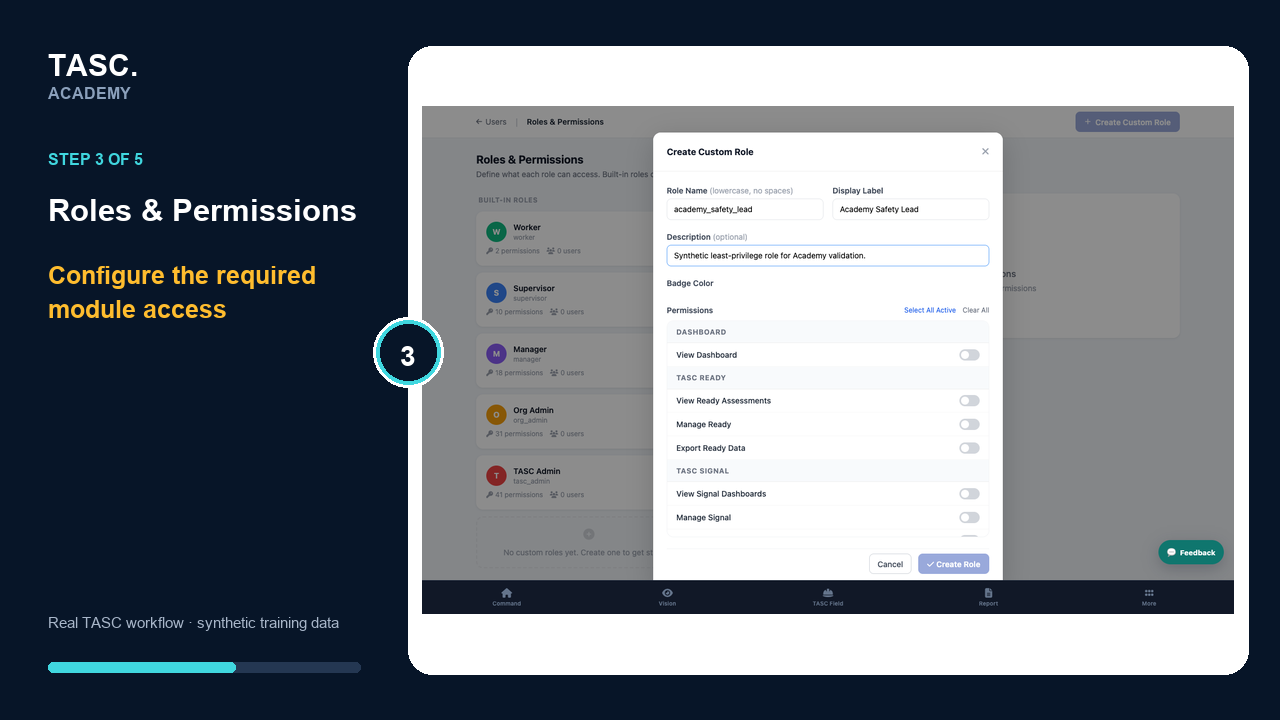 Step 3: Configure module access
Configure platform areas
Review users, settings, billing, intelligence and other administrative surfaces separately from module access.
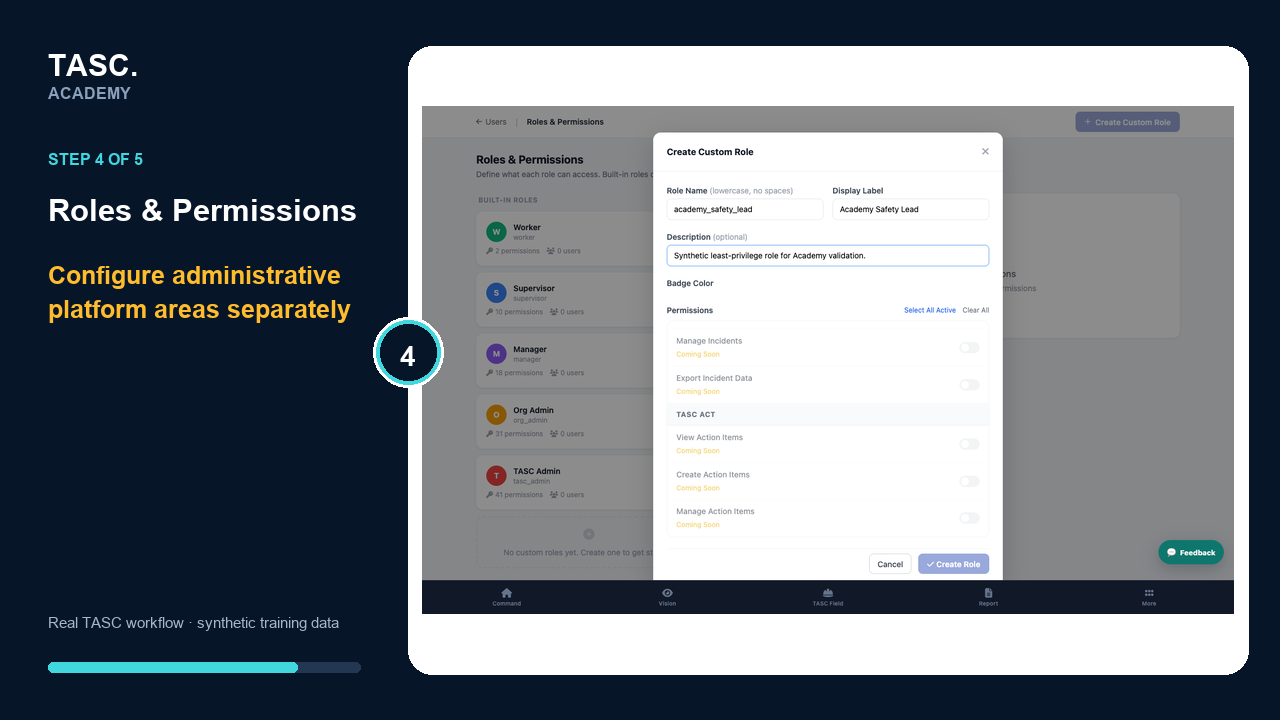 Step 4: Configure platform areas
Assign and test
Apply the profile to a synthetic test user and prove both allowed and denied paths before using it broadly.
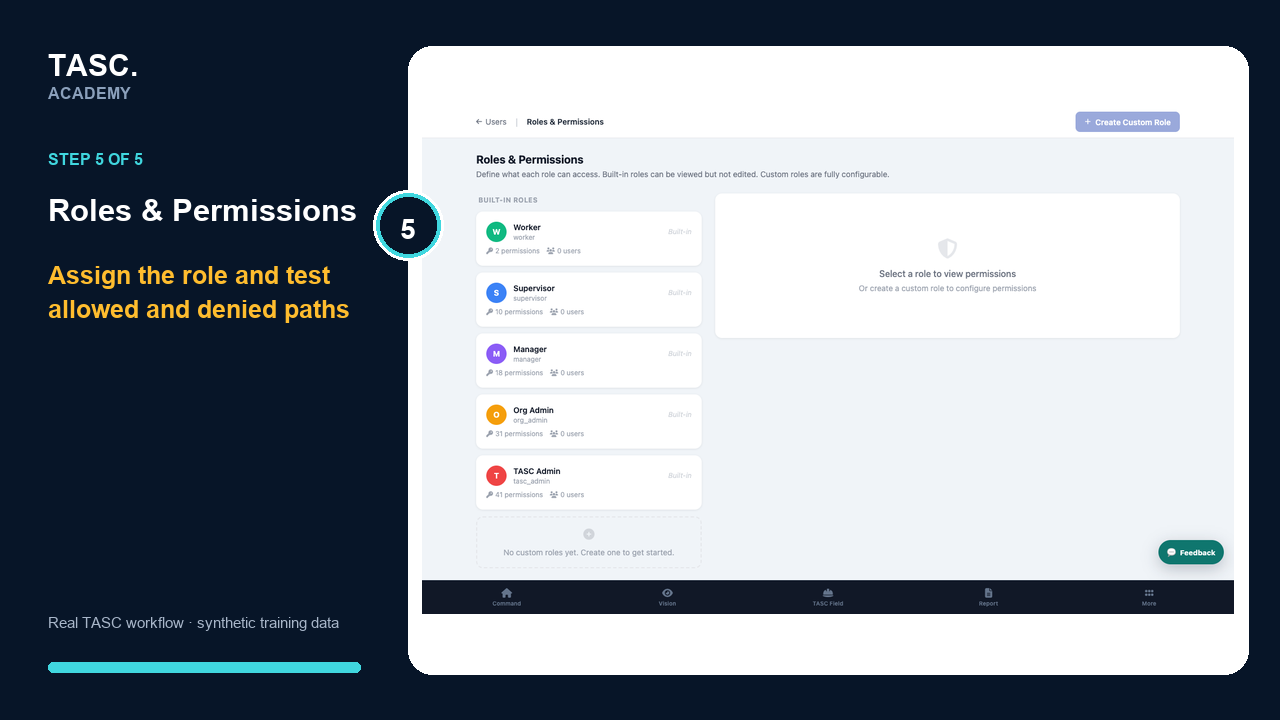 Step 5: Assign and test
Check that it worked
- The role has a clear business purpose
- Module and platform access are both reviewed
- Denied-path testing succeeds
- Overrides are documented and limited
If something goes wrong
A user sees more than the role intends.
Review profile defaults, person-level overrides and site assignments together.
Before you begin and supporting details
Before you begin
- Organization-administrator or authorized supervisor access
- The correct organization and site context
- A synthetic test case before changing live operational information
Find it in TASC
Employer PortalUsersRoles & Permissions