All lessons
Organization SettingsVideo + step screenshots
Organization Settings: complete walkthrough
Manage the organization-level controls that affect worker communication, privacy, modules, forms, shifts, exports and automation.
10 minutes5 stepsCore
Watch first
Captioned walkthrough using the real TASC screen
Do the task
Follow these steps in order
0 of 50%
Review organization identity and privacy
Confirm company identity, retention and individual-status visibility before changing downstream workflows.
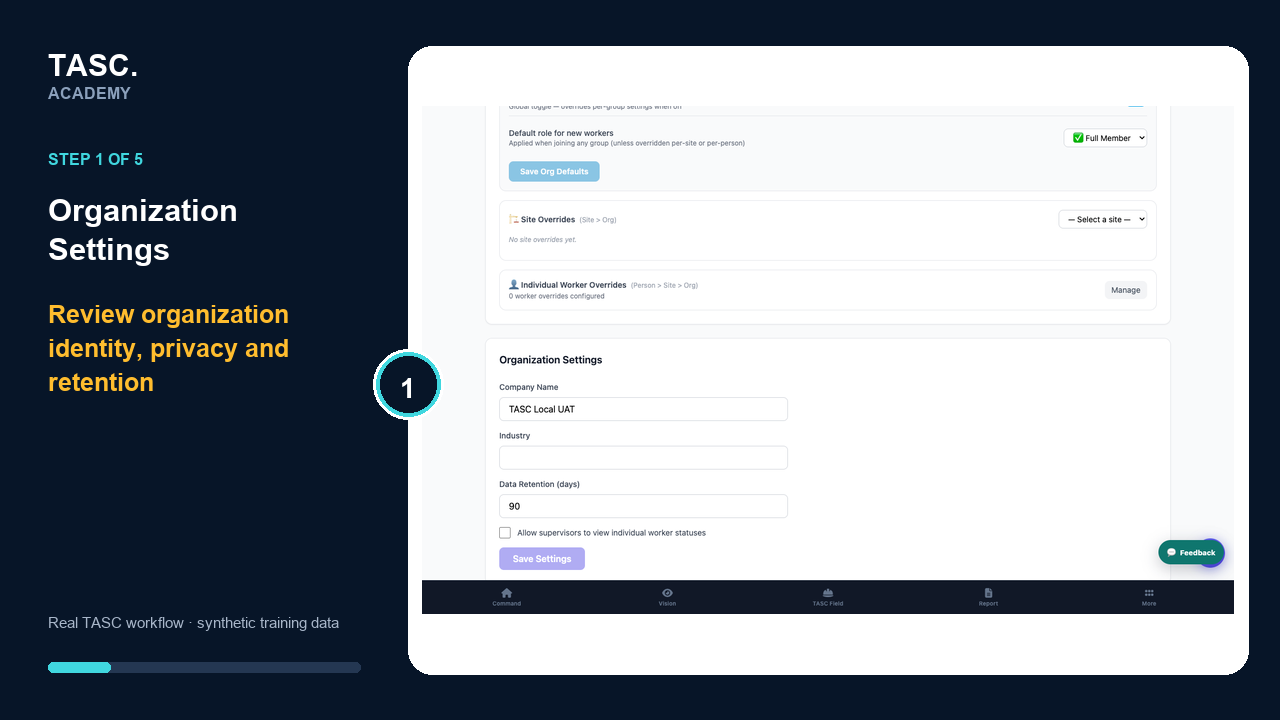 Step 1: Review organization identity and privacy
Review communication controls
Check worker announcements, feed permissions, moderation and wellbeing support configuration.
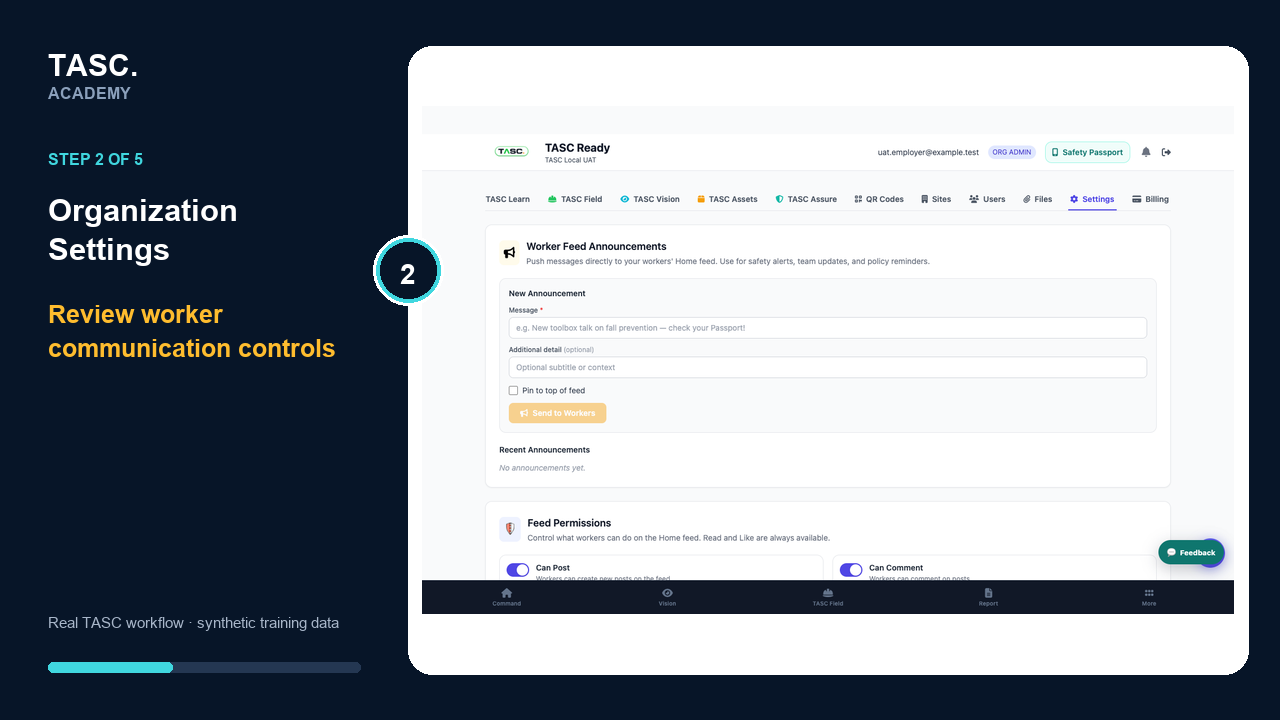 Step 2: Review communication controls
Review modules and forms
Confirm active modules and open the Form Builder for governed template changes.
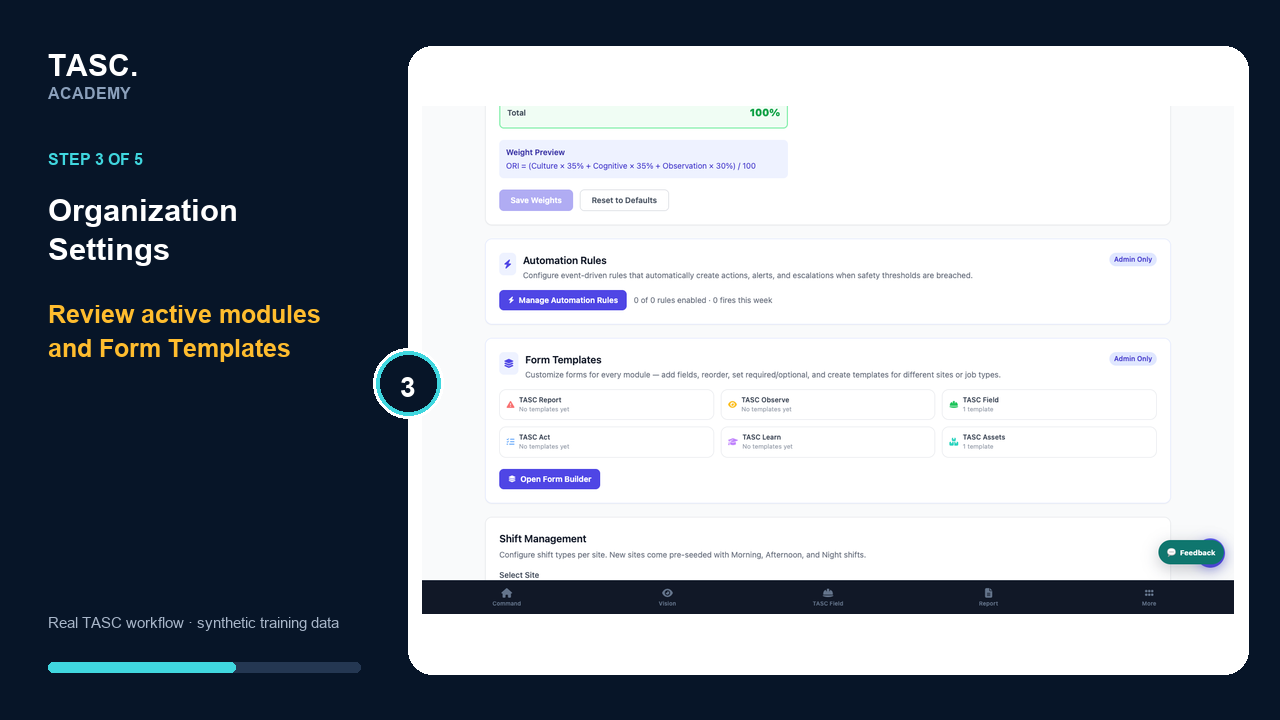 Step 3: Review modules and forms
Review shifts, exports and reports
Maintain shift structure, scheduled reports and quick exports using approved recipients and scope.
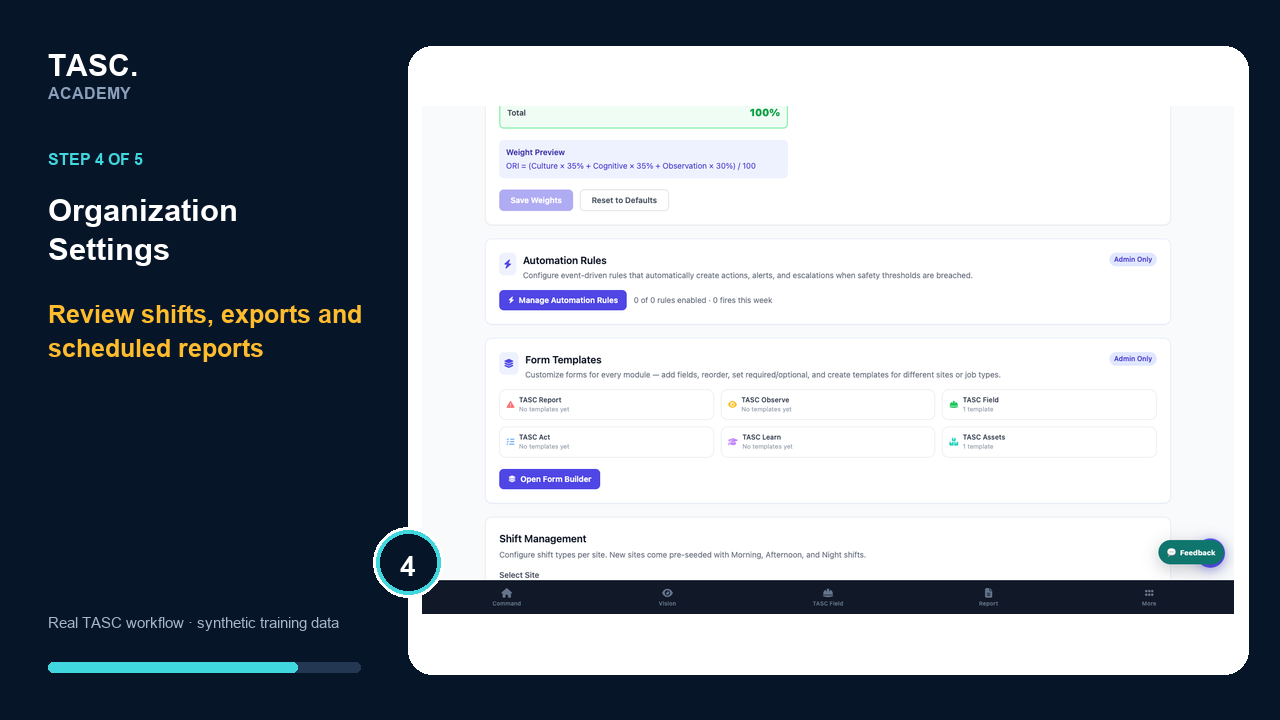 Step 4: Review shifts, exports and reports
Save and regression-test
Record the reason for material changes and retest every affected user, form, QR and report path.
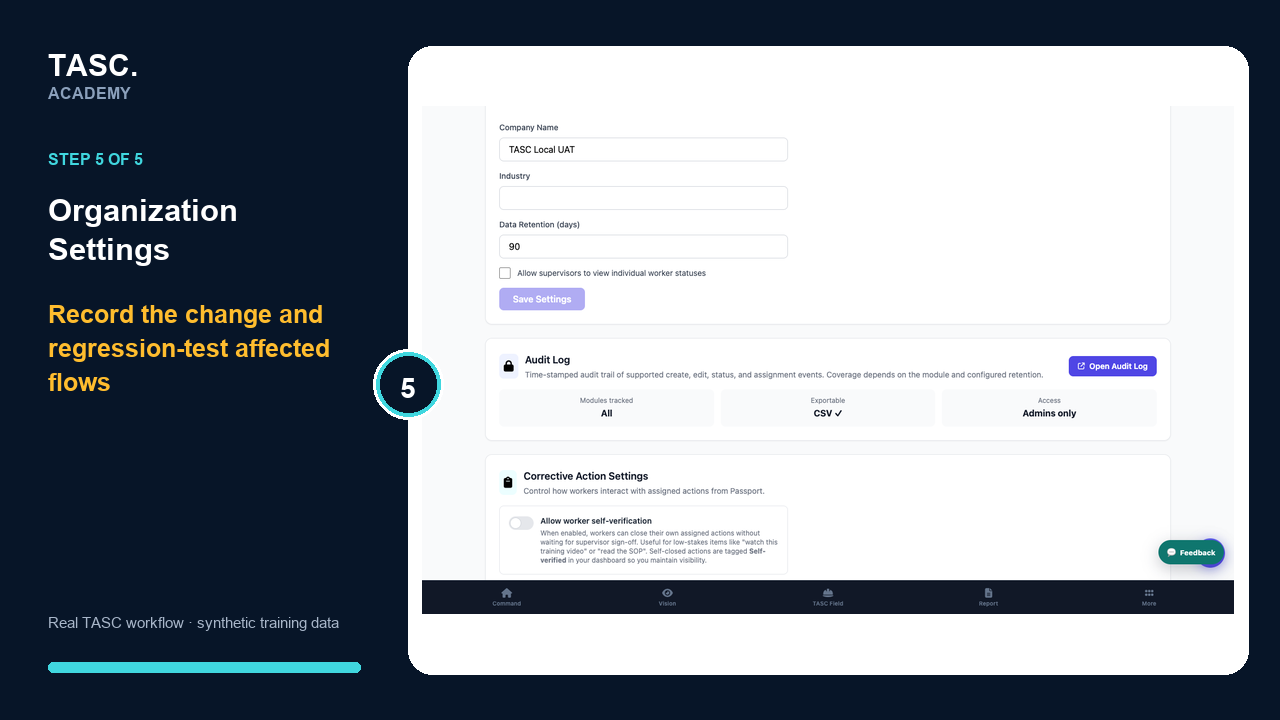 Step 5: Save and regression-test
Check that it worked
- Identity and retention are approved
- Communication permissions match policy
- Modules and forms match the operating plan
- Affected workflows pass regression tests
If something goes wrong
A settings change breaks an established flow.
Restore the approved configuration if safe, record the change and rerun the affected acceptance cases.
Before you begin and supporting details
Before you begin
- Organization-administrator or authorized supervisor access
- The correct organization and site context
- A synthetic test case before changing live operational information
Find it in TASC
Employer PortalSettings