Add organization users and assign access
Invite administrators, managers and supervisors without confusing licensed users with connected workers.
Watch first
Captioned walkthrough using the real TASC screen
Do the task
Follow these steps in order
Choose the correct person type
Confirm whether the person is an employee or contractor and whether they need authenticated platform access.
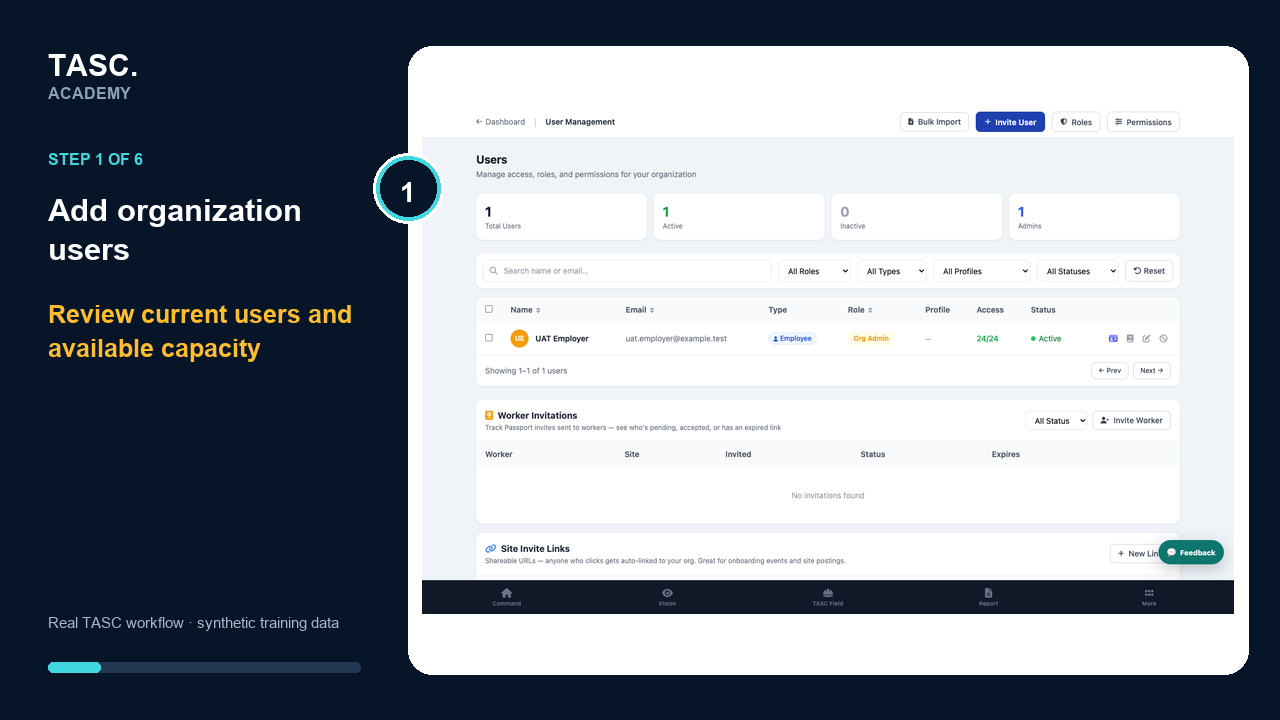 Step 1: Choose the correct person type
Enter contact details
Add the invited person’s email, name and contractor company when applicable.
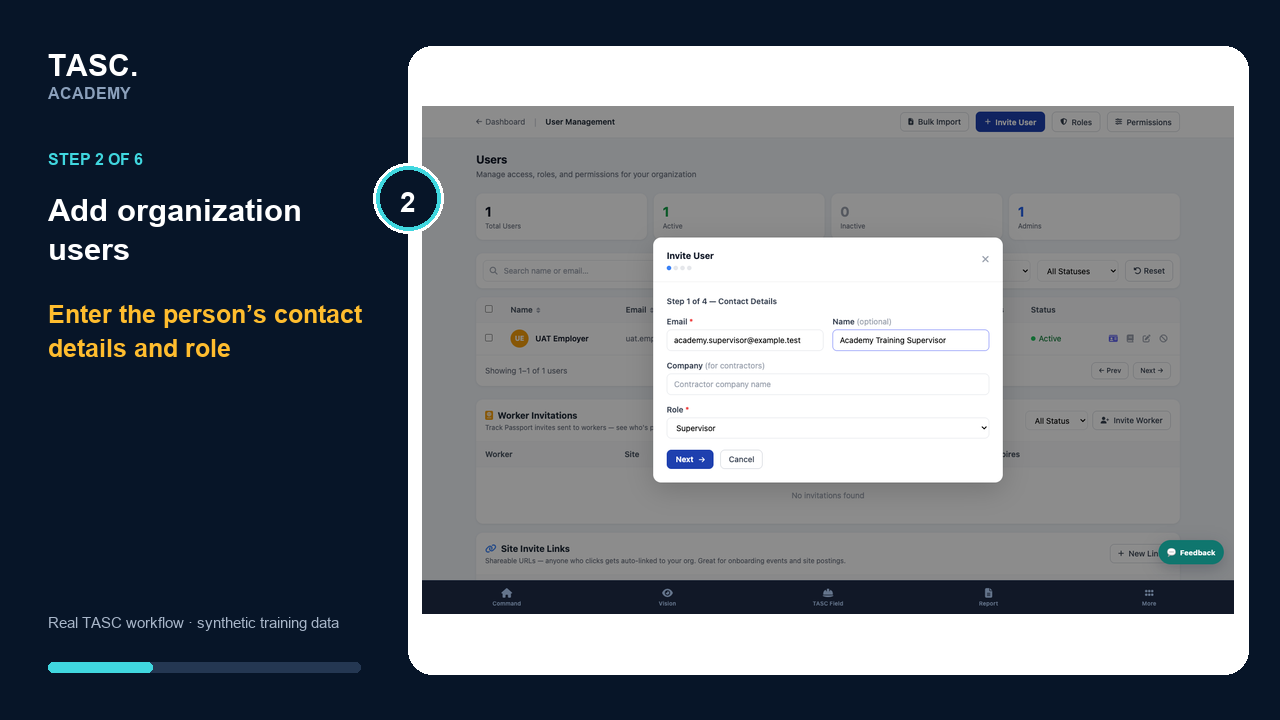 Step 2: Enter contact details
Choose a role
Assign Org Admin, Manager or Supervisor based on the work the person must perform.
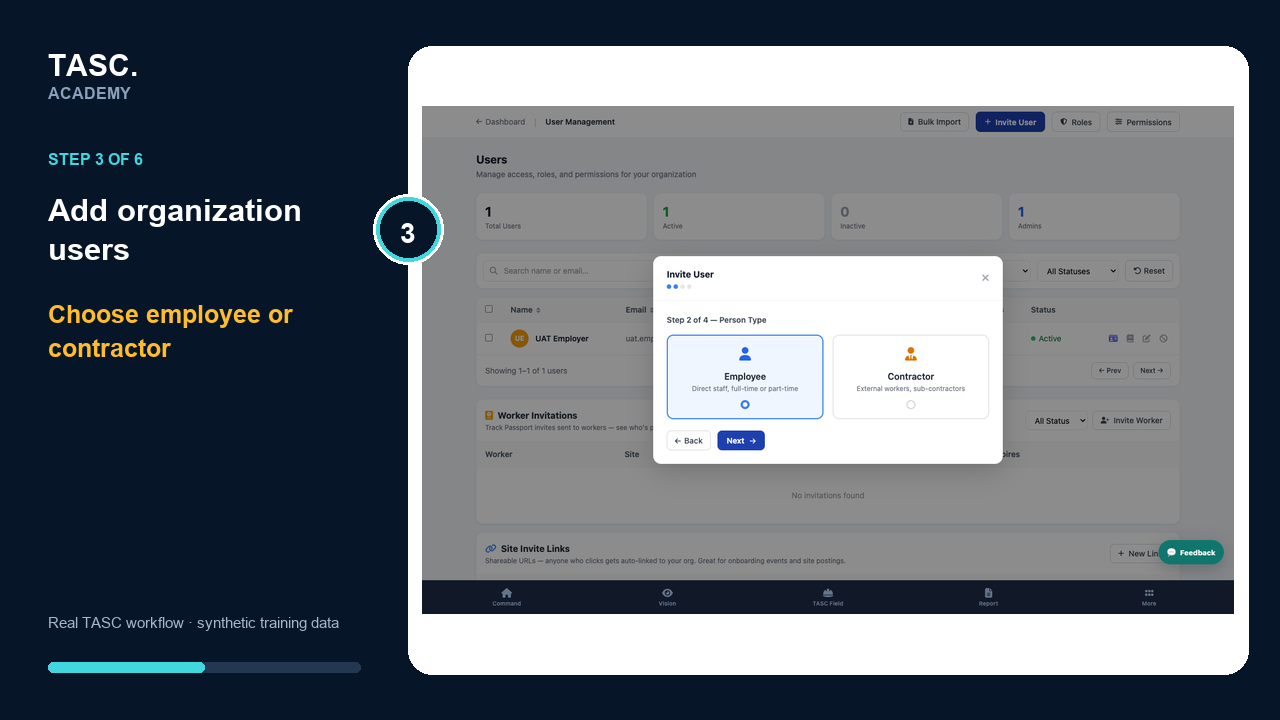 Step 3: Choose a role
Apply a permission profile
Use a reusable profile for consistent access across modules and platform areas.
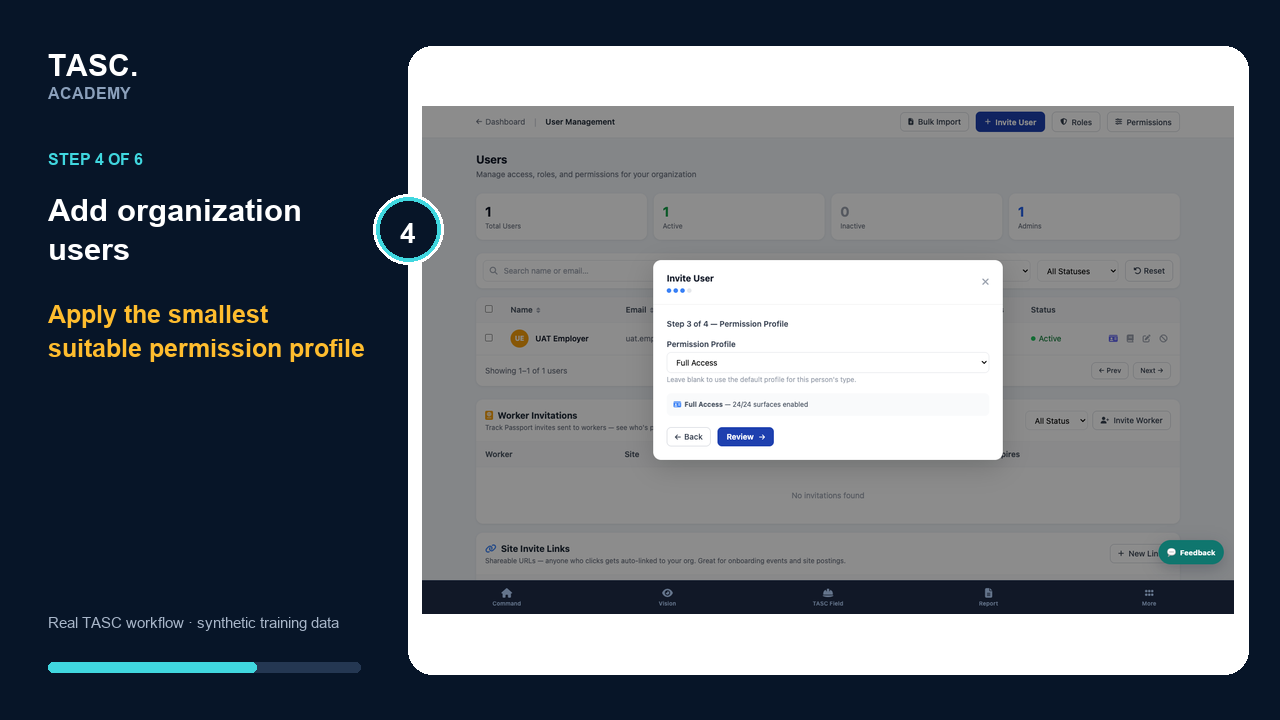 Step 4: Apply a permission profile
Review exceptions
Apply individual surface overrides only when the person genuinely differs from the profile.
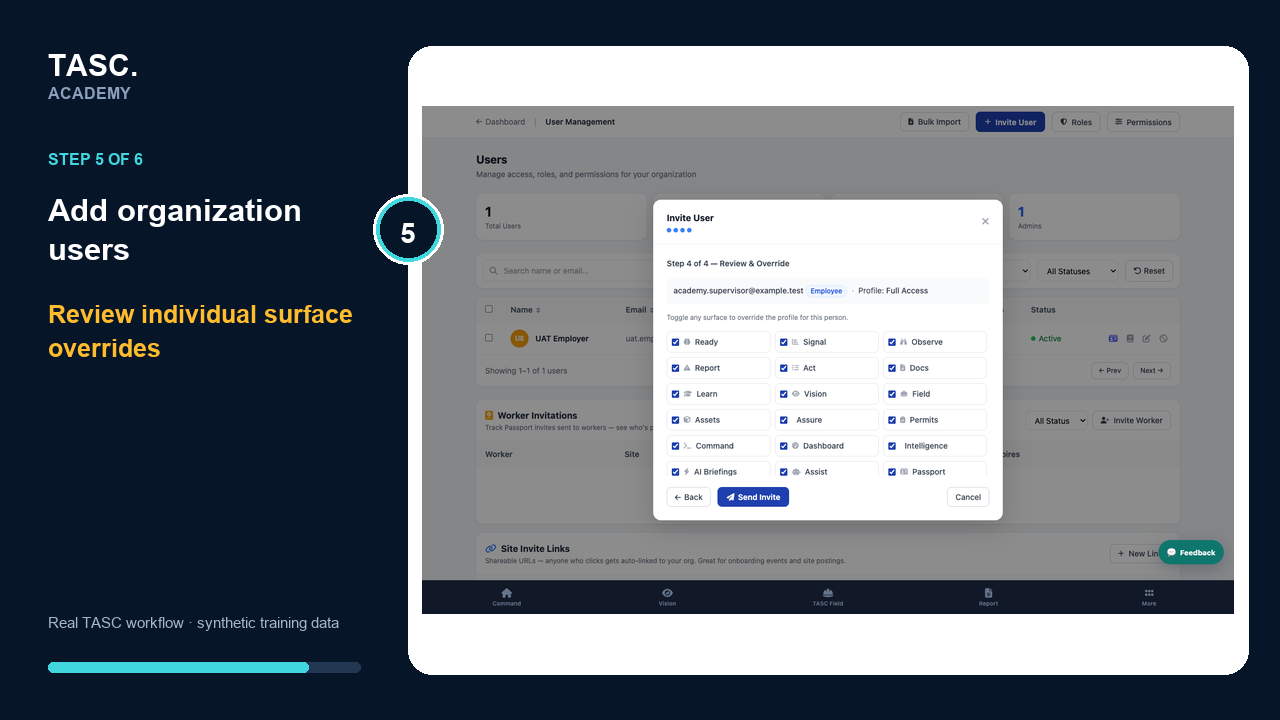 Step 5: Review exceptions
Send and verify
Send the invitation, confirm its status and test the resulting access before assigning operational work.
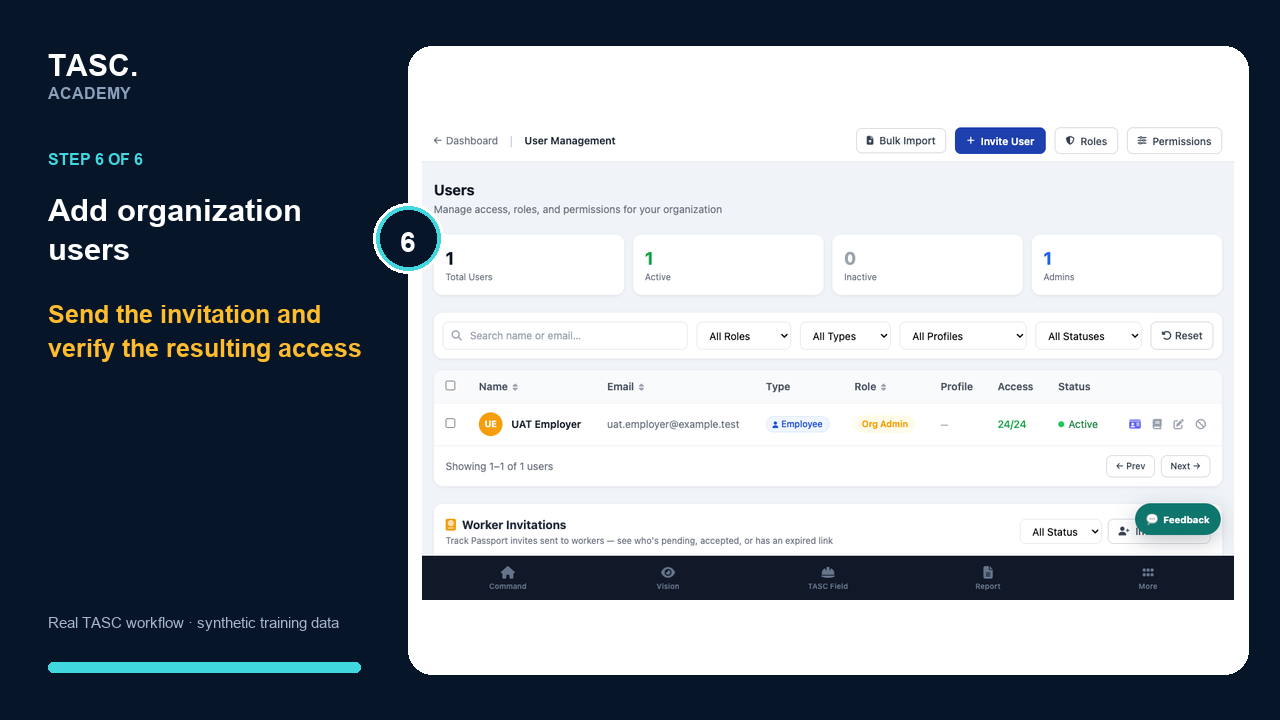 Step 6: Send and verify
Check that it worked
- Invitation status is visible
- The invited person can sign in
- Only the intended sites and modules appear
- A denied-area check proves restricted access remains restricted
If something goes wrong
The invitation arrives but the person sees the wrong tools.
Review role, permission profile, individual overrides and site assignments together.
The organization is at user capacity.
Do not invite a Passport-only worker as a user. Review the intended person type and plan capacity.
Before you begin and supporting details
Before you begin
- The person’s work email and employee or contractor type
- Their required role and site scope
- An approved permission profile
- Available organization-user capacity